Garden office with a weak signal
If you want to download digital magazines in your garden office, check whether there’s a midway point where a wireless repeater can still receive a signal from your router.


A Wi-Fi repeater may be enough for downloads in your garden office, provided it has a usable connection to your router from a suitable midway point and can reach the office from there. If the wireless signal won’t stretch that far, consider a wired access point or Powerline; test Powerline using the sockets you plan to use. The advertised Wi-Fi data rate alone won’t tell you how fast downloads will be at your desk.
If you want to download digital magazines in your garden office, check whether there’s a midway point where a wireless repeater can still receive a signal from your router.
If your home Wi-Fi can’t reliably reach your garden office, consider running an Ethernet cable or testing a pair of Powerline adapters in the sockets you plan to use.
If the device is actually going to be installed outdoors, its suitability for outdoor use, data connection, power supply and wireless configuration must all be right for the specific model and location.
First, work out how the connection will get from your house to your garden office. It’s only then that it makes sense to compare mesh features and device specifications.
Suitable if: A location with a usable signal from your router can also provide coverage to your garden office.
Trade-off: The connection to the router still relies on Wi-Fi; a device in a Wi-Fi dead zone can’t pass on a signal that isn’t there.
Suitable if: You already have an Ethernet cable to your garden office, or running one is practical.
Trade-off: The access point needs the right operating mode and power supply, as well as a suitable cable route.
Suitable if: Running Ethernet isn’t practical and the adapter pair provides a usable connection through the sockets you plan to use.
Trade-off: The connection over your home’s electrical wiring can be affected by electrical devices and your choice of socket.
| What you need | What to check before buying | Who is this important to? |
|---|---|---|
| Connection between the house and garden office | Test a potential midway location and download speeds at your desk. | If I want to use a repeater, I still need a signal from the router at the midway point; around 36 % of consumers prioritise a usable connection between the house and garden office. |
| Connection for regular downloads | For Ethernet, check the right port and operating mode; test Powerline using the sockets you’ll actually use. | If the wireless connection is unreliable, I want to consider another way to connect to my garden office; around 29 % of consumers put a reliable, usable connection first. |
| Outdoor installation | Check that the specific model is suitable for outdoor use, and confirm its power supply and installation method. | If the device is going to be installed outdoors, I need a solution designed for that purpose; around 21 % of consumers prioritise a suitable outdoor installation. |
| Integration with your home network | Check your exact router model and whether it supports the required mesh or access point mode. | If I want to keep using my existing home network, the setup method I choose must work with my router; around 14 % of consumers put integration with their existing network first. |
A repeater can only pass on the connection it receives where it’s installed.
Try a potential location where the signal from your router is still usable, then test a download at your desk in the garden office.
A product specification doesn’t tell you how well the signal will travel through your house and garden to your desk.
Test the connection where you’ll actually use it. If the wireless signal isn’t usable, consider another way to connect.
Suitability for outdoor use and wireless range are two different things.
If you’re installing a device outdoors, check the manufacturer’s information for that specific model, along with its power supply and wireless configuration.
The connection can depend on the sockets you use and sources of electrical interference.
Test the complete adapter pair where you intend to use it before relying on Powerline for your connection.
Worth considering if you want to add a repeater to an existing FRITZ! home network or look at a wired connection.
Its product range offers different options: an indoor repeater with an access point mode, and a separate access point designed for outdoor installation.
Worth considering if you’re comparing an access point or Powerline as ways to connect to your garden office.
Speed Home WLAN is worth considering if you’re checking whether mesh will work with a compatible Speedport setup.
This selection includes indoor repeaters, access points for a planned Ethernet connection and models designed for outdoor installation.
 No image available
Designed for planned outdoor installation and a wired connection; check the installation requirements for your specific location.
The product title describes a model for indoor and outdoor use.
For outdoor installation, follow the guidance on positioning and weatherproof cable installation. UniFi Network version 6.0.45 or later is listed for management.
 No image available
Designed for indoor use. Before choosing, consider whether you want a wireless repeater in a location that can receive a signal from your router, or an access point connected to an existing network cable.
 No image available
Designed to extend an existing Wi-Fi network or work as an access point with a network cable; specified for indoor use.
The product name lists dual-band, AX3000, 574 Mbit/s at 2,4 GHz, 2402 Mbit/s at 5 GHz, a Gigabit port and an access point mode. These stated wireless rates aren’t a measurement of performance in your garden office.
 No image available
Designed to extend an existing indoor Wi-Fi network. Check the signal at your planned location and the requirements of your home network.
The product name lists dual-band Wi-Fi 7, MLO, a 2,5-Gigabit Ethernet port and EasyMesh compatibility.
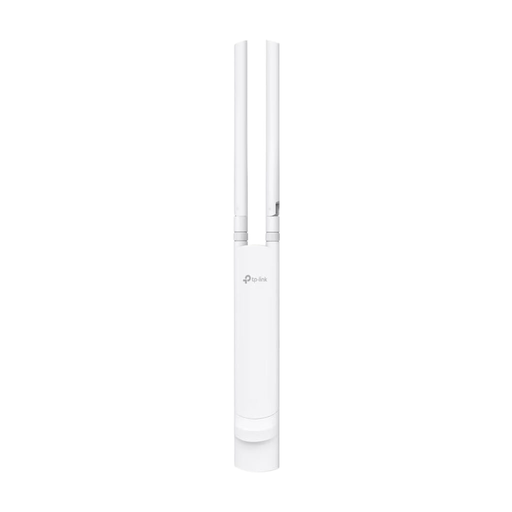 No image available
Designed for planned outdoor installation with a suitable Ethernet and power connection. Check which PoE option your installation requires.
The product name lists IP65, 802.3af or passive PoE, and wall or pole mounting.
First, check the signal at a potential location for the repeater, then try an actual download at your desk. A repeater passes on the connection it receives; the Wi-Fi data rate printed on the product doesn’t measure the connection between your house and garden office.
Test the adapter pair using exactly the sockets you plan to use. devolo recommends plugging adapters directly into wall sockets rather than extension leads or trailing sockets, and lists electrical devices such as power supplies and dimmer switches as potential sources of interference.
Depending on the option you choose, you may need a network cable, an outdoor access point or a pair of Powerline adapters. Before buying, check what’s included and what power supply the specific model needs.
The Federal Office for Information Security recommends changing default passwords and keeping firmware up to date. If visitors will use Wi-Fi in your garden office, consider setting up a separate guest network rather than sharing access to your home network.