Garden office with a cable route for Ethernet
You want to connect the access point right by your workspace and can run a network cable to it.


You don’t necessarily need a new Wi-Fi router for an online workshop in your garden office. If your main router is working reliably, the first thing to consider is how the connection reaches your workspace. If you can run an Ethernet cable, an access point connected there can provide coverage. Without a cable, you could consider a mesh node with a reliable backhaul, or a powerline connection tested at the sockets you’ll actually use. Replace your main router only if it no longer supports your connection type, lacks the features you need or no longer receives security updates. Changing the router alone won’t fix a weak Wi-Fi signal to your garden office.
You want to connect the access point right by your workspace and can run a network cable to it.
You need a connection without installing a new data cable and can test Wi-Fi or powerline at the intended location.
As well as checking coverage in your garden office, you need to make sure your main router is compatible with your internet connection and can still be used securely.
First, work out how the connection will get from your main router to your workspace. Consider replacing the router separately if there’s also a reason to do so based on your internet connection or the security of your current device.
| Buying priority | What to check before buying | Who is this important to? |
|---|---|---|
| Ethernet to the workspace | Cable route and power supply; Ethernet uplink on the access point. | If I can run a cable to my garden office, I want to connect the access point right there. Around 29% of consumers prefer this wired connection. |
| Wi-Fi extension without a data cable | Connection to the house at the planned node location; compatible mesh system. | If a network cable isn’t an option, the node still needs a reliable connection to the house where it’s installed. Around 24% of consumers prioritise extending Wi-Fi without running a new data cable. |
| Powerline over electrical wiring | Connection at the intended sockets; test the adapters plugged directly into wall sockets. | If I don’t want to run a data cable or make Wi-Fi my first choice, I want to test powerline at the sockets I’ll use day to day. Around 18% of consumers prioritise using their existing electrical wiring this way. |
| A compatible main router | Identify your connection type; check whether you have a modem or fibre ONT. | If I need to replace my main router, I first want to make sure the new device is compatible with my DSL, cable or fibre connection. Around 17% of consumers prioritise connection compatibility when choosing a new main router. |
| Security and updates | Firmware updates for the specific model; Wi-Fi security settings supported by your router and devices. | If it’s important to me that I can keep using my home network securely, I check for updates and settings that work with my devices. Around 12% of consumers put this security consideration first. |
Advertised Wi-Fi speeds and router comparisons don’t show how well the signal gets through your house wall to your workshop space.
Check the connection at the main router and in your workspace separately before deciding whether to replace the router or extend your network.
A wireless node needs a reliable connection to the house itself. The placement guidance for the Deco X50-Outdoor applies to that model and isn’t a general guarantee of range.
Test the signal at the planned location. If the backhaul is too weak, consider a wired Ethernet connection.
devolo notes that electrical interference can affect transmission at individual sockets.
Test the adapters at the sockets you plan to use and during a trial video call.
An IP rating, a particular power supply and mesh integration are different features. Deco and Omada are also separate product ranges.
For the complete setup, check the IP rating, power supply, network connection and compatibility with your existing system.
Depending on your setup, you may also need a compatible PoE device.
Worth considering if you want to extend a FRITZ! setup or choose a main router that matches your connection.
Offers different options here, including the Deco X50-Outdoor and the Omada Access Point EAP225-Outdoor.
The Magic 2 WiFi 6 next Starter Kit is a powerline Wi-Fi option if you don’t want to run a data cable.
Speed Home WLAN may be an option if the mesh setup described is compatible with your router and installation.
The UniFi U6 Mesh is a PoE-powered access point designed for indoor and outdoor use, according to its data sheet.
The Joybuy picks below include wired access points for your workspace and a mesh system for extending Wi-Fi. Check the installation location, network connection and power requirements for each model.
 No image available
For a wired access point indoors, where the required power supply is available.
Dual-band Wi-Fi, 2.5 GbE uplink, PoE and 5 spatial streams. Designed for indoor installation only; according to the product details, the PoE injector and Ethernet cable are not included.
 No image available
For extending Wi-Fi with two mesh units. Check that the system will work with your existing setup before buying.
Wi-Fi 7, dual-band and Gigabit Ethernet. Designed for dry indoor environments; avoid water, high humidity and direct sunlight.
 No image available
For an access point indoors or outdoors, where a compatible PoE supply is available.
6 spatial streams; according to the product name, a PoE adapter is included. When installing outdoors, the LED side must face upwards and the cable entry must be protected from water.
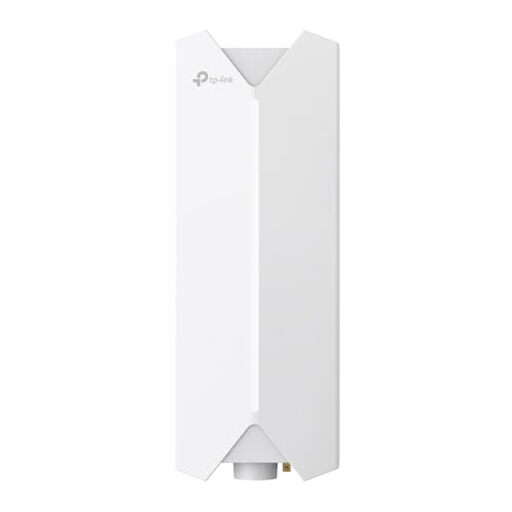 No image available
For an outdoor Wi-Fi access point. Before installation, check the appropriate power supply, cable sealing and local requirements.
The product details require installation by a qualified professional. Outdoor use requires suitable cables and sealed cable connections; keep at least 20 cm away from the body.
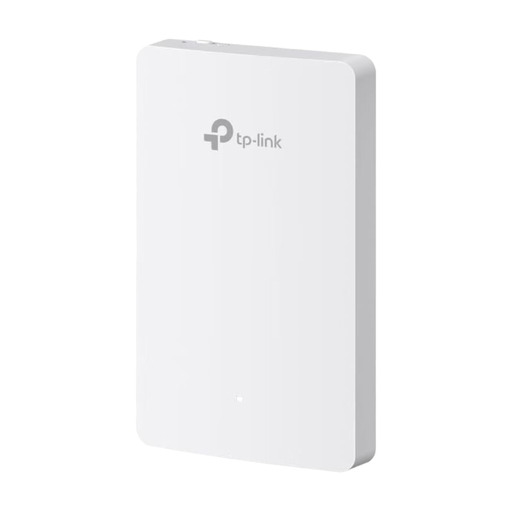 No image available
For a fixed indoor location on a standard wall socket; according to the product details, it’s not designed for damp environments.
Dual-band AC1200 Wi-Fi, four Gigabit ports and PoE. A PoE-enabled switch or PoE injector is required and, according to the product details, is not included.
It depends on the platform and how you’re taking part. For active participants in a 720p group video call using the web app, Zoom lists 2.6 Mbit/s upload and 1.8 Mbit/s download. These figures are for Zoom and are neither a minimum requirement for a particular router nor a substitute for testing the connection in your garden office.
Place it where it still has a reliable connection to the house and can also reach your garden office – not right at the point where the backhaul has already become unusable. For the Deco X50-Outdoor connected wirelessly, TP-Link recommends placing it no more than 10 m from the main Deco and positioning that unit near a window. This recommendation applies to this specific device combination.
Test the adapters at the sockets you plan to use and monitor the connection during a trial call. devolo recommends plugging them directly into wall sockets rather than extension leads, and lists power supplies and dimmers as possible sources of interference.
No. Approval for a frequency band doesn’t automatically mean that every device can be used at every outdoor location. The Bundesnetzagentur’s frequency plan is dated August 2026; its decision 76/2025 on the allocation of 5945–6425 MHz repeals decision 12/2025. Check the documentation for your specific device and the applicable conditions of use for your planned location and operating mode.
The Bundesnetzagentur lists CE marking, product and manufacturer identification, German-language instructions with warnings, and a declaration of conformity among the points it checks during market surveillance. Claims about range or weather resistance don’t replace the documentation for the specific device.