If you can use your home internet connection, first check the connection to your garden office before a cookery class. Adding an access point may make more sense than buying a new main router. If you can run a network cable, a wired access point is an option. Without a cable, mesh or Powerline may work, provided the wireless signal reaches the right spot or your electrical installation is suitable. A mobile broadband router is another option if you can’t use a suitable fixed-line connection, as long as you have good reception at the location and the SIM and data plan are suitable.
Who uses Wi-Fi in a garden office?
Cookery class viewers with a permanent garden office
If you already have an internet connection at home and want to watch the class in a fixed spot, first check the connection between your home and garden office. heise online and Bitkom point out that the route the signal takes and the location of an additional access point are key to getting Wi-Fi in the garden.
Garden office users without a cable route
If you can’t run a network cable, it comes down to whether there’s a suitable location for a wireless signal or a suitable connection through your mains wiring. Whether a wireless backhaul will work depends on factors such as the location and any obstacles; Powerline requires a suitable electrical installation.
Garden office users without a usable fixed-line connection
If you need a separate internet connection, check mobile reception right where you plan to put the router, along with SIM and data plan compatibility. FRITZ! says the FRITZ!Box 6850 5G is designed to provide internet access over a mobile network.
What should you look for when buying?
For a cookery class in your garden office, check the connection where you’ll be watching before relying on the data rate quoted for a router or access point.
| What to look for |
What to check before buying |
Who is this particularly important to? |
| Stable video streaming |
Test the connection on the device you’ll use for the class and check the service’s requirements. Netflix recommends 5 Mbit/s for Full HD on its own service; this isn’t a minimum requirement for every cookery class. |
If I want to follow the class in one place without interruptions, the connection on my device matters more to me than an advertised top speed. Around 36% of consumers also make a stable stream, with the option of a wired connection, their top buying priority. |
| Connection without a network cable |
For mesh or a repeater, find a location with a decent signal from your existing router; the node needs a reliable connection back to the house. |
If I can’t run a cable, I want to know whether there’s a suitable spot for a wireless connection between the house and garden office. Around 29% of consumers put wireless connectivity first. |
| Powerline through the mains wiring |
Before buying, check whether your electrical installation can provide a connection between the house and garden office, and test the sockets you plan to use. |
If I want to avoid running a new network cable, I’ll consider Powerline only if the mains wiring is suitable. Around 21% of consumers prioritise using existing power cables. |
| Separate internet connection |
Check mobile reception where you’ll put the router, as well as SIM compatibility, data allowance and ongoing plan costs. |
If I can’t use a suitable fixed-line connection in my garden office, I need a separate internet connection and must consider mobile access. Around 14% of consumers prioritise a separate mobile internet connection. |
Common mistakes when buying Wi-Fi for a garden office
-
Assuming a high Wi-Fi data rate guarantees uninterrupted classes
The advertised wireless speed doesn’t tell you what connection will actually reach your viewing spot. The internet connection itself and the route to the garden office also affect performance.
Test the connection on the device you’ll use for the class, in the place you plan to watch, and check the requirements of the course service before choosing a device.
-
Putting the repeater where the Wi-Fi already drops out
A repeater needs a decent connection to your existing network. heise online and Bitkom highlight how important the location and signal strength of an additional device are.
Try a sheltered spot between the buildings where the signal is still good. If you can run a network cable, a wired access point can avoid relying on a wireless backhaul between the buildings.
-
Choosing Powerline just because there are sockets available
The garden building setup described by devolo requires a shared electrical connection. Having a socket doesn’t prove that the connection between the house and garden office will work.
Check your electrical installation and test the sockets you plan to use before committing to Powerline as your connection method.
Relevant brands for these Wi-Fi options
FRITZ!
The FRITZ!Repeater 1200 AX can extend an existing home network; the FRITZ!Box 6850 5G is a separate option for internet over a mobile network.
- FRITZ! says the repeater can connect to a FRITZ!Box via LAN, allowing it to work as an additional Wi-Fi access point.
- An indoor repeater or a mobile broadband router won’t automatically solve every distance or reception issue. For a mobile broadband router, reception, SIM and data plan all need to be suitable for the location.
TP-Link
The Omada EAP610-Outdoor V1 is designed for a suitable outdoor location.
- TP-Link specifies an IP67-rated enclosure and Omada Mesh support for this version.
- Weather resistance alone doesn’t tell you whether the connection will reach your garden office, or whether the mounting, power supply and network connection will work. These all need to suit your particular location.
devolo
The Magic 2 WiFi 6 next Starter Kit combines Powerline and Wi-Fi, provided your electrical installation is suitable for the connection route.
- According to devolo, the Starter Kit includes two adapters; the Wi-Fi device has two Gigabit LAN ports.
- devolo says its garden building setup requires a shared electrical circuit. Advertised maximum speeds aren’t measurements of performance in a particular garden office.
Suitable products at Joybuy
The Joybuy products below are designed to extend an existing network with a wired access point, mesh or outdoor access point.
 No image available
Ubiquiti UniFi U6+ WiFi 6 Access Point
For a fixed spot to watch your class, if you can run an Ethernet cable from the house to the access point.
Dual-band Wi-Fi, 1-GbE RJ45 port and PoE support; designed for wall or ceiling mounting. A suitable PoE power source and Ethernet cable are needed for a wired connection.
View at Joybuy
 No image available
Ubiquiti UniFi U6 Mesh WiFi 6 Access Point
For a garden office where you want to use wireless mesh or an Ethernet uplink to your existing network.
Supports wireless mesh and a Gigabit Ethernet uplink; a PoE adapter is specified in the product name. For outdoor installation, consider the IPX5-rated enclosure and the intended wall or pole mounting. With wireless mesh, the connection to the house depends on the location and backhaul.
View at Joybuy
 No image available
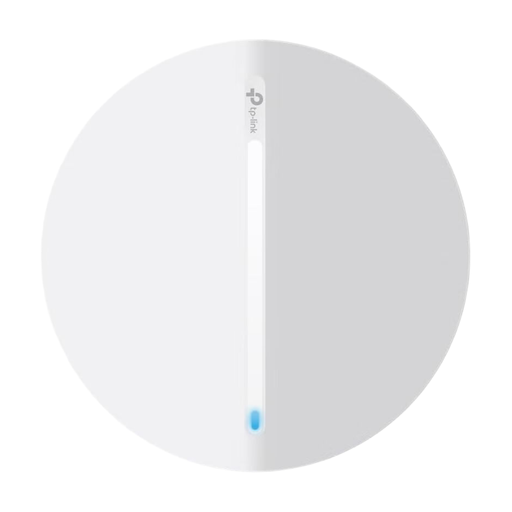
TP-Link Festa F65 AX3000 Wi-Fi 6 Access Point
For a fixed indoor workspace, if you can connect the garden office to your existing network via Ethernet.
Ethernet connection with PoE or DC power; designed for ceiling or wall mounting. According to the product description, this device is for indoor use and isn’t intended for outdoor installation.
View at Joybuy
 No image available
TP-Link Deco X1500 Mesh WiFi 6 System, 2-pack
For extending an existing Wi-Fi network with mesh, if you can place the second unit somewhere with a decent connection to the house.
The set includes two units, each with two Gigabit ports. With wireless mesh, the connection to the house depends on the location and a suitable backhaul.
View at Joybuy
 No image available
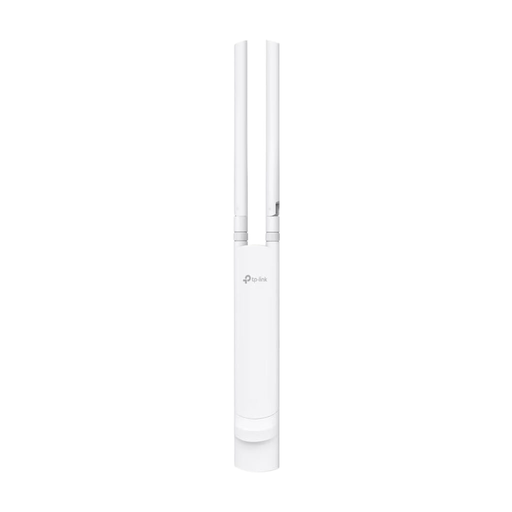
TP-Link Festa F52 AC1200 Outdoor Access Point
For an outdoor access point, if Ethernet and a suitable PoE power supply are available where you want to install it.
Dual-band Wi-Fi, Gigabit port, PoE support and an IP65-rated enclosure; designed for wall or pole mounting. The internet connection must be provided via Ethernet.
View at Joybuy
Frequently asked questions about Wi-Fi in a garden office
How can I tell whether I need a new router for a cookery class?
First check your existing home internet connection, then test the connection where you’ll actually watch the class. Available bandwidth is shared between devices being used at the same time. A new router alone won’t fix a weak connection to the garden office or a slow internet connection.
Where should I put a repeater if I don’t have a cable?
Put it somewhere sheltered where it still gets a good signal from your existing Wi-Fi – not beyond the point where the signal drops out. Then check the connection in your garden office.
What should I check when installing an outdoor access point?
Check that the specific device is suitable for the outdoor location you have in mind, and that the network connection and power supply are available there. TP-Link describes its outdoor access points as receiving power and data via a network cable using PoE; the exact setup depends on the model.
What extra costs or work might different Wi-Fi options involve?
Depending on the option you choose, you may need to run and install cables, buy Powerline adapters or pay for an ongoing mobile data plan. Check what your building and planned use will require before choosing a solution.
Do I need an individual frequency allocation to use Wi-Fi in Germany?
You don’t need an individual frequency allocation to use frequencies covered by a relevant general allocation, although the applicable conditions still apply. The Federal Network Agency publishes the current general allocations. Its decision 76/2025 for the 5945–6425 MHz band revoked the earlier decision 12/2025, so don’t rely on previous rules without checking.


