What should you look for when buying?
First identify what’s limiting your uploads, then find a suitable location for the device. This will help you decide whether a wireless connection is enough, or whether a wired access point or another type of connection might be a better option.
| What you need |
What to check before buying |
Who will find this most important? |
| Wireless link to the garden office |
Check possible locations for the device and the router signal there. If the wireless connection is weak, consider Ethernet or Powerline. |
If I want to upload photo albums from my garden office, I need a reliable connection to the house where the range extender is placed. Around 34% of consumers put a reliable wireless link first. |
| Actual upload speed |
Consider your internet connection’s upload speed separately from the connection at your workspace. Advertised maximum Wi-Fi speeds aren’t a measure of upload speed. |
If large photo albums take a long time to transfer, I want to identify the actual bottleneck rather than just compare high Wi-Fi figures. Around 33% of consumers prioritise the upload speed available to them. |
| Suitable installation location |
Check the intended outdoor location, protection rating, power supply and wireless configuration for the specific model. |
If the device has to be installed outdoors, I want to know whether the model is designed for that exact location. Around 20% of consumers prioritise suitability for outdoor installation. |
| Set-up and installation effort |
Check router compatibility, the mesh functionality you need, Ethernet availability and, for outdoor models, the PoE power supply required. |
If I want to set up the connection without unnecessary installation work, the device needs to be compatible with my router, cabling and power supply. Around 13% of consumers put ease of set-up first. |
Products for your garden office
This selection includes Wi-Fi range extenders for sheltered indoor spaces and access points connected via Ethernet. For each model, check that its operating mode, location and power supply are suitable for your installation.
 No image available
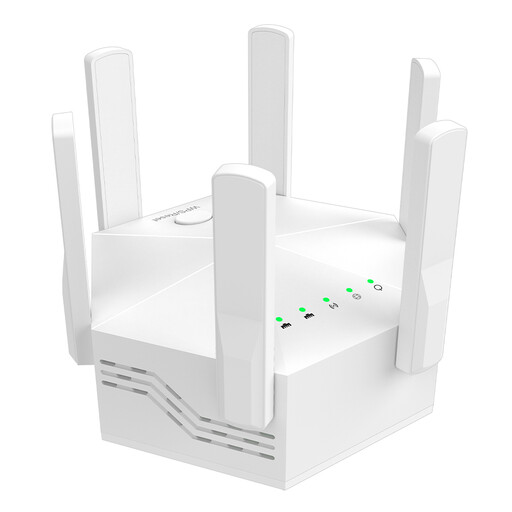
Dual-band Wi-Fi signal booster, 1,200 Mbit/s
If your garden office has an Ethernet cable, you could use this device as a wired access point.
The title lists six adjustable antennas and PoE+. The product description specifies a 2.5-GbE uplink for access point mode. According to the description, the device is designed for indoor installation and needs a suitable PoE+ switch or PoE+ injector.
View at Joybuy
 No image available
Ubiquiti UniFi U6 Mesh WiFi 6 Indoor/Outdoor Access Point
This model may suit a garden office with an Ethernet uplink, provided the UniFi set-up is compatible with your installation.
The product description lists Wi-Fi 6, a Gigabit Ethernet uplink and IPX5. It also says that a PoE adapter is included. For outdoor installation, follow the specified orientation and use the intended wall or pole-mounting accessories. Protect Ethernet ports and cable entries from water.
View at Joybuy
 No image available
Wi-Fi range extender, 1,200 Mbit/s, 5 GHz
For a garden office, wireless range extender mode is only suitable if there’s still a reliable connection to the router where you place the device.
The product description lists dual-band Wi-Fi, two 10/100-Mbit/s Ethernet ports, plus range extender and access point modes. According to the description, the device is designed for indoor use.
View at Joybuy
 No image available
Compact Wi-Fi booster
This device may suit a sheltered indoor location if there’s still a Wi-Fi signal where you plan to use it that can be extended.
The product description specifies a compact device with plug-and-play set-up to extend an existing Wi-Fi signal. It lists offices and homes as suitable locations.
View at Joybuy
 No image available
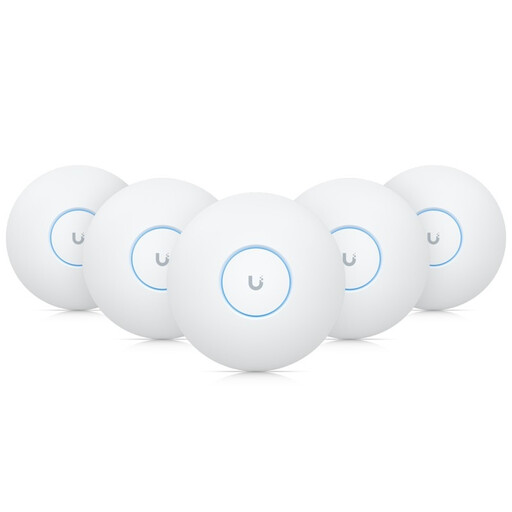
Ubiquiti UniFi U7-Pro Tri-Band WiFi 7 PoE+ Access Point
This model may suit a garden office with an Ethernet-connected access point, provided you have a suitable PoE+ power supply.
The product name specifies Tri-Band WiFi 7 and PoE+. According to the description, the device is designed for indoor installation. Keep the heat-dissipation vents clear.
View at Joybuy
Frequently asked questions
What should I check first if photo albums upload slowly despite a strong Wi-Fi signal?
First, check your internet connection’s upload speed, then check the connection at your garden office. Germany’s Federal Network Agency broadband measurement tool can be used to check your connection’s actual data transfer rate. A stated Wi-Fi speed isn’t a measurement of how quickly you can upload an album.
Can I put a range extender straight in my garden office?
If it connects wirelessly, this only makes sense if it can still get a reliable signal from the router there. If you have an Ethernet cable, you could use an access point designed for this purpose, or a range extender in access point mode.
Does an outdoor access point always need to be connected to the house via Ethernet?
Not all models use the same type of connection. TP-Link describes wireless links between Omada access points for the EAP225-Outdoor. This requires the relevant system requirements to be met, so check that the operating mode is suitable before you choose a model.
What extra installation work might be needed to connect a garden office?
Depending on your set-up, you may need Ethernet cables, a suitable PoE power supply or additional Powerline adapters. Test Powerline using the sockets you plan to use before relying on it as a permanent connection.
Can I use 5 GHz for Wi-Fi between my house and garden office in Germany?
Germany’s Federal Network Agency has issued a general allocation for certain 5-GHz frequency bands, amended by Decision 49/2023. This doesn’t mean every device setting is automatically permitted for every outdoor installation. The conditions of the allocation and the device configuration intended for use in Germany apply to your specific set-up.


