First, check the connection between your home and garden office, as well as the signal at the playback location: upgrading your main router alone won’t fix a weak connection back to the house. If you can run a cable, an access point in the garden office can provide Wi-Fi where you need it. Without a cable, you could try a suitably positioned wireless node or Powerline, testing it at the sockets you plan to use. If you’re installing a device outdoors, you’ll also need to check that it’s approved for the specific location and has a suitable power supply.
Who these solutions are for
Film night in the garden office
If you want to watch a recorded theatre performance there, the connection at the actual playback location is what matters. Running a cable could be an alternative to relying on a weak wireless connection back to the house.
Garden office without a network cable
If you don’t want to run a LAN cable, you could try a wireless node somewhere that gets a reasonable signal. Powerline is another option, but you should test the connection at the sockets you plan to use.
Wi-Fi device outdoors
If you’re installing a device outside the enclosed garden office, the specific location, protection offered by the casing and power supply all need to be suitable. A model’s approval for outdoor use doesn’t automatically mean it’s suitable for every location.
What to consider when choosing
LAN to the garden office with an access point
A good fit if: You can run a cable and the wireless connection between your home and garden office is unreliable.
Bear in mind: You’ll need to plan for cable installation and a power supply, and the access point must be compatible with your existing network.
Wireless repeater or mesh node
A good fit if: The node’s location still gets a reasonable connection from your existing router and you don’t want to run a cable.
Bear in mind: A wireless node can’t fix an already poor connection back to your home; mesh compatibility depends on your existing system.
Outdoor access point or outdoor mesh
A good fit if: You’re planning to install the device outside the enclosed garden office.
Bear in mind: Check the protection rating, approved installation location, power supply and connection back to your home together.
Powerline with Wi-Fi
A good fit if: You don’t want a LAN cable, the wireless connection isn’t good enough and the wiring provides a reasonable connection at the sockets you plan to use.
Bear in mind: Electrical devices can interfere with transmission, so you’ll need to test the specific wiring on site.
| What you need |
What to check before buying |
Who will find this especially important? |
| Stable connection to your playback device |
Check the signal at the playback location and whether you can connect an access point via LAN. |
If you want to avoid interruptions during film night, a reliable connection from your home to the screen is essential. Around 36% of consumers put a stable transmission path first. |
| Extending your network without running a cable |
Test the node somewhere that gets a signal from your home and check that it’s compatible with your existing mesh system. |
If you want to extend your existing Wi-Fi without installing a new cable, the node itself still needs to receive a usable signal. Around 29% of consumers prioritise easy wireless extension. |
| Outdoor installation |
Check the manufacturer’s approval for the specific location, as well as the connection back to your home and the power supply. |
If the device is to be installed outside the enclosed garden office, its protection and power supply need to suit the location. Around 21% of consumers prioritise suitability for outdoor installation. |
| Connection via your electrical wiring |
Test a complete adapter kit at the sockets you’ll use and check the connection at the playback location. |
If Wi-Fi isn’t strong enough and a LAN cable isn’t an option, Powerline could provide an alternative using your existing electrical wiring. Around 14% of consumers favour this type of connection. |
Common buying mistakes
-
Buying a new main router when the problem is the connection back to your garden office
A repeater receives its data over the existing wireless connection. An access point in your garden office, on the other hand, can connect via LAN if there’s a suitable route for a cable.
First, check the signal where you’ll be watching and at the planned location for the node. Then decide whether Wi-Fi, LAN or another connection between the buildings is right for you.
-
Assuming “outdoor” means completely weatherproof
FRITZ! describes the 1610 Outdoor as suitable for sheltered outdoor areas. TP-Link gives the Deco X50-Outdoor an IP65 rating. These details apply to different models and don’t amount to blanket approval for every installation location.
Check the manufacturer’s information against the actual location and the power supply you plan to use.
Depending on the installation location, you may also need suitable mounting or power-supply equipment.
-
Assuming the maximum Powerline data rate guarantees a good connection
Performance depends on your specific electrical wiring and any sources of interference. An advertised data rate doesn’t tell you how good the connection will be at the playback location.
Test a complete kit at the sockets you plan to use and check playback at the destination. devolo recommends using wall sockets rather than extension leads and warns that electrical devices may cause interference.
Relevant brands at a glance
FRITZ!
FRITZ! offers solutions for extending your network indoors, creating a LAN bridge and connecting sheltered outdoor locations.
- FRITZ! says the Repeater 1200 AX has a Gigabit LAN port and Wi-Fi Mesh. According to the manufacturer, the 1610 Outdoor is designed for sheltered outdoor areas and offers IP54 protection and PoE+.
- FRITZ! specifies LAN for connecting the 1610 Outdoor outdoors. Its stated suitability for sheltered outdoor areas doesn’t mean it’s approved for an unprotected installation.
TP-Link
The Deco X50-Outdoor is designed to extend a compatible Deco mesh network at a suitable outdoor location.
- TP-Link specifies IP65, PoE, three Gigabit Ethernet ports and compatibility with other Deco models.
- The advertised combined Wi-Fi data rate doesn’t measure the streaming connection in your garden office. With a wireless connection, reception depends on the location; TP-Link recommends placing this model no more than 10 metres from the upstream Deco.
devolo
devolo Magic starter kits let you try connecting a room over your electrical wiring and, depending on the kit, provide Wi-Fi there too.
- According to devolo, the Magic 2 WiFi 6 next Starter Kit includes one LAN adapter and one Wi-Fi adapter.
- devolo warns that electrical devices may cause interference and recommends testing the connection at the sockets you plan to use.
Telekom
Speed Home WLAN is one way to extend a compatible home network, particularly if you’re setting it up with existing Telekom devices.
- Telekom provides instructions for setting up the repeater and mesh network, as well as indicators for weak or missing reception.
- The right setup method depends on your existing router. The documentation doesn’t establish general suitability for unprotected outdoor installation.
Joybuy products
This selection includes wireless repeaters and access points for extending Wi-Fi in a garden office or at a suitable outdoor location. For wireless nodes, check reception at the installation location; for outdoor models, check the installation and power-supply requirements.
 No image available
Ubiquiti UniFi U6 Mesh Wi-Fi 6 Indoor/Outdoor Access Point
Could be worth considering if you’re looking for an indoor or outdoor access point with an Ethernet uplink.
The product details specify 6 Spatial Streams, a Gigabit Ethernet uplink and a PoE adapter included in the box. For outdoor installation, the description says to position the LED side facing upwards; wall or pole mounting is предусмотрено. UniFi Network version 6.0.45 or later is specified for management.
View at Joybuy
 No image available
Compact Wi-Fi Booster
Could be suitable for simply extending an existing Wi-Fi signal in your home or office.
The description specifies a compact design and plug-and-play setup.
View at Joybuy
 No image available
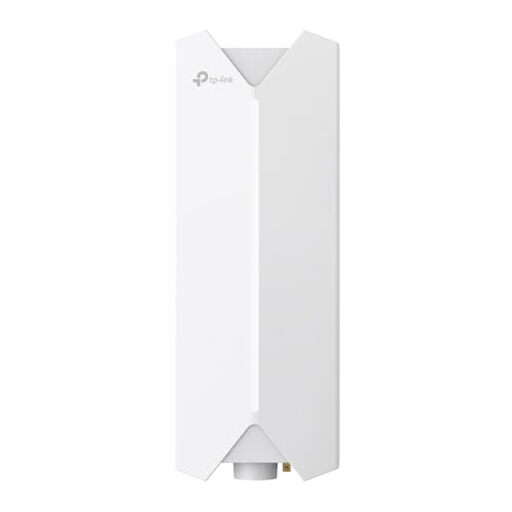
TP-Link Festa F61 Outdoor Wi-Fi Access Point
Could be suitable if you want to connect an access point at an outdoor location via Ethernet.
The description specifies a Gigabit port and 802.3at PoE or passive PoE. It requires installation by a qualified professional, a suitable PoE supply and cables suitable for outdoor use.
View at Joybuy
 No image available
MERCUSYS ME80X Wi-Fi 6 Range Extender
Could be suitable for extending your wireless network or, if you have a LAN cable, for use in access point mode.
The product details specify dual-band, AX3000, a Gigabit port, and range extender and access point modes. According to the description, the device is for indoor use only and must not be used outdoors.
View at Joybuy
 No image available
TP-Link RE235BE BE3600 Dual-Band Wi-Fi 7 Range Extender
Could be suitable for extending your existing Wi-Fi or, if you have a suitable cable route, for use in access point mode.
The product details specify a 2.5 Gigabit port, MLO and EasyMesh compatibility. According to the instructions, the device must be within range of your existing Wi-Fi router when used as a range extender.
View at Joybuy
Frequently asked questions
Will a higher router data rate be enough to stream a recorded theatre performance?
No. A higher advertised Wi-Fi data rate doesn’t prove that you’ll get a good connection at your playback device. Netflix recommends at least 5 Mbit/s for 1080p and 15 Mbit/s for 4K on its service; other theatre platforms may have different requirements. Check the connection at the actual playback location.
Where should I put a wireless node?
Choose a location where the node can still get a good connection to your existing network while also reaching the place where you need Wi-Fi. For a wireless connection to the Deco X50-Outdoor, TP-Link recommends a distance of no more than 10 metres from the upstream Deco. This is a manufacturer recommendation for this model, not a general range limit.
What should I check before permanently installing Powerline?
Test the adapters at the sockets you plan to use and check the connection at the playback location. devolo recommends using wall sockets rather than extension leads and warns that electrical devices may cause interference.
What ongoing costs and support details should I check before buying?
Check whether your setup will need additional cables, a PoE supply or a complete Powerline starter kit. Also check the update and warranty information for the specific product; Germany’s Federal Office for Information Security recommends keeping your router’s firmware up to date.
Can any 5 GHz repeater sold in Germany be installed outdoors?
No, that doesn’t mean it’s automatically approved for outdoor use. Check the information on frequency use and the manufacturer’s approval for the specific installation location. For the 5 GHz frequencies generally allocated by the Federal Network Agency, the rules in Order 136/2022, as amended by Amendment 49/2023, apply. FRITZ! specifically describes the FRITZ!Repeater 1610 Outdoor as suitable for sheltered outdoor areas.


