Regular garden office users
If you regularly join video calls from a fixed desk, you’ll need a reliable connection for picture and sound, and may need a cable route to the house.


A new main router won’t automatically fix a weak connection between your house and garden office. First, check the internet connection at the router, then test the connection to your desk separately. If you can run a suitable cable, a Wi-Fi access point at the other end may be the answer. Without a cable, a wireless mesh system, Powerline or a directional wireless bridge between buildings could work, depending on your location. The key is to test the connection at your actual workspace during a video call.
If you regularly join video calls from a fixed desk, you’ll need a reliable connection for picture and sound, and may need a cable route to the house.
If you don’t want to run a network cable to your garden office, check whether the available sockets, a suitable position for a wireless device or a clear line of sight could work for your connection.
If you already have a mesh system, you could add a compatible node, as long as it can still get a usable connection to your home network from the planned location.
A good fit if: there’s a suitable cable route to your garden office, or you can create one.
The trade-off: Running a cable and, where needed, installing it outdoors takes more work. You’ll also need power at the other end for the access point.
A good fit if: there’s still a usable signal from your home network at the installation point, and the device is compatible with your existing system.
The trade-off: Walls and distance can weaken the wireless connection. A weatherproof outdoor device doesn’t guarantee good reception inside your garden office.
A good fit if: the sockets you plan to use can provide a usable connection over your electrical wiring.
The trade-off: Electrical interference can affect the connection. Some VDSL setups may also cause conflicts.
A good fit if: there’s a suitable line of sight between the buildings and you can install the equipment in the right direction.
The trade-off: The bridge connects two locations, but doesn’t automatically provide Wi-Fi at your desk. You’ll need to plan for equipment at both ends and a connection inside the office.
First, decide whether you can run a cable. If you’re considering wireless or Powerline, test the connection at the exact place where you plan to install the equipment.
| Buying priority | What to check before buying | Who it matters most to |
|---|---|---|
| Reliable connection to the office | Check the cable route, Ethernet connection and operating mode. Measure the internet connection at the router and the connection at your desk separately. | If I regularly join video calls from a fixed workspace, I want a reliable connection for picture and sound. Around 36% of consumers put a verifiable connection route to their desk first. |
| Wireless connection without a new cable | Test the signal at the planned installation point and in the office. Check mesh compatibility, weather protection and power supply. | If I don’t want to run a connection cable between the buildings, I’m looking for a wireless location with usable reception. Around 29% of consumers prioritise extending their connection without a new cable. |
| Using the existing electrical wiring | Test a pair of adapters in the sockets you plan to use. If you have VDSL issues, check whether they could be related to Powerline. | If running a new Ethernet cable and finding a suitable location for a wireless device aren’t options, I want to use the existing electrical wiring. Around 21% of consumers prioritise this type of connection. |
| Directional connection between buildings | Plan for a clear line of sight, equipment at both ends, a power supply and a connection inside the garden office. | If I can install and align a directional wireless link, a bridge between buildings could work for me. Around 14% of consumers prioritise this solution. |
Your router’s internet connection and the speed on your device are two different things. A new router won’t automatically fix a weak connection between the buildings.
Check both connections separately, then choose the right way to connect your office.
Depending on the option you choose, you may also need an access point at the other end or a connection between the buildings.
TP-Link’s recommendations for connecting the Deco X50-Outdoor wirelessly take location, distance and obstacles into account. The outdoor device won’t automatically provide a connection to a garden office with poor reception.
Test reception at the planned installation point and check the connection inside the office, too.
Depending on the location, you may need a wired connection or an additional node as part of the installation.
Interference on the electrical wiring and some VDSL setups can limit how well it works in practice.
Test both adapters in the sockets you plan to use before relying on this connection.
The Building Bridge is designed to connect two locations. On its own, it doesn’t provide complete Wi-Fi coverage in your garden office.
Remember to plan for the connection at the other end and power along the whole route.
Depending on the setup, you may need a second bridge unit, PoE and, where necessary, an additional Wi-Fi access point.
The FRITZ!Repeater 1200 AX can extend an existing home network indoors, for example with a FRITZ!Box or a usable Ethernet connection.
The Deco X50-Outdoor is designed for compatible outdoor Deco mesh installations; CPE devices are a different type of product, designed for directional connections.
The Magic 2 WiFi 6 next Starter Kit is a Powerline Wi-Fi option if the sockets you plan to use provide a usable connection.
The Building Bridge provides a directional connection between buildings where there’s a suitable installation point with a clear line of sight.
Speed Home WLAN could extend an existing compatible Telekom home network, so you don’t replace the main router before checking whether you need to.
This selection focuses on an outdoor Wi-Fi access point for use with an existing Ethernet cable to your garden office.
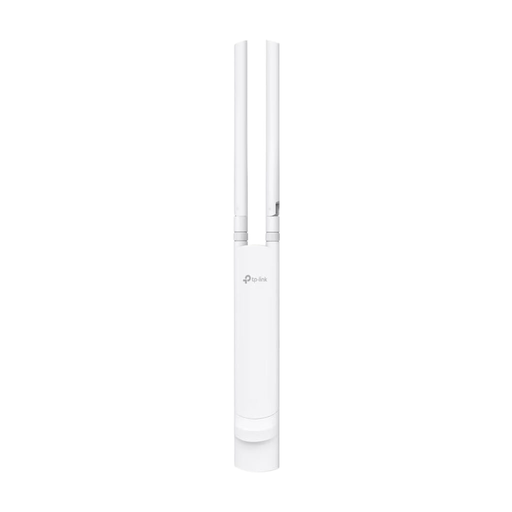 No image available
A Wi-Fi access point for your garden office, if there’s a suitable Ethernet connection to the office.
AC1200 dual-band Wi-Fi, Gigabit Ethernet port and IP65-rated casing.
PoE via 802.3af or passive PoE; wall and pole mounting with mounting accessories are listed.
It depends on the service, video quality and type of call. Zoom recommends 2.6 Mbit/s upload and 1.8 Mbit/s download for 720p group video in its web app. This is a recommendation for using the app, not a guaranteed minimum speed for a router. Test both upload and download at your actual workspace.
Place it somewhere with a usable connection to the node before it in the network, and with access to a suitable power supply. For a wireless connection to the Deco X50-Outdoor, TP-Link recommends a maximum distance of 15 m. You’ll also need to check for obstacles and test the connection inside your garden office.
Test the adapters in the wall sockets you actually plan to use and try disconnecting potential sources of electrical interference. devolo also notes that some VDSL connections may experience conflicts, and describes settings that can help optimise performance.
Measure the router’s internet connection and the connection on your device separately. Deutsche Telekom describes these as different measurements. To make the right buying decision, you should also test at your actual desk, ideally during a video call.
No, not without checking first: the Federal Network Agency replaced the 6 GHz general allocation Vfg. 12/2025 with Vfg. 76/2025. Before buying, check the device’s specific frequency use and the current conditions for your planned outdoor location.
Plan for the connection on both sides of the buildings, the power supply and the connection inside your garden office as one complete system. Ubiquiti describes the Building Bridge as a point-to-point connection. You may also need an access point at the other end to get Wi-Fi at your desk.