A wireless repeater can extend your Wi-Fi to a garden office, provided it still gets a usable signal from the router at a sheltered midway point. If there’s no suitable wireless route, a repeater in access point or Ethernet bridge mode, connected to a suitable network cable, is a better option. Check your internet upload speed separately from your Wi-Fi, too: Ofcom provides a tool to measure your connection’s actual data rate, and a higher advertised Wi-Fi speed doesn’t mean faster file uploads.
Who is this buying guide for?
People working with weak Wi-Fi in their garden office
If you want to upload a draft file from a fixed workstation, you could try a repeater at a midway point where it can still get a usable signal from the router. Deutsche Telekom recommends placing Speed Home WLAN closer to the router or other boosters when the connection is weak; devolo suggests using a spot about halfway between them as a rough guide.
People with an Ethernet connection to their garden office
If you have a usable network cable, or can run one, you can avoid relying on a wireless connection between the house and garden office. FRITZ! explains how to connect the FRITZ!Repeater 1200 AX via Ethernet; TP-Link lists an access point mode for the RE705X.
People with an existing mesh home network
If you want to add your garden office to an existing mesh network, check the specific combination of router, repeater and operating mode. FRITZ! and devolo explain how to add devices to their respective systems; this doesn’t mean they’re generally compatible with mesh systems from other router brands.
What should you look for when buying?
First, work out how the repeater will connect to the router. Then you can better judge whether Wi-Fi, Ethernet or your internet connection is limiting upload speeds.
Wireless repeater at a midway point
Suitable if: there’s a socket in a sheltered spot where the router signal is still usable.
Consider: The relayed connection depends on the Wi-Fi signal reaching the repeater; advertised Wi-Fi speeds don’t prove what upload speeds you’ll get at your desk.
Access point or Ethernet bridge
Suitable if: there’s a usable network cable running to a suitable spot in the garden office and the model supports the mode you need.
Consider: This option needs a suitable cable route and connection; your internet connection’s performance remains a separate limit.
Powerline with Wi-Fi at the destination
Worth considering if: there’s no suitable midway point for a wireless repeater and running an Ethernet cable isn’t practical.
Consider: Whether Powerline works with the sockets you plan to use depends on the property’s electrical wiring; it’s a different type of product from a wireless repeater.
| What you need |
What to check before buying |
Who is this important to? |
| Signal at a midway point for a wireless repeater |
Check possible sheltered locations with a socket and the device’s connection indicator; then test the upload at your workstation. |
If I want to use a wireless connection, I need a usable signal from the router where the repeater will go. Around 33% of consumers prioritise having a suitable midway point for a wireless connection. |
| A connection where there’s no usable wireless route |
Check whether there’s a network cable already in place and whether the specific model explicitly supports access point or Ethernet bridge mode. |
If there’s no usable wireless route between the house and garden office, I want to be able to use a cable that’s already there or can be installed. Around 27% of consumers prioritise connecting to a garden office using a different route. |
| Actual file upload speeds |
Measure your internet connection’s performance separately from the result at your workstation; don’t confuse advertised Wi-Fi speeds with upload speeds. |
If a large draft file is taking a long time to upload, I want to find out which part of the connection is slowing it down. Around 20% of consumers focus on actual upload speeds rather than advertised peak Wi-Fi speeds. |
| Router and mesh compatibility |
Check your router model, supported mesh technology and preferred operating mode against the details for the specific repeater. |
If I want to add my garden office to my existing home network, the mesh feature I need must work with my router and repeater combination. Around 20% of consumers prioritise this compatibility. |
Avoid common buying mistakes
-
Plugging in the repeater where the router’s Wi-Fi has already dropped out
A wireless repeater needs a usable connection to the router itself. If there’s no signal where you place it, the Wi-Fi it relays won’t reliably solve the problem.
Check for possible midway locations before choosing a wireless repeater. If there’s nowhere suitable, consider a solution connected via Ethernet.
-
Confusing advertised Wi-Fi speeds with file upload speeds
The advertised wireless speed isn’t the actual upload speed available from your internet connection. So a faster-looking Wi-Fi connection won’t automatically fix a limit imposed by your broadband.
Compare your connection’s actual performance with the result at your workstation. Ofcom offers a tool to measure your connection’s actual data transfer rate.
-
Assuming a mesh logo guarantees compatibility with every router
According to TP-Link, the EasyMesh feature on the RE705X requires a compatible router. Mesh features and standard repeater mode aren’t the same thing.
Check that the mesh feature you want works with your specific router and repeater combination, and distinguish it from standard repeater mode.
-
Assuming Powerline will definitely work as a shortcut
A description of Powerline technology doesn’t prove it will work with the sockets in your particular garden office.
Consider Powerline an alternative that needs to be tested with the sockets you plan to use.
Key brands at a glance
FRITZ!
Worth considering if you have a suitable midway point for a wireless repeater or, with the right cabling, an Ethernet bridge, and want to add your garden office to a suitably configured FRITZ! home network.
- FRITZ! lists Wi-Fi 6 and a Gigabit LAN port for the FRITZ!Repeater 1200 AX. The manufacturer’s stated speed of up to 3 Gbit/s isn’t a measured upload speed or a guarantee of coverage in your garden office.
- For mesh features and Ethernet operation, the specific device combination, cable and operating mode all need to be suitable.
TP-Link
The RE705X could work as a wireless repeater or a wired access point, provided the connection and features are right for where you plan to use it.
- TP-Link lists a Gigabit Ethernet port and access point mode for the RE705X.
- The manufacturer’s stated speeds of 2.402 Mbit/s on 5 GHz and 574 Mbit/s on 2,4 GHz aren’t measured upload speeds in a garden office. EasyMesh requires a compatible router.
devolo
The WiFi 6 Repeater 5400 is worth considering for wireless or access point use; separate Powerline products offer a different way to connect.
- According to devolo, the repeater supports access point mode and has two Gigabit Ethernet ports. A signal strength indicator can help you choose where to place it.
- Information about Powerline doesn’t prove that it will work with a particular electrical installation. Repeaters and Powerline adapters are different products.
Telekom
Speed Home WLAN is worth considering if you want to check compatibility with your specific Speedport and mesh system.
- Telekom’s instructions distinguish between good, weak and no connection for Speed Home WLAN, and provide guidance on where to position it.
- The Speedport models Telekom lists as compatible don’t prove general mesh compatibility with routers from other manufacturers.
Joybuy products for Wi-Fi in your garden office
The following Joybuy products include Wi-Fi repeaters and boosters for sheltered indoor spaces; some models also list LAN ports or access point mode.
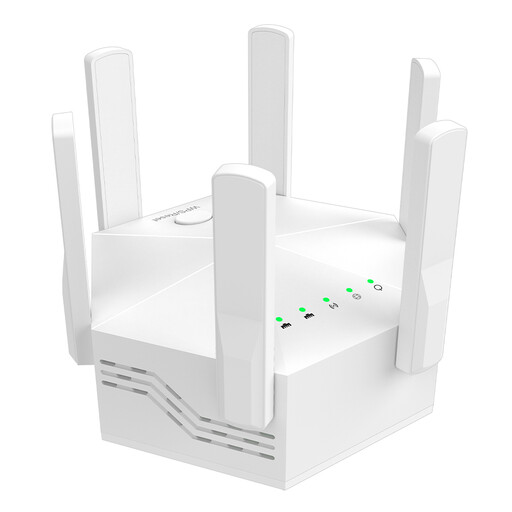 No image available
Dual-band Wi-Fi booster with six adjustable antennas and two LAN ports
For anyone looking to extend an existing Wi-Fi network in a sheltered indoor spot.
Dual-band Wi-Fi; up to 1.200 Mbit/s according to the product name; six adjustable antennas; two LAN ports with 10/100 Mbit/s; white EU plug.
View at Joybuy
 No image available
Wi-Fi repeater with 1.200 Mbit/s and 5 GHz
For anyone looking to try repeater mode or, depending on their connection, use it as an access point via Ethernet.
The description lists two RJ45 Ethernet ports, as well as repeater and access point modes. It says a dual-band router is required; the device is designed for indoor use.
View at Joybuy
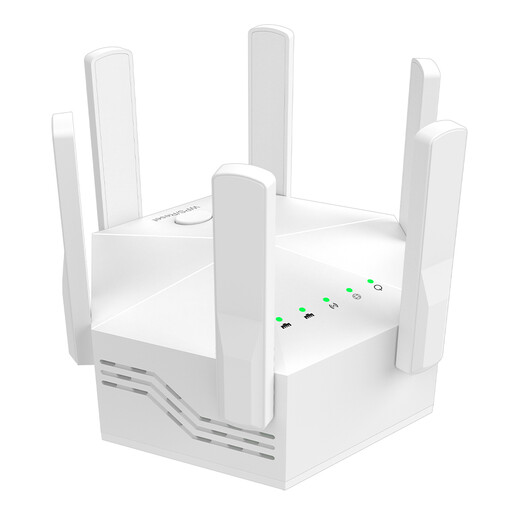 No image available
Dual-band Wi-Fi booster with six antennas for indoor use
For anyone looking to extend an existing Wi-Fi network in a sheltered indoor spot.
Dual-band; up to 1.200 Mbit/s according to the product name; six adjustable antennas. The description says the router must support dual-band and recommends placing the booster close to the router.
View at Joybuy
 No image available
Compact Wi-Fi booster
For anyone looking to extend an existing Wi-Fi network in a hard-to-reach area of an office or home.
The description lists a compact design and plug-and-play setup.
View at Joybuy
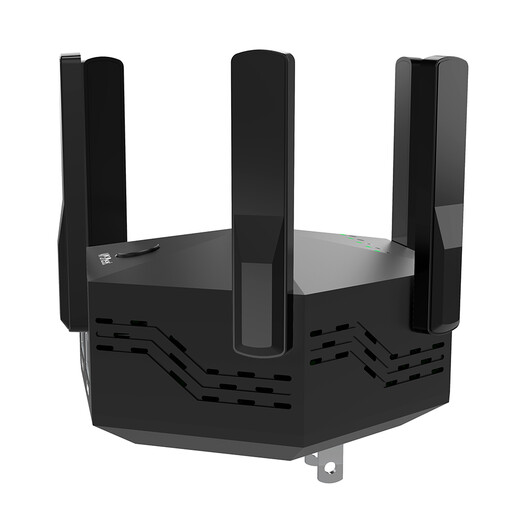 No image available
Dual-band Wi-Fi booster, 1.200 Mbit/s, six antennas, black
For anyone looking for a Wi-Fi booster to use in a sheltered indoor spot close to the router.
Dual-band; up to 1.200 Mbit/s according to the product name; six adjustable antennas; WPS setup according to the description; black EU plug. A dual-band router is required.
View at Joybuy
Frequently asked questions
How do I find a suitable spot for the repeater?
Start by placing a wireless repeater in a sheltered spot where it can still get a usable signal from the router, then check the connection at your workstation. If the connection is weak or unavailable, Deutsche Telekom recommends positioning Speed Home WLAN closer to the Speedport router or other boosters.
Can a repeater provide Wi-Fi in a garden office via an Ethernet cable?
Yes, provided there’s a usable network cable and the specific device supports access point or Ethernet bridge mode. TP-Link documents an access point mode for the RE705X; FRITZ! explains how to connect the FRITZ!Repeater 1200 AX via Ethernet.
What can I check if a large draft file uploads slowly despite a good Wi-Fi connection?
Compare your internet connection’s actual performance with the result at your workstation, rather than treating the advertised Wi-Fi speed as your upload speed. Ofcom provides a desktop tool for measuring fixed broadband connections.
Can I install an indoor repeater outside without protection?
Being suitable for a sheltered garden office doesn’t mean a device is approved for unprotected outdoor installation. Check the specific model’s guidance on where to place it and how to protect it from the weather; you can’t assume it’s suitable for outdoor use in general.
Is a repeater with a mesh feature compatible with every router?
No, a mesh feature alone doesn’t prove compatibility with every router combination. TP-Link says EasyMesh on the RE705X requires a compatible router, so check that the feature you want works with your specific router and repeater.


