If you can run an Ethernet cable to your garden office, connecting an access point to it gives you a direct route for data. A Wi-Fi repeater, by contrast, only works where it can still receive a signal from your home router. If you can’t run a cable, a repeater, a powerline system tested in your home, or a device designed for outdoor use may be suitable, depending on signal strength and your electrical wiring. Advertised Wi-Fi data rates alone won’t tell you how fast downloads will be at your desk.
Which solution is right for you?
Learners who can run a cable
If you regularly download course materials in your garden office and can run an Ethernet cable there, the connection to the access point matters more than the advertised Wi-Fi data rate. FRITZ! and TP-Link describe devices that can be connected by cable.
Learners who can’t run a cable
If you want to keep your existing home router and don’t want to install a cable, check whether a repeater placed where the signal is still usable can reach your garden office. FRITZ! describes a wireless connection within the signal range of the FRITZ!Box.
Learners with a garden office where the signal is blocked
If walls or distance make the wireless connection difficult and running an Ethernet cable isn’t currently an option, it may be worth testing your existing electrical wiring as a route for data. devolo notes that sockets and electrical interference can affect powerline transmission.
What should you look for when buying?
First, check how data can travel from your home to your garden office. Then you can work out whether an access point, repeater, powerline system or device designed for outdoor use is right for the location.
| What you need |
What to check when buying |
Who it matters most to |
| A reliable data connection |
Check whether you can run an Ethernet cable to the office and whether the device can work there in access point or LAN bridge mode. FRITZ! and TP-Link describe these connection options for certain models. |
If I regularly download materials and can run a cable to my garden office, a reliable data connection is what matters to me. For around 36% of consumers, a wired connection is the top priority. |
| Wi-Fi without installing a new cable |
Check the signal at the planned repeater location and make sure the mesh features are compatible with your router model and firmware. For the wireless connection it describes, FRITZ! requires the repeater to be within the signal range of the FRITZ!Box; TP-Link says EasyMesh requires a compatible router. |
If I don’t want to run a cable but there’s still a usable Wi-Fi signal at an intermediate location, extending the signal wirelessly seems like the obvious choice. Around 29% of consumers prioritise extending their existing Wi-Fi without installing a new cable. |
| Powerline as an alternative |
Test the connection using the sockets you actually plan to use. devolo recommends plugging its adapters directly into wall sockets rather than extension leads, and notes that electrical devices may cause interference. |
If running a cable or extending the signal wirelessly doesn’t work for me, I want to test the electrical wiring as a route for data. This is the main priority for around 21% of consumers. |
| Outdoor installation |
Check that the specific device is designed for the installation location, how it will receive power and data, and which wireless settings are permitted there. TP-Link lists IP65 protection and PoE or AC power for the Deco X50-Outdoor. |
If my set-up specifically requires a device outside the building, I need to plan its location and connection together. Around 14% of consumers prioritise a solution designed for outdoor use. |
Common buying mistakes
-
Putting the repeater where the home Wi-Fi already drops out
A repeater connected wirelessly needs a connection to your home router. If the signal isn’t usable at its location, simply placing it closer to the garden office won’t fix that connection.
Look for a suitable spot in between. If there isn’t one, compare a LAN connection, powerline or an access point with a suitable connection.
-
Assuming the advertised maximum speed is the download speed at your desk
Your actual data connection also depends on how the device is connected and where it’s placed. With powerline, the sockets you use and any electrical interference matter too.
First decide how the signal will reach your garden office, then test the connection at the intended workstation.
-
Buying a single or incompatible powerline adapter
According to the manufacturer, the devolo Magic 2 WiFi next Starter Kit is designed to set up a network with two adapters. Magic adapters aren’t compatible with the dLAN range.
Before ordering, check the adapters you already have, the product range and what’s included in the box. For a new Magic network, the Starter Kit with two adapters is the intended option.
-
Confusing a weatherproof casing with a ready-to-use outdoor connection
Ingress protection and mounting options don’t automatically provide a data connection to your home. You’ll also need to consider power, the cable route and wireless settings when planning the installation.
Plan the installation location, data connection and power supply separately, and check the applicable wireless regulations for the specific device and location.
An outdoor installation may require additional cabling, a suitable power supply and installation work.
A guide to suitable brands
FRITZ!
FRITZ!Repeaters can extend an existing home network; with the FRITZ!Repeater 1200 AX, a wired connection is also an option.
- FRITZ! describes how to connect the 1200 AX via LAN. For the FRITZ!Mesh set-up described, the FRITZ!Box must be running FRITZ!OS 7 or later.
- If connected wirelessly, the repeater must be within the signal range of the FRITZ!Box. This doesn’t guarantee that the signal will reach your garden office.
TP-Link
According to the manufacturer, the range includes repeater and access point modes, as well as the Deco X50-Outdoor, a model designed for outdoor use.
- TP-Link lists a Gigabit port and access point mode for the RE705X. EasyMesh requires a compatible router.
- The Deco X50-Outdoor’s IP65 rating and supported power options don’t guarantee a particular range in your garden office.
devolo
Magic powerline adapters send data over your existing electrical wiring and may be an alternative if Wi-Fi and new LAN cabling aren’t suitable.
- devolo describes the Magic 2 WiFi next Starter Kit as a two-adapter solution for setting up a Magic network.
- According to devolo, sockets and electrical interference can affect transmission. Magic adapters aren’t compatible with dLAN adapters.
Ubiquiti
The UniFi U7 Outdoor is a useful technical comparison for a permanently mounted outdoor access point.
- Ubiquiti lists IPX6, PoE+ and an Ethernet uplink for the U7 Outdoor.
- The stated maximum data rates aren’t measurements for a specific garden office. Your network infrastructure and permitted wireless settings must be suitable for your set-up.
Telekom
Speed Home WLAN can only be assessed properly by checking the exact device generation and your existing home network.
- Telekom provides documentation for various Speed Home generations.
- Before choosing a mesh system, check the specific device generation, your router and the relevant instructions.
Joybuy products for your garden office
This selection focuses mainly on wired access point solutions. For outdoor installation, only consider a model specifically designed for that purpose, and plan its connection to your home separately.
 No image available
Ubiquiti UniFi U6+ WiFi 6 Access Point, Dual-Band, Gigabit PoE, White
An option if you can run a wired data connection to the access point. The product description lists an Ethernet uplink and PoE for this model.
For outdoor installation, the description specifies a particular orientation and a wall or pole mount. Check that the model is suitable for your location.
View at Joybuy
 No image available
Ubiquiti UniFi U6 Mesh WiFi 6 Indoor/Outdoor Access Point, PoE Adapter Included
For a set-up where you want to connect an access point via Ethernet or add it to your mesh wirelessly. The product description lists a Gigabit Ethernet uplink, PoE and an included PoE adapter.
The product name identifies this as an indoor/outdoor model. For the outdoor installation described, follow the specified orientation and use the wall or pole mount. Also check the wireless regulations that apply to your location and device.
View at Joybuy
 No image available
TP-Link Deco M4 Mesh WiFi System AC1200, 1-Pack
A possible choice for a wired access point if you can already run a data connection to your garden office. The product description lists access point mode, Ethernet backhaul and two Gigabit ports.
According to the product description, this device is designed for indoor use.
View at Joybuy
 No image available
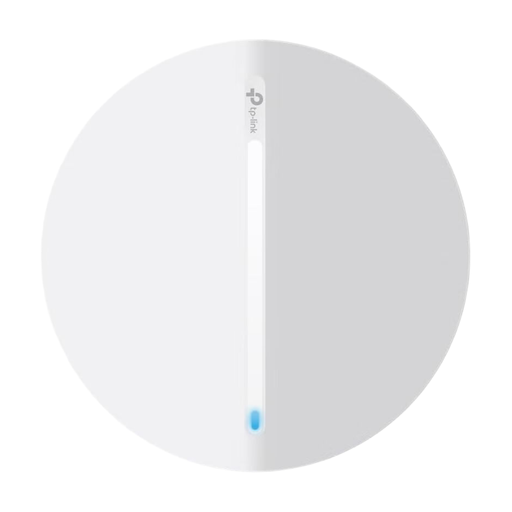
TP-Link Festa F65 AX3000 Wi-Fi 6 Access Point, PoE
For a garden office where you can run an Ethernet cable to the access point. The product description lists Ethernet, access point mode and PoE.
This model is designed for indoor use and, according to the description, can be mounted on a wall or ceiling.
View at Joybuy
 No image available
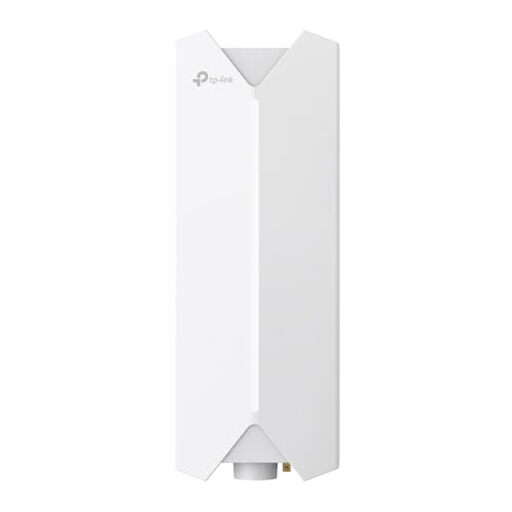
TP-Link Festa F61 Outdoor WLAN Access Point
For an outdoor location where you can run an Ethernet cable from your main router or switch to the access point. The product description lists a Gigabit port and PoE over this cable connection.
Check the specified weatherproofing for the cable connections, as well as the wireless regulations that apply to your location and device configuration.
View at Joybuy
Frequently asked questions
Do I need a second internet router for my garden office?
Not necessarily. If you already have a home internet connection, an access point connected via LAN or a repeater that supports LAN bridge mode can provide Wi-Fi in a second location. First check that the data connection from your home reaches it reliably.
Where should I put a wirelessly connected repeater?
Place it somewhere that’s still within the signal range of your home router, rather than at a workstation where the signal is already unusable. You’ll need to check on site whether the chosen location can then reach your garden office.
What should I check after setting up powerline?
Test the adapters in the intended wall sockets and check their connection indicator or transmission rate. devolo lists electrical interference as a possible factor and advises against using extension leads as the usual location for adapters.
What else should I allow for when planning the installation?
Consider the complete set-up: a new devolo Magic network requires a Starter Kit with two adapters; a LAN or outdoor solution may also need cabling, a power supply and installation work. For mesh devices, check your router, firmware and exact device generation too.
Can I use any Wi-Fi device and channel outdoors?
There’s no blanket yes or no. Under the frequency allocation regulations set by the Federal Network Agency (Bundesnetzagentur), permitted settings depend on the frequency band and the specific device configuration. Check the current requirements for your device and installation location rather than assuming that a general Wi-Fi allocation permits every outdoor set-up.


