What should you look for?
Plan in this order: the connection between your house and office, Wi-Fi for your work devices, then storage and access permissions. A local access point or USB storage can only help if the network connection to the office is working.
| What you need |
What to check before buying |
Who should pay particular attention |
| Connection between the house and garden office |
Check the existing LAN, as well as the wireless link or powerline at the intended locations. |
If I want to access files across the entire distance between the house and office, this connection needs to work first. Around 31% of consumers prioritise the link between buildings. |
| Shared access to project files |
Check the exact model’s storage connection, network drive function and user permissions. |
If you need a shared location for authorised devices, consider storage and access management together. Around 25% of consumers prioritise file access. |
| Wi-Fi and connections in the office |
Count your wireless and wired devices, then check the operating mode and available connections. |
If I want to connect laptops over Wi-Fi and other devices by cable in my office, the equipment at the destination matters. Around 19% of consumers prioritise Wi-Fi and device connections. |
| Protecting access to work files |
Check user permissions, guest Wi-Fi, firmware updates and the network separation you need. |
If you only want authorised team members to access project files, keep their access separate from guest access. Around 13% of consumers prioritise separate access for authorised users. |
| Installation and extra components |
Work out whether you’ll need storage, an access point, a wireless bridge or an adapter kit for your planned setup. |
If I want to keep installation as straightforward as possible, I want to know in advance which extra devices I’ll need. Around 12% of consumers prioritise easy installation. |
Brands to consider
These examples cover different needs. The product features listed don’t replace checking the connection at your location or planning your file storage.
FRITZ!
Worth considering if you’re looking for router features and USB file sharing for an existing modem or network connection.
- FRITZ! lists USB 3.0, FRITZ!NAS, mesh and Ethernet ports for the FRITZ!Box 4060.
- For DSL, cable or fibre, you’ll need a suitable device upstream; the specifications don’t guarantee a strong enough wireless connection to your garden office.
ASUS
The RT-AX58U could be an option as a router or access point for an existing network.
- ASUS Germany lists an access point mode and four Gigabit LAN ports.
- These specifications don’t confirm a built-in DSL modem or a particular range in your garden office. ASUS also notes differences between V1 and V2 versions.
TP-Link
The Omada EAP610-Outdoor and EAP225-Outdoor are access points for a suitably planned outdoor installation, not standalone storage for project files.
- TP-Link lists Wi-Fi 6 and an IP67 enclosure for the EAP610-Outdoor, and an IP65 enclosure and PoE options for the EAP225-Outdoor.
- Enclosure and wireless specifications don’t replace checking the network connection or whether the wireless configuration is permitted.
devolo
Powerline kits with a Wi-Fi receiver could be an option if your electrical wiring supports a connection between the intended sockets.
- devolo lists one LAN adapter and one Wi-Fi adapter in the Magic 2 WiFi 6 next Starter Kit.
- The manufacturer notes that transfer rates can be lower at some sockets and that electrical appliances may cause interference. Check that it will work at your intended location.
Ubiquiti
The UniFi Building Bridge is a point-to-point option for a planned connection between buildings.
- Ubiquiti lists a GbE port, PoE and point-to-point operation; the available two-piece kit includes two devices.
- A manufacturer’s stated link range isn’t a site measurement. The bridge isn’t a file server and won’t automatically provide Wi-Fi for devices in your office.
Joybuy products for garden-office Wi-Fi
These products can work as access points or mesh components if the network connection to your garden office is already in place or works at the location.
 No image available
Ubiquiti UniFi U6+ WiFi 6 Access Point, Dual-Band, Gigabit PoE, White
A good fit if you have an Ethernet connection to your garden office and need an access point for wireless devices there.
The product specifications list dual-band Wi-Fi 6, a GbE port and PoE. The installation instructions state that the device needs an Ethernet connection to the network and a PoE power supply.
View at Joybuy
 No image available
TP-Link Deco M4 Mesh WiFi System AC1200, 1-Pack, Dual-Band, Gigabit Ports, White
An option if you want to expand a Deco mesh network or use a single device in router or access point mode.
The specifications list dual-band Wi-Fi 5, two Gigabit Ethernet ports and Ethernet backhaul. Check that the device works with your existing Deco system and that the connection reaches your garden office.
View at Joybuy
 No image available
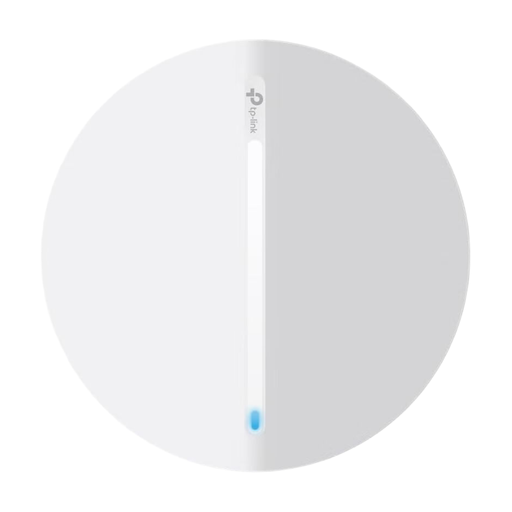
TP-Link Festa F65 AX3000 Wi-Fi 6 Access Point, PoE
Suitable if your garden office has an Ethernet connection and needs a Wi-Fi access point.
The specifications list Wi-Fi 6, a Gigabit port and PoE with 802.3at or passive power. The installation instructions state that you’ll need an Ethernet cable to the router or switch for network and PoE.
View at Joybuy
 No image available
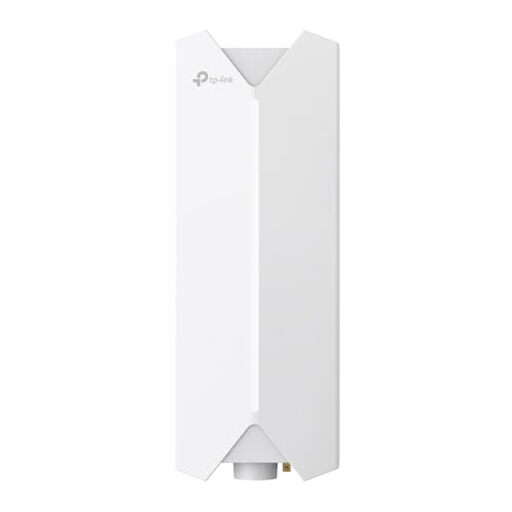
TP-Link Festa F61 Outdoor WLAN Access Point
An option for an outdoor location with an Ethernet connection where you want to provide Wi-Fi.
The specifications list Wi-Fi 6, dual-band and a Gigabit port. The installation instructions state that an Ethernet cable is needed for network and PoE; outdoor installation should be carried out correctly.
View at Joybuy
 No image available
TP-Link Deco M4 Mesh WiFi System AC1200, 3-Pack, Dual-Band, Gigabit Ports
This set could be a good fit if you’re planning to use several mesh units and want to connect your garden office to a compatible Deco network.
The product specifications list three units, dual-band Wi-Fi 5 and two Gigabit ports per unit. Access point mode is also listed; the connection between the house and office needs to be suitable in its own right.
View at Joybuy
Frequently asked questions
Can I share project files just by getting a new Wi-Fi router?
No. Wi-Fi alone doesn’t provide shared file storage. FRITZ! lists USB 3.0 and FRITZ!NAS for the FRITZ!Box 4060. The documented setup for a FRITZ!Box network drive also requires the right user permissions.
How do I set up file access for team members and visitors?
Give the people who need project files the right access permissions. For visitors who don’t need file access, the Federal Office for Information Security describes guest Wi-Fi that is separate from your home network. Check the settings available on your specific router.
What should I check first if my powerline connection is weak?
Test the adapters in the sockets you actually plan to use in the house and garden office. devolo recommends using wall sockets directly where possible and identifies power supplies and dimmers as potential sources of interference. An advertised maximum rate isn’t a measurement of performance at your location.
What extra components should I factor into my plans?
Check whether you’ll need storage, a second access point, a wireless bridge or a complete adapter kit, as well as the connection to your garden office. The Federal Office for Information Security also recommends keeping your router firmware up to date.
Is a 5 or 6 GHz frequency rating enough to assess an outdoor installation?
No. The frequency rating alone doesn’t tell you whether a particular outdoor setup is permitted. In Germany, the Federal Network Agency lists, among other regulations, Decision 136/2022, amended by Decision 49/2023, for 5 GHz bands, and Decision 76/2025 for 6 GHz. Check the frequencies, operating mode and installation requirements specified for your particular device in Germany against the applicable allocation.


