Garden office where a LAN cable can be run
If you can run a cable from your home network to your workspace, you can set up a suitably connected Wi-Fi access point there. FRITZ! describes a LAN bridge with Gigabit LAN for the FRITZ!Repeater 1200 AX.


You don’t automatically need a new router. If your internet connection works in the house, the main thing is finding the right way to connect to your garden office. If you can run a network cable, a wired Wi-Fi access point is a good option. Without new cabling, you could use a wireless connection if reception is strong enough, or Powerline if the electrical connection is suitable. For outdoor installation, check that the specific device, its power supply and the applicable German radio regulations are all suitable.
If you can run a cable from your home network to your workspace, you can set up a suitably connected Wi-Fi access point there. FRITZ! describes a LAN bridge with Gigabit LAN for the FRITZ!Repeater 1200 AX.
If you want to extend your existing Wi-Fi, check whether there’s still a usable connection to your home network at the planned location. TP-Link points out that the connection back from the device to the home network also needs to be reliable.
If the wireless connection is weak, Powerline with Wi-Fi at the destination could be an option. devolo describes a garden shed that shares a suitable electrical circuit with the house; the connection depends on the specific electrical installation.
First, work out how you can connect the house to your garden office. This will determine the type of device you need, its power supply and the installation work involved.
| What matters to you | What to check before buying | Who this matters most to |
|---|---|---|
| Connection to the house | Whether you can run a LAN cable and whether the device supports LAN bridge or access point mode. | If I regularly download magazines, I need a reliable connection from the house to the garden office. Around 31% of consumers say this connection is their top priority. |
| Wi-Fi without new cabling | Reception at the intended location and the device’s wireless connection to the home network. | If I don’t want to run a network cable, reception at the actual installation spot matters most to me. Around 25% of consumers put this concern first. |
| Powerline over the electrical wiring | Whether the electrical connection is suitable and the kit includes a Wi-Fi adapter for the destination. | If I want to use a suitable electrical connection instead of running LAN cabling, the electrical installation is key. Around 19% of consumers make Powerline their top priority. |
| Outdoor installation | Whether the specific device is rated for outdoor use, as well as its power supply and the applicable radio conditions. | If the device needs to be installed outside without shelter, its suitability for that exact location is my priority. Around 13% of consumers say this is their main concern. |
| Existing devices and installation work | Any adapters, access point, power supply and cabling work required. | If I want to keep additional installation work to a minimum, I first check which devices I already have and whether they’re compatible. Around 12% of consumers say the overall amount of work matters most to them. |
You can add a Wi-Fi access point to your existing router if your internet connection works in the house.
First, check whether you can connect back to the home network via LAN, Wi-Fi or a suitable electrical connection. Then choose the right device.
Actual wireless performance depends on factors including the location and the devices involved. So an advertised wireless data rate alone won’t tell you what download speed you’ll get at your desk.
Check reception at the planned location and consider the entire connection back to your home network.
The garden shed setup described by devolo requires a suitable electrical connection between the house and the shed.
Check the electrical installation and test the sockets you plan to use before committing to Powerline.
If the kit isn’t suitable, you may need to replace or add adapters.
One device’s outdoor rating doesn’t automatically apply to other models. TP-Link explicitly states that the EAP225-Outdoor is suitable for outdoor use.
Consider whether the device will be in a sheltered garden office or installed outside, and check the requirements for the specific model.
A good option if you want to extend an existing home network with an additional Wi-Fi access point and can connect it to your garden office via LAN.
Worth considering if you’re looking for an access point specifically rated for outdoor use, or a Wi-Fi extender for a suitable location.
A good option if you want to bring Wi-Fi to a garden office using Powerline and have a suitable connection through your electrical installation.
This selection includes Wi-Fi access points and mesh systems for extending an existing network. Check that each model is suitable for the intended indoor or outdoor location and the available connection to your home.
 No image available
For a garden office with an Ethernet connection, if you’re looking for a Wi-Fi access point for indoor installation.
The description lists a 2.5 GbE uplink, PoE power and wall or ceiling mounting, with management through UniFi Network.
For indoor installation only; according to the description, the PoE injector and Ethernet cable aren’t included.
 No image available
For extending your mesh network, if both units can be placed in suitable indoor locations.
According to the description, the kit includes two units and supports access point mode. Each unit has two Gigabit WAN/LAN ports.
According to the description, it’s designed for dry indoor environments.
 No image available
For a suitable indoor or outdoor installation location, if an Ethernet or compatible UniFi mesh connection is available.
The description lists Wi-Fi 6, a Gigabit Ethernet uplink, wireless mesh, an IPX5-rated enclosure and a PoE adapter in the box.
For outdoor installation, the description advises mounting it with the LED side facing upwards, using the supplied wall or pole-mounting accessories.
 No image available
As a single mesh node for extending an existing Deco network, provided the planned connection and location are suitable.
The description lists two Gigabit Ethernet ports, as well as router and access point modes.
According to the description, this is a single unit; you may need additional Deco units to create a mesh network.
 No image available
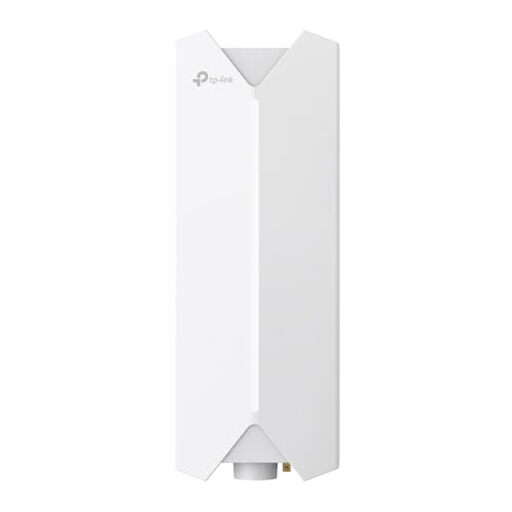
For an outdoor location with an Ethernet connection to your router or switch and a suitable PoE power supply.
The description lists a Gigabit port and support for 802.3at PoE and passive PoE.
According to the description, installation should be carried out by a qualified professional.
Yes. If your internet connection works in the house and you only need to get Wi-Fi to your garden office, extending your existing network may be all you need. With the right setup, FRITZ! says the FRITZ!Repeater 1200 AX can also connect via LAN and work as an additional Wi-Fi access point.
With a wireless extender, the device needs to reach the home network and provide coverage to your garden office. Check both on site. If it’s to be installed outdoors without shelter, the specific model should be explicitly designed for that use.
No. Powerline requires adapters by your home router and at the destination. For a garden shed, devolo describes a setup with a suitable shared electrical connection between the house and shed. Check the connection with your actual electrical installation.
Check whether your chosen model needs cables, adapters or a PoE power supply, and whether these are included. You should also check that it’s suitable for indoor or outdoor installation and can be set up with your existing network.
There isn’t a blanket approval for every device and operating mode. The Bundesnetzagentur publishes general frequency allocations with conditions of use. For 5 GHz, Notice 136/2022, as amended by Notice 49/2023, applies; Notice 76/2025 for 5945–6425 MHz supersedes the earlier Notice 12/2025. Check the conditions that apply to the specific outdoor device and its operating mode.