Which solution is right for you?

People taking live language lessons

If you take language lessons in your garden office, you need a reliable connection for both video and audio. Check your upload connection and internet service too, rather than relying solely on advertised peak Wi-Fi speeds (heise online; Google Meet Help).

Garden offices without a network cable

If you can’t run a cable, place the wireless node somewhere that still gets a strong enough signal from the home network. Its performance will also depend on the connection between the nodes (heise online; F.A.Z. Kaufkompass).

People installing equipment outdoors

If you need to install a Wi-Fi node outside without shelter, plan for the device’s suitability, mounting and power supply together. Specifications for one particular outdoor model don’t automatically apply to other devices (heise online; TP-Link Deutschland).

What should you look for when buying?

Wired access point

A good fit if: you can run a suitable cable to your garden office and reliable language lessons are a priority.

The trade-off: running a cable, making a hole through a wall and, if needed, arranging a professional outdoor installation all involve extra work.

Wireless repeater or mesh node

A good fit if: you can’t run a cable and there’s a sheltered spot that still gets a strong signal from the home network.

The trade-off: the connection where you take lessons depends on how well the node itself connects to the network upstream.

Outdoor node

A good fit if: the best place for the node is outside a sheltered indoor space and the specific device is designed for outdoor installation.

The trade-off: weather resistance doesn’t make up for a poor connection back to the network, or remove the need to plan for mounting and power.

Powerline with Wi-Fi

A good fit if: you have a usable connection over your home’s electrical wiring and can test it on site.

The trade-off: advertised maximum speeds don’t show what your particular electrical installation can deliver. With devolo Magic, you’ll also need to check adapter compatibility.

Standalone mobile broadband

A good fit if: it isn’t practical to connect your garden office to your home broadband and there’s a strong enough mobile signal at the location.

The trade-off: check mobile reception, your tariff and the data allowance you’ll need for the location and how you plan to use it.

What to consider What to check before buying Who it matters most to
Reliable language lessons Check the connection where you take lessons; assess your internet service and upload connection separately. If you need video and audio to come through reliably during a live lesson, the connection at your desk matters more than peak speed. Around 33% of consumers put a reliable lesson connection first.
Connecting without running a cable Find a spot where the wireless node gets a strong enough signal. If you can’t run a network cable, you’ll need a suitable spot for a wireless node between the home network and garden office. Around 27% of consumers prioritise a solution that doesn’t require a new cable run.
Outdoor installation Check the protection rating, mounting and power supply for the specific model. If the node has to be installed outside without shelter, its intended mounting method and power supply are essential. Around 20% of consumers prioritise outdoor installation that’s suitable for the location.
Compatibility with your home network Check your router model and the operating modes supported by the additional device. If you want to keep using your existing network equipment, check that the specific model supports the right operating mode and setup. Around 13% of consumers prioritise connecting to their existing home network.
Separate internet connection Check mobile reception at the location and whether the tariff suits how you plan to use it. If your home broadband doesn’t reach the garden office, a separate connection may be worth considering. Make sure reception and the tariff will work for your lessons. Around 7% of consumers prioritise internet access that doesn’t depend on the connection to their home.

Common buying and planning mistakes

  • Assuming advertised Wi-Fi speeds mean reliable language lessons

    A device’s high quoted throughput doesn’t guarantee a strong upload connection or a stable signal at your desk.

    First, check the connection where you take lessons. If there’s a problem, test your home broadband, the connection back to the network and your device separately.

  • Placing the wireless node right in a Wi-Fi dead zone

    A repeater or mesh node also needs a sufficiently strong connection to the network upstream.

    Choose a spot where the signal is still usable, or check whether you can use a wired connection back to the network.

  • Treating an indoor repeater and an outdoor device as interchangeable

    Weather resistance and the intended mounting method vary by model. A device designed for indoor use isn’t suitable for an exposed outdoor location just because it has Wi-Fi.

    Before choosing where to install it, check the exact model’s protection rating, mounting method and power supply.

Key brands to consider

FRITZ!

If you want to extend an existing FRITZ! network, the FRITZ!Repeater 1200 AX may be worth considering, with its documented LAN bridge mode.

  • FRITZ! documents both wireless and wired operating modes for this model.
  • A plug-in repeater won’t automatically fix an already weak wireless connection to your garden office, and it isn’t specified for exposed outdoor installation.

TP-Link

The Deco range includes indoor mesh systems and the Deco X50-Outdoor, a node specifically designed for outdoor installation.

  • For the Deco X50-Outdoor, TP-Link lists IP65, PoE and a wired backhaul as features of this specific model.
  • These specifications don’t automatically apply to other Deco models. TP-Link says that setting up and configuring a Deco system requires an app and a TP-Link ID.

Ubiquiti

The UniFi U6 Mesh is described by its manufacturer as an indoor/outdoor access point, making it an option for a suitably planned network installation.

  • Ubiquiti lists PoE, Gigabit Ethernet and IPX5 for this model.
  • IPX5 isn’t a blanket approval for every outdoor location or every UniFi range. Check the specific model’s integration requirements and installation instructions.

devolo

Magic 2 WiFi next combines Powerline and Wi-Fi. It’s an alternative worth checking if neither a network cable nor a suitable wireless backhaul is an option.

  • devolo lists two Gigabit LAN ports and compatibility within the Magic range.
  • According to the manufacturer, dLAN adapters aren’t supported. The advertised maximum Powerline speed doesn’t show what your particular electrical installation can deliver.

Joybuy products for your garden office

This selection includes wired access points for a planned Ethernet connection and wireless repeaters for extending your existing home network. Installation guidance and suitability for indoor or outdoor use vary by model.

Ubiquiti UniFi U6 Mesh WiFi 6 indoor/outdoor access point with PoE adapter

Ubiquiti UniFi U6 Mesh WiFi 6 indoor/outdoor access point with PoE adapter

This model is described as an indoor/outdoor access point for installations with a planned Ethernet backhaul. Ubiquiti lists PoE, Gigabit Ethernet and IPX5. For outdoor installation, follow the specified orientation and protect the Ethernet ports and cable entries.

View at Joybuy
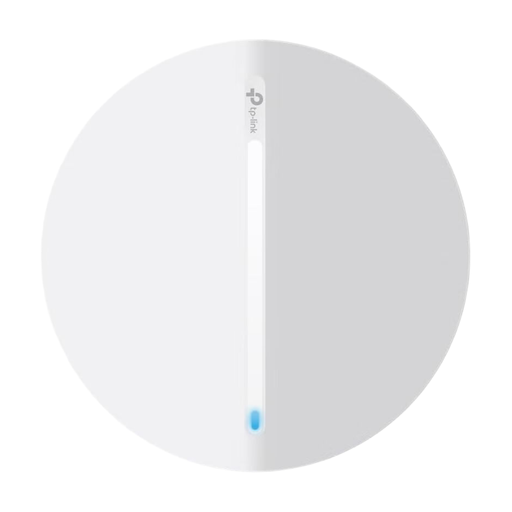
TP-Link Festa F65 AX3000 Wi-Fi 6 access point

TP-Link Festa F65 AX3000 Wi-Fi 6 Access Point

This model is described as an access point for a wired indoor extension. The product information lists PoE, Gigabit Ethernet and a mesh mode for multiple Festa access points. The device is specifically intended for indoor use only.

View at Joybuy

MERCUSYS ME80X Wi-Fi 6 Range Extender AX3000 Dual-Band

MERCUSYS ME80X Wi-Fi 6 Range Extender AX3000 Dual-Band

If you can’t run a new cable, the ME80X may be an option as a range extender, provided it still gets a signal from your router. The product title lists 574 Mbps at 2.4 GHz and 2402 Mbps at 5 GHz. It also has a Gigabit port and an access point mode. The device is intended for indoor use.

View at Joybuy

TP-Link RE235BE BE3600 Dual-Band Wi-Fi 7 Range Extender with 2.5G port

TP-Link RE235BE BE3600 Dual-Band Wi-Fi 7 Range Extender

As a wireless extender, the RE235BE needs to be within range of your existing Wi-Fi router, according to the instructions. The product information lists EasyMesh compatibility, MLO, Smart Roaming and a 2.5G Ethernet port. Keep the device dry.

View at Joybuy
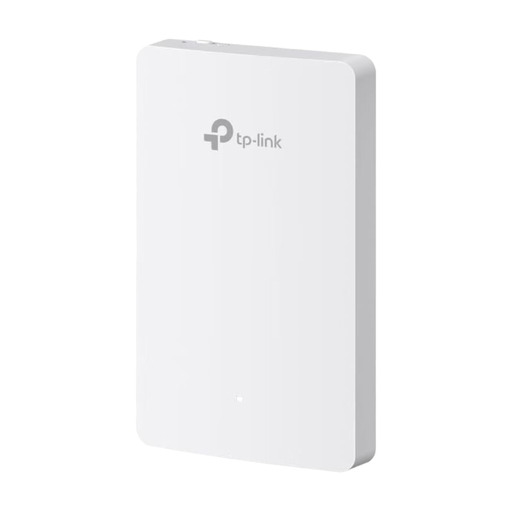
TP-Link Festa F52-Wall AC1200 access point with four Gigabit ports

TP-Link Festa F52-Wall AC1200 Access Point

The Festa F52-Wall is described as a PoE access point for a wired installation at your workspace. The product title lists four Gigabit ports. Its installation instructions require a standard wall socket and specify an IEEE 802.3af/at PoE switch or injector for power.

View at Joybuy

Frequently asked questions

Do I need to replace my router if the livestream keeps freezing in my garden office?

Not necessarily. First, check your internet connection and the signal all the way to your garden office. Google Meet Help recommends troubleshooting connection issues with, among other things, a speed test and a comparison using Ethernet. A repeater also needs a good signal itself.

How is the Deco X50-Outdoor powered?

According to TP-Link, the Deco X50-Outdoor can be powered by a suitable IEEE 802.3at PoE device or the specified power supply. PoE can carry both power and data over the same Ethernet cable. Plan the installation location and power supply before you get started.

What ongoing costs and service should I consider?

You’ll need a suitable tariff for an additional mobile broadband connection. A wired outdoor setup may also involve extra installation and power-supply costs. Check the tariff terms, as well as the warranty and service terms for the specific product on offer.

Is private Wi-Fi between a house and garden office permitted in Germany, and does it need to be registered?

The Bundesnetzagentur publishes general allocations. Its Wi-Fi information booklet from March 2019 says that use solely for private or internal business purposes does not need to be registered. The current requirements for the frequency band and device you use apply to your specific installation; the older booklet does not replace current regulations.

How can I secure my Wi-Fi for lessons?

The Federal Office for Information Security recommends changing insecure default administration passwords and keeping your router’s firmware up to date. According to the BSI, WPA3 offers stronger protection than WPA2. Check whether your devices support WPA3 too.