Garden office with a cable route
If you can run a LAN cable to your workspace, you can set up Wi-Fi there without relying on a wireless connection between your home and office. FRITZ! and TP-Link describe LAN and Ethernet connection options.


You don’t automatically need a new router for large uploads from your garden office: first check your upload speed near the main router, then check the connection all the way to your workspace. If you can run a network cable, a wired access point or repeater in the office could be a good solution. Without a cable, a wireless extender’s performance depends on reception at its location, while Powerline depends on your existing electrical installation. If you’re installing a device outdoors, make sure its location and operating mode are suitable and that it complies with the applicable German Wi-Fi regulations.
If you can run a LAN cable to your workspace, you can set up Wi-Fi there without relying on a wireless connection between your home and office. FRITZ! and TP-Link describe LAN and Ethernet connection options.
If you can’t run a network cable, a wireless extender could be an option. The location you choose will still need a usable connection to your home. TP-Link and devolo describe different ways to extend your network.
If uploads are already slow near your main router, check your internet connection first. The Bundesnetzagentur provides a test that compares your actual connection speed with the rate agreed in your contract.
First, run a test near your main router, then repeat it in your garden office. This makes it easier to work out whether you need to check your internet connection itself or the route to your workspace.
| Buying priority | What to check before buying | Who is it important for? |
|---|---|---|
| Reliable network connection | Check for a LAN port and a suitable LAN bridge or Ethernet backhaul feature; allow for a power supply at the planned location. | If I can run a cable to my garden office, I want to avoid a wireless connection between the buildings and give my workspace a reliable connection. Around 36% of consumers put a cable route first. |
| Wireless connection without a cable | Check reception at the planned location and compatibility with your existing mesh system or router. | If running a cable isn’t possible, I want to find a location where the extender itself still has a usable connection to my home. Around 29% of consumers prioritise this wireless route. |
| Internet connection upload speed | Compare your upload speed near the main router with the rate agreed in your contract, then compare it with a test in your office. | If upload speeds are already slow at the main router, I want to check whether my internet connection could be the bottleneck before buying a device. Around 21% of consumers put their connection speed first. |
| Powerline as an alternative | Check the electrical connection between the buildings, that you have suitable adapters, and the upload speed at your actual workspace. | If a network cable isn’t an option, I first want to find out whether my existing electrical installation can provide a network connection to the garden office. Around 14% of consumers prioritise Powerline as an alternative. |
Your internet connection speed and the connection to your workspace need to be checked separately. A new router won’t automatically fix a dead spot or a weak connection between the buildings.
First, run a test near your main router and compare the result with a test in your garden office. The Bundesnetzagentur offers a broadband test that compares your actual connection speed with the rate agreed in your contract.
A stated Wi-Fi data rate doesn’t automatically tell you your internet connection’s upload speed or the performance you’ll get at your workspace.
Compare test results from your main router and office rather than estimating upload speed from an advertised Wi-Fi figure.
Models differ in the outdoor locations and installation conditions they’re designed for. German Wi-Fi regulations also depend on the frequency band and operating mode.
Check the installation requirements, protection rating and operating mode for the specific model. The Bundesnetzagentur publishes the conditions for the relevant Wi-Fi frequency allocations.
Depending on your set-up, you may also need a suitable mounting bracket or a wired connection.
You can’t tell from a product description alone whether a Powerline connection between your home and garden office will work. For its garden building example, devolo says that both buildings must be on the same electrical circuit.
Check your existing installation and test the upload speed at your workspace before choosing Powerline.
You’ll need a pair of adapters. If the connection at your workspace isn’t fast enough, you may need to use a different network route.
Worth considering if you’re extending an existing FRITZ! network, with options including wired Wi-Fi and devices designed for sheltered outdoor areas.
The Deco and Omada product lines offer different approaches: a Deco mesh system is not the same as a separately managed Omada access point.
Powerline adapters with Wi-Fi could be an alternative if you can’t run a new network cable and your existing electrical installation is suitable.
The UniFi U6 Mesh is a PoE-powered indoor and outdoor access point for use with a suitably configured network connection.
The outdoor Wi-Fi 6 repeater was one of the outdoor options in a COMPUTER BILD comparison.
The products below include wired access point installations at an outdoor location and wireless extenders. Pay particular attention to whether a model is suitable for your planned installation location.
 No image available
For a wired access point in your garden office, provided you have a suitable PoE power supply.
Wi-Fi 6; 6 spatial streams; Gigabit Ethernet; PoE adapter included; IPX5 protection rating.
For the specified outdoor installation, the LED side must face upwards and the supplied mounting bracket must be used.
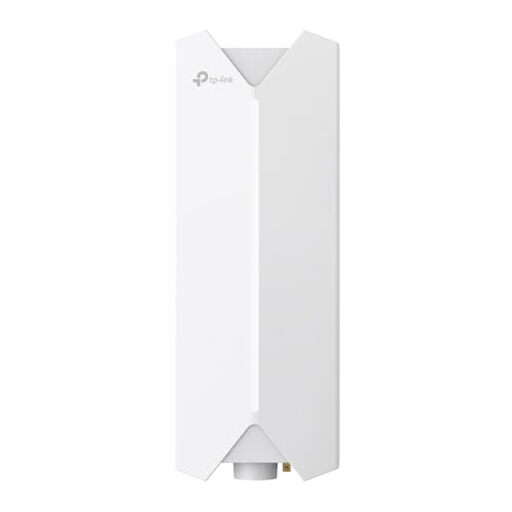 No image available
For Wi-Fi at an outdoor location with a wired Ethernet connection, provided the specified PoE supply is suitable.
Wi-Fi 6; Gigabit port; 802.3at or passive PoE. The description says an outdoor mounting kit and passive PoE adapter are included.
The description recommends professional installation and properly sealed cable connections.
 No image available
For extending your Wi-Fi wirelessly within the range of your existing router; the description says this model is for indoor use only.
AX3000 dual-band: 574 Mbit/s at 2.4 GHz and 2402 Mbit/s at 5 GHz; Gigabit port; access point mode.
According to the description, this model is not suitable for outdoor installation.
 No image available
For extending an existing Wi-Fi network if you can place the extender within range of your current router.
Dual-band Wi-Fi 7; 2.5 Gigabit Ethernet port; EasyMesh compatible.
The connection to your existing Wi-Fi network remains a key factor when choosing a location.
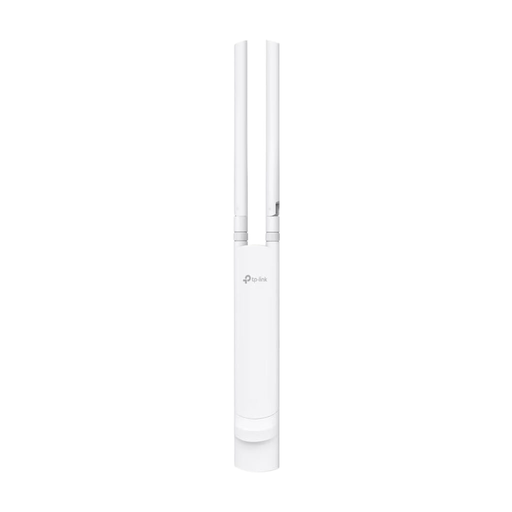 No image available
For a wired access point at an outdoor location, provided a suitable PoE supply is available.
AC1200 dual-band Wi-Fi; Gigabit port; IP65; 802.3af or passive PoE; wall or pole mounting kit.
A suitable PoE supply is required for operation.
Test your connection speed as close as possible to your main router, then compare it with a test in your garden office. The Bundesnetzagentur broadband test compares your actual connection speed with the rate agreed in your contract. Different results in the two locations make the network route to your office an important area to investigate.
A dead spot isn’t a reliable starting point, because the node needs its own connection to the upstream unit. For the wirelessly connected Deco X50-Outdoor, TP-Link recommends a location within 10 metres and gives 15 metres as the upper limit of its recommendation. You’ll also need to take obstacles and reception at the site into account.
Check the PoE standard, compatible power source, Ethernet connection and installation location for the specific model. For the Deco X50-Outdoor, TP-Link specifies an 802.3at PoE switch or adapter; power and Ethernet backhaul can run over the same cable.
No. This doesn’t mean that every device, channel and operating mode is automatically permitted. The Bundesnetzagentur allocates Wi-Fi frequencies subject to conditions, so check the applicable requirements for the frequency band and the device’s specific operating mode before installing it outdoors.