What should you consider when buying?
Start by deciding on the photo size you want. Then compare consumables and the office tasks you expect the same device to handle.
| Consideration |
What to check before buying |
Who this matters most to |
| Photo size |
Check the desired image size, borderless printing and compatible photo paper for the specific model. |
If I want to print garden scenes larger than postcard size, I need a model that supports the right format. Around 33% of consumers prioritise having this flexibility in image size. |
| Ongoing printing costs |
For the same photo size, compare ink or paper-and-ribbon sets, photo paper and any maintenance supplies. |
If I regularly print batches of photos, I want to factor consumables into my budget. Around 25% of consumers put this cost consideration first. |
| Photo and office tasks |
Check the functions you need, such as printing, scanning and copying. Don’t assume duplex printing is supported on photo paper. |
If I want one device for garden photos and office tasks, its office functions need to suit my everyday needs. Around 25% of consumers prioritise this combination. |
| Small individual prints |
Check the media size, connection to your device and compatible paper-and-ribbon set. |
For occasional small prints, I want to print easily from my mobile device without needing a larger photo format. Around 17% of consumers value this straightforward option most. |
Joybuy products
The products below include options for colour photos and office tasks on one device, as well as small smartphone photo prints.
 No image available
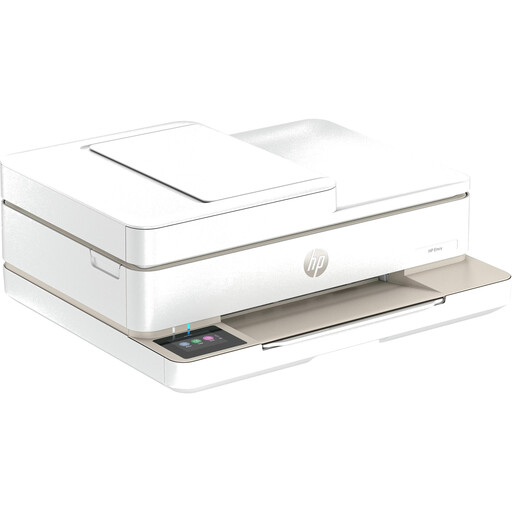
HP Envy 6520 wireless all-in-one inkjet printer
An option if you want one device for colour printing and office tasks such as scanning and copying. Before buying, check that the model supports your preferred photo paper and format.
The product description lists an automatic document feeder, automatic duplex printing, Wi-Fi and Bluetooth.
Joybuy
 No image available
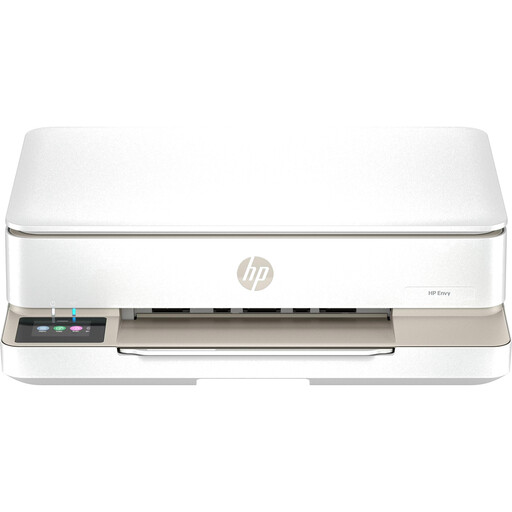
HP Envy 6120 wireless all-in-one inkjet printer
A good fit for a home office where you need colour printing, scanning and copying. Check the specific model’s specifications against the garden photo size you want.
The product description lists automatic duplex printing, Wi-Fi, USB and a colour touchscreen.
Joybuy
 No image available
Xiaomi Portable Photo Printer 1S
A handy format option if you want to print small garden photos straight from your smartphone. The stated paper size won’t accommodate larger images.
The product description lists ZINK printing, Bluetooth and self-adhesive photo paper in 2 × 3 inch (50 × 76 mm) format.
Joybuy
Frequently asked questions
Can I print A4 garden photos with a small photo printer?
Not with every model. Canon lists postcard media, including 100 × 148 mm paper, for the SELPHY CP1500, while the PIXMA G650 supports borderless photo printing up to A4. Check the specific model and the paper size you want to use. (Canon Germany)
Do stated photo yields tell me the actual cost of each garden photo?
No. Canon gives an estimated yield for 10 × 15 cm colour photos for the PIXMA G650, while Epson states yields under its own conditions. For a meaningful comparison, take the format, ink, photo paper and any maintenance supplies into account. (Canon Germany; Epson Germany)
What should I consider when setting up and using a printer occasionally?
Check the connections, media and care instructions recommended for the specific model. Canon lists Wi-Fi and the SELPHY Photo Layout app for compatible mobile devices for the SELPHY CP1500. The PIXMA G650 has a user-replaceable MC-G02 maintenance cartridge. (Canon Germany)
What are my return rights when shopping online in Germany?
Consumers generally have a right to withdraw from distance contracts, with a statutory withdrawal period of 14 days in most cases. Legal exceptions and the circumstances of the contract apply. The right to withdraw is separate from any voluntary guarantees. (Federal Ministry of Justice and Federal Office of Justice, Laws on the Internet)
Can an old printer go in household waste?
No. Section 10 of the Electrical and Electronic Equipment Act (ElektroG) requires old appliances to be collected separately from unsorted municipal waste. The Federal Environment Agency lists municipal recycling centres as one return option; the conditions for returning items to retailers vary. (Federal Environment Agency)


