For occasional small garden prints, a compact dye-sublimation printer is a good choice. For A4 or A3+ images, you’ll need a model that explicitly supports the format you want. Canon Germany lists postcard-size prints of 100 × 148 mm for the SELPHY CP1500, while Epson Germany offers A4 and A3+ models. If you print test versions regularly, also consider media handling, consumables and maintenance.
Who are the different printing options best suited to?
Garden photo enthusiasts
If you want to print selected garden photos larger than A4 or on a range of photo papers, consider the format, media handling and colour management together. Epson Germany lists A3+ models and various media; Canon Germany specifies pigment inks for the PRO-310.
Occasional photo printers
If you only need the odd small print and don’t need A4 or A3+, a compact printer may be all you need. Canon Germany specifies postcard-size prints of 100 × 148 mm for the SELPHY CP1500 with the appropriate set.
Batch and proof printers
If you print images or variations repeatedly, consider consumables and maintenance as well as the format. Epson Germany describes the ET-8550 as having a refillable ink tank. Epson also recommends nozzle checks for EcoTank and Expression printers, with print head cleaning if needed.
What should you consider when choosing?
Compact dye-sublimation printer
Best suited to: printing the occasional garden photo in postcard format and putting the printer away afterwards.
The trade-off: It won’t replace an A4 or A3+ printer. For the SELPHY CP1500, paper and ink ribbon are included in the compatible set.
A4 photo inkjet printer
Best suited to: printing garden photos up to A4, as well as the occasional document, or scanning prints. The Epson Expression Photo XP-8700 is one example.
The trade-off: A3+ is outside this format range. Remember to factor in ink cartridges, photo paper and any maintenance that may be needed.
A3+ cartridge printer
Best suited to: creating larger prints on selected photo or fine art media. The Epson XP-15000 offers A3+ printing with dye-based inks, while the Canon imagePROGRAF PRO-310 offers A3+ with pigment inks.
The trade-off: The paper path, ink type and paper finish all need to be compatible. Claims about colour stability apply only under the specific test conditions stated.
A3+ printer with refillable tanks
Best suited to: regularly printing larger images or several variations, if you prefer a tank system. The Epson EcoTank ET-8550 supports A3+.
The trade-off: Epson states that the supplied ink can print up to 2,300 photos under specified test conditions. This doesn’t tell you how much ink an individual A3+ garden photo will use.
| What you’re looking for |
What to check |
Who is this especially important to? |
| Print size and paper |
Decide on the largest print you want, then check the paper size and suitable feed mechanism. |
If I want to print garden photos larger than A4, the printer needs to support the format I want. This is the main priority for around 36% of consumers. |
| Colour and paper finish |
Check which photo papers and colour profiles are available for the specific model. |
If I want to fine-tune flower colours and paper finishes, support for the paper I actually use matters to me. Around 29% of consumers prioritise colour and media. |
| Consumables and maintenance |
Allow for ink or ribbon, paper and any maintenance recommended for the model. |
If I print several versions of a garden photo, I want to plan for consumables and upkeep together. Around 21% of consumers prioritise ongoing costs and effort. |
| Space and small prints |
Check the space available, the print size you want and the compatible paper-and-ribbon set. |
If I only need the occasional small print and have limited space, the printer should be easy to set up. Around 14% of consumers prioritise compact prints. |
Which assumptions should you avoid?
-
Assuming the advertised photo yield reflects how much ink your own A3+ image will use
Epson’s claim of up to 2,300 photos from the ET-8550’s supplied ink is based on specified test conditions. It won’t predict how much ink your image and chosen format will use.
Compare ink and paper costs based on the format you actually use and how often you plan to print.
Test prints and photo paper also add to the ongoing material costs when you’re trying different versions of an image.
-
Assuming postcard size is the same as A4 or A3+
Canon specifies 100 × 148 mm for the SELPHY CP1500 with the set mentioned; A4 and A3+ printers handle different sizes.
Before you buy, think about the largest image you want to print.
If you later need larger prints, you may need a second printer or an external printing service.
-
Only considering the printer’s purchase price if you rarely print with an inkjet
For certain EcoTank and Expression models, Epson describes nozzle checks and, when needed, print head cleaning as part of routine maintenance.
Check the maintenance guidance for the specific model before choosing a printer.
Nozzle checks and recommended cleaning may use additional paper and ink.
Which brands are worth considering?
Canon
The models mentioned range from SELPHY postcard prints to A3+ photo printers.
- Canon Germany specifies 100 × 148 mm for the SELPHY CP1500 with the appropriate set. The PIXMA PRO-200S uses dye-based inks, while the PRO-310 uses pigment inks.
- The SELPHY CP1500 is therefore not a substitute for A4 printing. Colour stability claims depend on the model and test conditions.
Epson
The devices mentioned cover A4 and A3+ photo printing, using cartridges or refillable tanks.
- Epson Germany lists A3+ support for the XP-15000 and ET-8550. The XP-8700 combines A4 photo printing with copying and scanning.
- The ET-8550’s advertised photo yield is not a forecast of how much ink a single garden image will use. Maintenance may also be relevant, depending on the model.
HP
Envy Photo all-in-one models are worth considering if you also need to scan and copy as well as print garden photos.
- HP Germany lists borderless photo printing, scanning and copying for its German Envy Photo range.
- Check the format, cartridges and photo paper for the specific model. The range is not automatically equivalent to specialist A3+ photo printers.
Joybuy products for compact prints
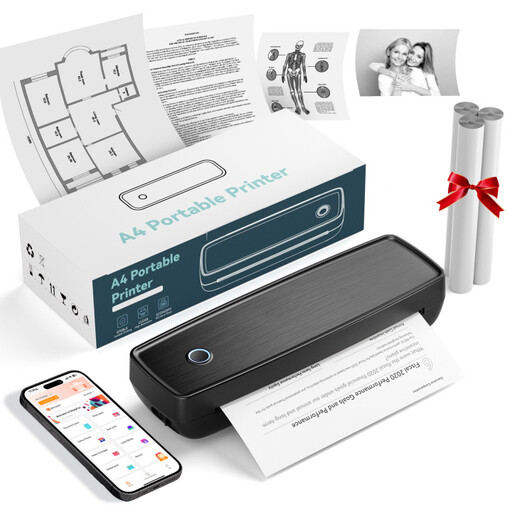
This selection includes portable printers for smartphone prints and small images. For framed A4 or A3+ garden photos, check that the format, photo paper and printing technology are explicitly supported by the model you’re considering.
 No image available
Portable mini thermal printer for smartphones, photos and notes
For printing from your smartphone, if a portable thermal printer suits your needs.
The product name mentions printing photos from a smartphone.
View at Joybuy
 No image available
Portable thermal printer with Bluetooth and USB-C for travel and the office
An option for simple photo prints if you’re looking for a portable thermal printer.
The product name mentions Bluetooth and USB-C.
View at Joybuy
 No image available
Portable wireless inkless printer for US Letter and Legal, black
The product description lists photos as something you can print. Before using it, check that the photo paper you want is compatible with the printer.
The product name lists the US Letter and Legal formats, as well as the black colour option.
View at Joybuy
 No image available
Xiaomi Portable Photo Printer 1S
For small adhesive-backed prints, if the specified size suits your images.
The product details specify Zink photo printing on adhesive paper in 2 × 3-inch format (50 × 76 mm).
View at Joybuy
 No image available
Xiaomi Portable Photo Printer Pro
An option if you’re looking for a portable photo printer for compact prints.
View at Joybuy
Frequently asked questions
Is a compact photo printer suitable for a framed A4 garden photo?
Not if, like the SELPHY CP1500, it’s designed for smaller formats: Canon Germany specifies 100 × 148 mm for its postcard set. For A4, choose a model that explicitly supports A4 and check that it can handle the paper you want to use.
What can I do if my inkjet prints have streaks or the colours look wrong?
For affected Epson EcoTank and Expression models, Epson Germany recommends checking the nozzle check pattern first and running the recommended print head cleaning if needed. Always follow the maintenance instructions for your specific model.
Can I put an old photo printer in my household waste?
No. Electrical waste must be disposed of separately. According to the German Environment Agency, local collection points generally accept it free of charge. Returns to retailers are subject to the applicable take-back rules.


