To create accurately scaled garden plans, you need to scale the scan in your drawing software using a known measurement. A high-resolution display alone won’t ensure that your drawing is to scale. A convertible is a better fit if you often want to sketch directly on screen, while a traditional laptop may be enough if you work with a mouse or trackpad. Check the software requirements, ports, screen finish, stylus support and what’s included with the specific configuration.
Which laptop is right for you?
Gardeners who need accurate measurements
If you want to transfer the dimensions of beds and paths from a scan, scale the image in your drawing software using a known reference length. Autodesk and QGIS document workflows for scaling and aligning raster images.
People who sketch directly on screen
If you want to add lines or notes directly on the display, check both the specific device’s stylus support and what’s included in the box. Lenovo notes that a stylus is optional and sold separately for one documented Yoga 7 configuration.
Planning on the move with scans
If you’ll be working in different places, the ports, screen finish and dimensions of the specific configuration are important points to compare. Make sure the ports also suit the way you transfer files from your scanner or storage device to your laptop.
What should you look for when buying?
Traditional laptop
A good fit if: You mainly draw over a scanned image using a mouse or trackpad.
The trade-off: A larger display can give you more room to draw, but takes up more space when you’re travelling.
Touchscreen convertible
A good fit if: You often want to sketch directly on screen or add handwritten notes to your plan.
The trade-off: Check touch functionality, stylus compatibility and what’s actually included separately. A glossy display may be distracting in your intended workspace.
| Requirement |
What to check before buying |
Who is this important to? |
| Accurate scaling |
The software’s scaling function and a known reference length in the image. Autodesk explains how to match a raster image to the drawing scale. |
If I need to transfer bed and path lengths from a scan, I align the image to a known measurement in my drawing software. Around 36% of consumers put accurately scaled plans first. |
| Drawing directly on screen |
Touch functionality, compatibility with the stylus you want to use, and whether it’s included with the exact configuration on offer. |
If I want to add beds directly on the display, I need a device that supports my preferred stylus. Touch functionality alone doesn’t tell me what’s included. For around 29% of consumers, drawing with a stylus on screen is their main priority. |
| Scan files |
File formats, suitable ports, and whether the software embeds images or only links to them. If images are linked, save the source file with the project. Autodesk explains that raster images in AutoCAD can be linked to a separate file. |
If my scanner saves the image as a file, I want to import it into my drawing software and keep the source file with the project. Around 21% of consumers prioritise importing and accessing their scans. |
| Using it on the move |
Check the dimensions and weight of the configuration, as well as the screen finish for the place where you plan to use it. |
If I also want to work on the plan in the garden, I look for a display that’s easy to read and a device that’s easy to carry. Around 14% of consumers prioritise portability. |
Avoiding common misconceptions
-
A sharp scan is automatically to scale
Screen resolution and scan DPI don’t determine the drawing’s dimensions on their own. Without the right scaling, bed or path lengths in the digital drawing may not match the original.
Before tracing the image, check a known measurement and use it to scale the raster image in your software.
Incorrect scaling may mean spending extra time correcting the drawing.
-
A touchscreen means a suitable stylus is included
Touch functionality, stylus compatibility and the accessories in the box are separate considerations. Lenovo gives conflicting information for one documented configuration, listing a stylus as both a configuration detail and optional accessory.
Check which stylus model is supported and what’s in the box for the exact configuration on offer.
You may need to buy a compatible stylus separately.
-
The power adapter and linked images will always be available
HP lists a power adapter as a separate purchase for one documented configuration. In AutoCAD, raster images may also be linked to a source file rather than included in the drawing file.
Check what’s included before buying. If your images are linked, save the source file with your drawing project.
Depending on the offer, you may need to buy a suitable power adapter separately. If an image link is lost, you may need to relink the image.
Relevant brands and product ranges
Lenovo
The Yoga 7 2-in-1 Gen 10, configuration 83JR000PGE, is a convertible option with a 14-inch touchscreen and a 360-degree hinge.
- Lenovo describes several usage modes that could suit working directly on the screen.
- Lenovo also notes that the stylus is optional and sold separately. The documented OLED display is glossy, so check what’s included and where you plan to use it.
Dell
The Inspiron 14 2-in-1 7440 is another convertible worth comparing.
- For the documented configuration, Dell lists 16 GB DDR5, a 512 GB SSD and a 14-inch FHD+ touchscreen.
- A touchscreen alone doesn’t confirm stylus support. Check the exact stylus compatibility and what’s included with the configuration on offer.
HP
The HP OmniBook X Flip 14-kb0774ngx is a convertible configuration with a 14-inch OLED touchscreen.
- For this exact configuration, HP lists 24 GB RAM, a 1 TB SSD and four usage modes.
- HP says the power adapter is sold separately. Check stylus compatibility and what’s included with this exact model configuration.
Acer
The Aspire 5 A515-58M, reference NX.KQ8EG.002, is a traditional laptop option with a matte 15.6-inch non-touch display.
- For the documented configuration, Acer lists 16 GB RAM, a 512 GB SSD, and USB-A, USB-C and HDMI ports.
- Before buying, check that the full model number, reference and included items match the specific offer.
ASUS
The Vivobook 14 X1407 is another comparison point: a traditional 14-inch laptop rather than a convertible.
- ASUS describes a 16:10 IPS display for this range, with configurations offering up to 32 GB RAM and up to 1 TB SSD.
- The “up to” specifications don’t automatically apply to every X1407 configuration. Check the full model number and actual specification; these details don’t confirm stylus input.
Joybuy products for digital garden plans
This Joybuy selection includes laptops for working with scanned images digitally, as well as a 2-in-1 touchscreen model. Whatever device you choose, you’ll need to scale the image appropriately in your software to create an accurate drawing.
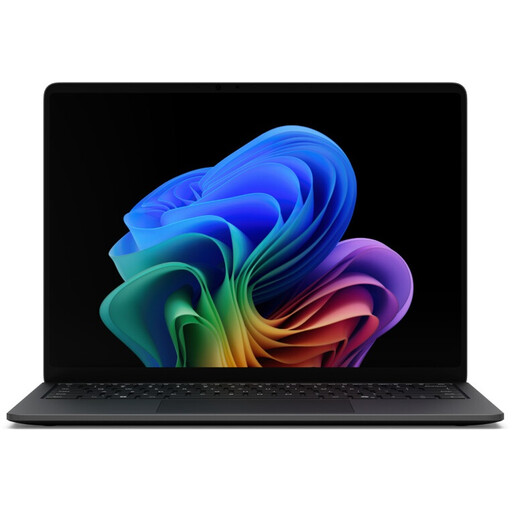 No image available
Microsoft Surface Laptop 8, Core Ultra 5, 16 GB RAM, 512 GB SSD, Black
For digital planning with files stored locally. Check that the ports suit the way you transfer files from your scanner to your laptop.
Core Ultra 5; 16 GB RAM; 512 GB SSD.
View at Joybuy
 No image available
Microsoft Surface Laptop 8, Core Ultra 5, 24 GB RAM, 1 TB SSD, Platinum
A laptop option for plan files stored locally. Compare the exact specification with the requirements of your drawing software.
Core Ultra 5; 24 GB RAM; 1 TB SSD.
View at Joybuy
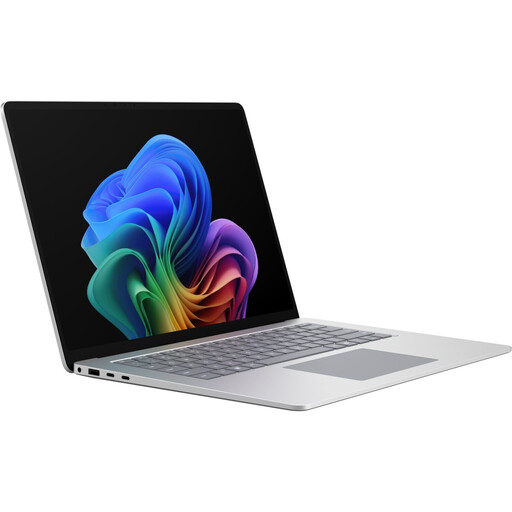 No image available
Microsoft Surface Laptop 8 for Business, 15-inch, Core Ultra X7, 16 GB RAM, 512 GB SSD, 65 W, W11P, Platinum
The listed 15-inch screen size may be useful when working with a scanned image. Check that the screen size and ports suit your workflow.
15-inch; Core Ultra X7; 16 GB RAM; 512 GB SSD; 65 W; W11P.
View at Joybuy
 No image available
HP OmniBook Ultra Flip 14-fh0670ng, 14-inch 2-in-1 touchscreen, Core Ultra 7 258V, 32 GB RAM, 1 TB SSD, 2.8K OLED
This 2-in-1 touchscreen model may suit you if you want to work with your plan directly on screen. If you plan to use a stylus, check compatibility and what’s included with the specific configuration.
14-inch; Intel Core Ultra 7 258V; 32 GB RAM; 1 TB SSD; 2.8K OLED; Windows 11 Home; Eclipse Gray.
View at Joybuy
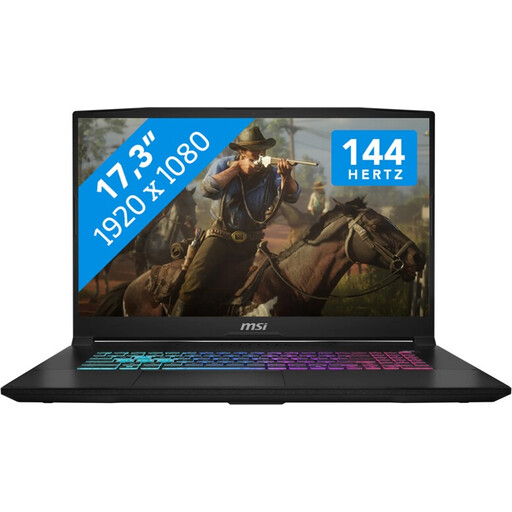 No image available
MSI Katana 17 HX B14WFK, 17.3-inch FHD, 144 Hz, Core i7, 16 GB RAM, 1 TB SSD, RTX 5060
If you mainly work at a desk and prefer a larger screen, check the dimensions of this configuration before buying to make sure it’s easy enough to transport.
17.3-inch FHD; 144 Hz; Intel Core i7; 16 GB RAM; 1 TB SSD; NVIDIA GeForce RTX 5060, 8 GB GDDR6; Windows 11.
View at Joybuy
Frequently asked questions
Will a high-resolution scan automatically make my garden plan accurately scaled?
No. If the lengths need to be accurate, scale the raster image in your drawing software using a known measurement. Autodesk explains how to match an image’s size to the drawing scale.
Can automatic vectorisation produce a finished trace of a scanned drawing?
Not as a reliable, exact copy. Inkscape describes tracing a bitmap as a starting point for further editing. Be sure to check the linework and measurements yourself afterwards.
How can I stop a scanned image from going missing from my drawing project?
Check whether your software embeds the image or only links to a separate file. Autodesk explains that linked raster images in AutoCAD aren’t part of the drawing file. If that applies to your project, save the source file and drawing together.
Does a touchscreen mean a stylus is included?
No. Check stylus support and what’s included with the exact configuration. For the documented Yoga 7, Lenovo notes that the stylus is optional and sold separately.
What are your rights when buying a laptop online in Germany?
When you buy as a consumer from a retailer, your statutory rights apply regardless of any voluntary guarantee. For goods ordered online, you generally have a 14-day right to cancel from the date you receive them. Conditions and exceptions may apply to your specific purchase. Verbraucherzentrale explains the difference between statutory rights and a guarantee, as well as the rules on cancellation.


