What should you look for?
First decide whether you’ll mainly work at a table, carry your laptop around often or draw directly on the screen.
Traditional laptop with a larger display
A good fit if: You usually plan at home and want to see your garden plan, calendar and reference sources clearly side by side.
Consider: A larger laptop takes up more room when you’re carrying it. HP Store Germany lists 16 GB RAM and 1920 × 1200 pixels for the OmniBook 3 16-bu0750ng; Dell Germany lists the same specifications for the DC16256. These are specification details, not measured performance with garden planners.
Compact traditional laptop
A good fit if: You often take your laptop between home and your allotment and mainly plan using a keyboard and pointing device.
Consider: On a smaller display, there’s less room to view your plan and references side by side. Lenovo Germany says the IdeaPad Slim 5a Gen 11 83S10061GE has a reflective display without touch functionality.
Convertible with a touchscreen
A good fit if: You genuinely want to draw directly on the screen and your planning software supports the input method.
Consider: A touchscreen alone doesn’t confirm stylus compatibility or whether a stylus is included. Check both for the exact model; HP Store Germany describes the OmniBook X Flip 16-ar0772ng as having a touchscreen.
| What matters |
What to check before buying |
Who should pay particular attention? |
| Viewing your plan and sources side by side |
Compare the screen size and resolution, as well as the RAM, for the exact configuration; try arranging windows in your garden planner. |
If I want to open my garden plan and plant information alongside other sources, a clear, easy-to-use workspace matters to me. Around 36% of consumers prioritise viewing things side by side. |
| Taking your plans out to the garden |
Check the weight and screen finish of the specific configuration, as well as how it’s powered; find out whether your chosen planner requires an internet connection. |
If I regularly use my laptop in different places, I pay particular attention to portability and screen readability. Around 29% of consumers put mobile planning first. |
| Drawing beds directly on the screen |
For the exact model number, confirm stylus compatibility, what’s included and whether the planning software you actually use supports it. |
If I want to sketch paths and beds directly, the right input method matters more than simply having a touchscreen. Around 21% of consumers prioritise drawing directly on screen. |
| Checking for any additional requirements |
Check what’s included and whether a power adapter is required; find out whether the planning software runs in a browser or requires a particular operating system. |
I want to know in advance whether I’ll need any extra accessories for my planner or charging setup. Around 14% of consumers prioritise avoiding unnecessary extra purchases. |
Joybuy laptops for garden planning
This selection includes traditional laptops with larger or more compact displays, as well as touchscreen convertibles, for garden planning and keeping multiple sources open at once.
 No image available
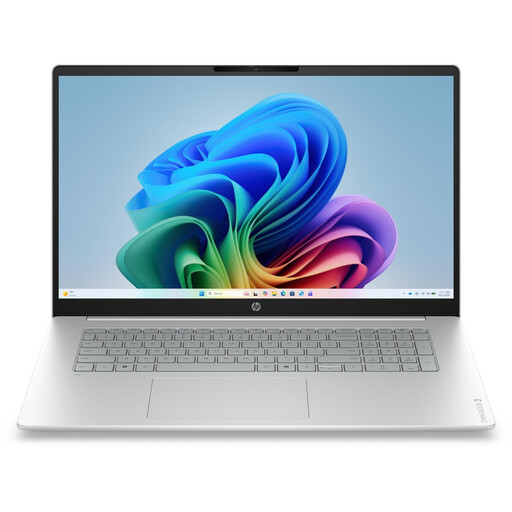
HP OmniBook 3 17-dg0050ngx
The 17.3-inch model is worth considering if you want to view your garden plan and references on a large display.
17.3-inch FHD; Intel Core Ultra 5 225U; 8 GB RAM; 256 GB SSD; Windows 11 Home.
View at Joybuy
 No image available
HP ProBook 4 G1a 16 Business Laptop
The 16-inch format is a good fit if you’ll mainly view your plan and several sources at the same workstation.
AMD Ryzen 5 230; 16 GB DDR5 RAM; 512 GB SSD; WUXGA IPS display; AMD Radeon 760M Graphics; Windows 11 Pro.
View at Joybuy
 No image available
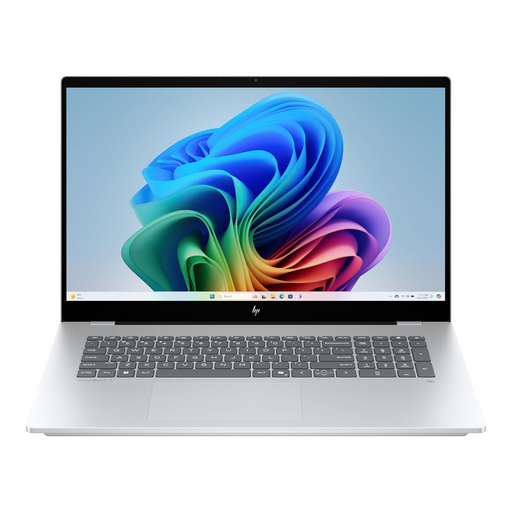
HP OmniBook X Flip 16
This convertible is an option if you want to work directly on the screen. Check whether your drawing software supports a suitable stylus and whether one is included.
16-inch; WUXGA touchscreen; Intel Core Ultra; 16 GB RAM; 512 GB SSD; Windows 11; USB-C Power Delivery.
View at Joybuy
 No image available
HP OmniBook Ultra 14-kd0072ngx
The 14-inch model is a more compact option if you want to carry your laptop around often.
14-inch 3K; Intel Core Ultra 7 356H; 16 GB RAM; 1 TB SSD; Windows 11 Home.
View at Joybuy
 No image available
HP OmniBook Ultra Flip 14-fh0670ng
This more compact convertible is worth considering if you want to take your laptop with you and work on the display. Check stylus compatibility with your planning software.
14-inch; 2-in-1 touchscreen; Intel Core Ultra 7 258V; 32 GB RAM; 1 TB SSD; 2.8K OLED; Windows 11 Home.
View at Joybuy
Frequently asked questions
Does a laptop for garden planning need a dedicated graphics card?
Not necessarily: browser-based garden planners don’t generally require a dedicated graphics card. Check the requirements of the specific application you use, especially if you want to run specialist 3D or locally installed software.
Is a touchscreen enough to draw with a stylus?
No. A touchscreen alone doesn’t confirm whether a particular stylus is compatible or included. Check the exact model number and whether your planning software supports the input method you want to use.
How can I keep using my plans when I switch devices?
Before changing devices, check the storage and export features of the specific planner you use. Gartenjournal says the planner described there lets you export plans as an image or PDF; whether you can use them in another tool depends on that tool’s features.
Does every laptop come with a power adapter?
No, this varies between the models reviewed: HP Store Germany lists the power adapter for the OmniBook 3 16-bu0750ng as available separately; Dell Germany says no power adapter is included with the DC16256. Check what’s included and the charging requirements for your specific model.
Does the EU common charging port rule apply to laptops too?
According to the European Commission, the requirements have applied to the laptops covered by the rules since 28 April 2026. This doesn’t mean that a particular USB-C power adapter will provide the charging power your device needs, so check the requirements for the specific model.


