Readers of illustrated gardening books
If you want to read photos, captions and tables without constantly zooming in, how a typical page looks on screen is key. Onleihe points out that PDFs have fixed page breaks.


For gardening books with photos, tables or fixed-layout PDF pages, a larger colour display makes sense if you can prop the device up in bed. If you prefer to hold it, a compact tablet is usually more manageable. A lightweight E-Ink reader may be enough for adjustable text. Before you buy, check a typical page from your book and make sure your specific title is available on the device.
If you want to read photos, captions and tables without constantly zooming in, how a typical page looks on screen is key. Onleihe points out that PDFs have fixed page breaks.
If you read in bed for a while, you’ll need to weigh a device that’s easy to handle against having more room for the page. Being able to prop the device up changes that trade-off.
If you borrow gardening books, check before you buy that the specific title, its format and the way you plan to read it are all compatible with the device. Onleihe explains that different titles may use different DRM methods.
A good fit if: You want a colour display and often hold the device yourself while reading.
The trade-off: You may need to zoom in to read a fixed-layout PDF page on the smaller display.
A good fit if: Your gardening book has lots of fixed-layout pages, labels or tables, and you can prop the device up.
The trade-off: More screen space can make a tablet less comfortable to hold. Apple lists the Wi-Fi 11-inch iPad (A16) as weighing 477 g.
A good fit if: You mostly read adjustable text and don’t need tablet apps.
The trade-off: A small screen can be awkward for fixed-layout book pages. Also check that you can access the titles you borrow.
| What matters | What to check before buying | Who it matters most to |
|---|---|---|
| Images and fixed-layout book pages | View a typical page with a caption or table in your preferred portrait or landscape orientation. | If I want to make out photos and labels without constantly zooming in, how my specific book looks on screen matters. Around 25% of consumers put the readability of images and PDFs first. |
| Comfort in bed | Compare the weight and dimensions of the exact model, including any case you plan to use, and think about how you like to read. | If I’m holding the device for a while, I want to be able to read the page without the tablet becoming awkward to handle. Around 25% of consumers prioritise ease of handling. |
| Access to books you buy and borrow | Check the specific title, file type and book service, and whether you need a particular app or DRM support. | If I want to borrow or buy specific gardening books, I need to be able to read those titles on the device. Book access is the top priority for around 19% of consumers. |
| Reading in the evening | Try the brightness, contrast and available display settings with a page from one of your own books. | If I read in the bedroom, I want to be able to adjust the display to suit my book and the available light. Around 19% of consumers prioritise how the display looks in the evening. |
| The complete reading setup | Consider the device, the books you need and any accessories you actually require separately. Check what’s included with the exact model. | If I’m weighing up the device, books and essential accessories together, I don’t want to overlook anything important. Around 12% of consumers put the overall cost first. |
PDFs keep their fixed line and page breaks, so you may need to zoom in or move around the page frequently on a smaller screen.
Before you buy, look at a typical page from your gardening book, including its captions and tables.
Frequent zooming can interrupt your reading. If the display isn’t suitable, you may need to switch to a larger device.
The best-buy list published by Heise on 6 October 2026 features the iPad mini 7. On 26 October 2026, Apple announced an iPad mini with A20 Pro and gave 6 November 2026 as its availability date.
Check the full model name and generation of the version on offer.
Onleihe titles may require different DRM methods, so having a compatible display alone doesn’t guarantee access.
Check that the title you want and the way you borrow or read it will work on the specific device.
Xiaomi says that the REDMI Pad SE 8.7 does not come with a power adapter.
Check what’s included with the exact model and factor in only the accessories you actually need.
If you don’t already have a suitable power adapter, you may need to buy one separately.
The Galaxy Tab A11 is a compact Android tablet range for readers who want colour and tablet apps.
The iPad mini is the compact iPad option, while an 11-inch iPad gives you a larger view of fixed-layout pages.
The REDMI Pad SE 8.7 is another compact colour tablet option.
The Tab One is a compact Android alternative for reading and other tablet tasks.
The Verse Pro Color is an E-Ink alternative for readers who don’t need tablet apps.
This selection features colour tablets with larger displays that you may be able to prop up while reading gardening books. Check a typical page from your book and bear in mind the weight of the version you choose.
 No image available
For checking gardening book pages on a larger colour display. Try a typical PDF page before you buy.
The display is listed at 1,920 × 1,200 pixels, and the tablet weighs 482 g according to the product description.
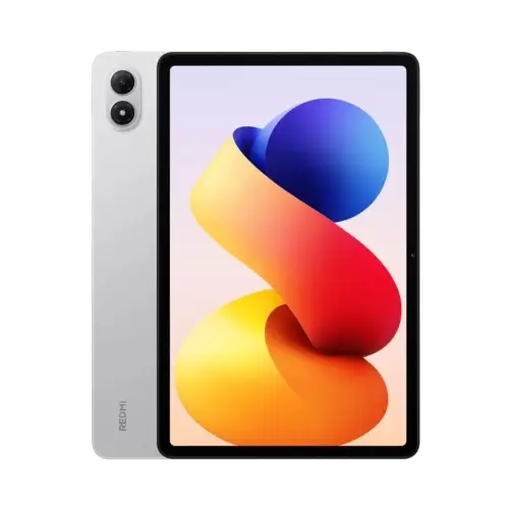 No image available
The larger display could be a good option for reading gardening books with the tablet propped up. Check the readability of your specific page for yourself.
The product description lists a 12.1-inch display with 2,560 × 1,600 pixels.
 No image available
The 11-inch display gives you more space to check gardening book pages. Whether a page is readable without zooming depends on the book’s layout.
The product description lists an IPS display with 2,176 × 1,600 pixels and an EVA case.
 No image available
The listed large screen size may be worth considering for fixed-layout pages if you can prop the device up while reading.
The product title lists Android 16, an IPS display with 1,920 × 1,200 pixels, plus a keyboard, mouse and stylus in the package.
 No image available
The listed screen size sits between compact and larger tablet options. Compare a typical book page with the way you prefer to read.
The described package includes a keyboard and a stylus.
Not necessarily, but Onleihe says PDFs have fixed page breaks and may be less suitable for smaller displays. Check a typical page with photos and captions: a larger device gives you more screen space, but is heavier to hold.
First check whether your library offers the specific title and what you need to read it. Onleihe provides an app for iOS and Android tablets, but according to Onleihe, some titles require an external app for Adobe or ByteBooks DRM.
If an item is faulty, you have statutory rights against the seller. These are separate from any voluntary guarantee. According to Verbraucherzentrale, online purchases generally come with a 14-day right to cancel. The specific terms and any exceptions depend on the purchase.