Readers of illustrated gardening books
If you need to see the colours in the illustrations inside the book, check a typical page from your edition. A colour cover alone tells you nothing about how the pages inside will look.


For adjustable-flow text, a compact black-and-white reader is often all you need. If the colours of plants matter, consider a colour display, while detailed PDFs with fixed layouts may benefit from a larger screen. Check the format and copy protection of the books you plan to read, and open them on your device before you fly. A manufacturer’s battery-life estimate is no guarantee for your flight; follow the airline’s and crew’s instructions on board.
If you need to see the colours in the illustrations inside the book, check a typical page from your edition. A colour cover alone tells you nothing about how the pages inside will look.
For captions, tables and fixed page layouts, screen size and zoom are important. Weigh up the benefit of a clearer view against the device’s weight.
If you mainly read continuous text, a compact reader with adjustable text and lighting can be handy. Download your books before the flight and open them in advance.
| What matters | What to look for | Who is this important to? |
|---|---|---|
| Colour on illustrated pages | Check a typical page from inside the book and the colour display on the specific model. A colour screen cannot add colour to pages that were originally black and white. | If I want to identify plants from colour illustrations, how the pages inside the book look is crucial. Around 33% of consumers put plant colours first. |
| Fixed-layout PDF pages | Test a typical page, including tables and captions, at your preferred text size. See how much zooming and panning is needed. | If you need to read small labels or tables on fixed-layout pages, you’ll want a clear view. Around 25% of consumers prioritise PDF readability. |
| Comfort while reading | Compare the weight, screen size and controls with the way you usually read. Charge your reader and download your books before the flight, then test that you can open them offline. | If I’m mainly reading continuous text on a long flight, a comfortable device matters to me. Around 25% of consumers prioritise comfortable text reading. |
| Access to your books | Check where you’re getting the books, their format, copy protection and the device software. Onleihe lists minimum software versions for certain tolino and PocketBook models, but doesn’t guarantee access to every title. According to Onleihe Help, copy-protected Onleihe e-books cannot be read on Kindle e-readers. | If I need my gardening books, whether bought or borrowed, to be available offline, I check every title before flying. Around 17% of consumers put access to their books first. |
A colour display only shows colour if it’s included on the page in the book. It won’t add colour to black-and-white artwork.
Before choosing a device, look at a typical page from inside your edition.
PDFs have fixed page layouts. Small text and captions can be hard to read on a compact screen; if you’re borrowing a file, copy protection is another factor to consider.
Test a typical PDF page, including its captions and copy protection, on the model you’re considering.
Support for EPUB or PDF formats alone doesn’t guarantee that a particular borrowed title will open on your device.
Before you buy, check the specific title, its copy protection and the required software version. Onleihe titles with copy protection are not available on Kindle e-readers.
A manufacturer’s battery-life estimate isn’t a guarantee for your settings and usage. The use of electronic devices on board may also be restricted.
Charge your reader and download your books in advance. Test that you can open them offline, and follow the airline’s and crew’s instructions.
For gardening books, options include a compact black-and-white reader and a colour model with page-turn buttons.
The Verse Pro Color and InkPad Color 3 colour models differ in screen size and weight, among other things.
A Kindle reader may suit you if the gardening books you want are available in compatible Kindle editions.
Kobo readers may be an option for your own unprotected EPUB and PDF files.
The Note Air4 C is aimed at readers who value a larger screen and Android features over a traditional compact design.
This selection includes compact e-readers for reading on the go. Before buying, check that the format and copy protection of the specific book you want are compatible with the device.
 No image available
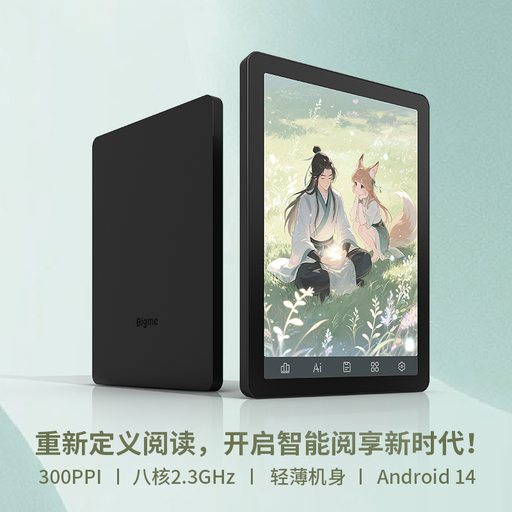
The 6.13-inch format is described as a compact e-reader for reading on the go; the product title specifies a colour display.
The title also lists Android 14 and 8GB+256GB.
 No image available
The 6-inch format listed in the product title is a compact size for reading on the go.
The title also lists 36-level front lighting and Android 14.
Yes, if you mainly read adjustable-flow text and don’t need any colour information on the pages inside the book. Check an illustrated page from your edition: a colour display won’t add colour to black-and-white artwork.
Charge your device and download the specific books in advance. Open each title once and check its format, copy protection and, where relevant, your library sign-in. Onleihe lists minimum software versions for certain tolino and PocketBook devices; before you travel, also check the latest sign-in process for borrowed titles.
It depends on the title and its copy protection as well as the device. According to Onleihe Help, Onleihe PDFs on these readers require additional Adobe or ByteBooks DRM support; the usual CARE process for EPUB isn’t enough. Also check that the text is readable for you on a typical page.
Not without restrictions. Germany’s Federal Aviation Office explains that German airlines may allow device use during certain phases of a flight under specified conditions, but the pilot in command can prohibit it. EASA recommends carrying portable devices with lithium batteries in your hand luggage. Always follow the airline’s and crew’s instructions too.
A manufacturer’s battery-life estimate is no guarantee for a particular flight, as actual usage and settings affect it. Charge your reader in advance, download your books and open them once before departure without an internet connection.