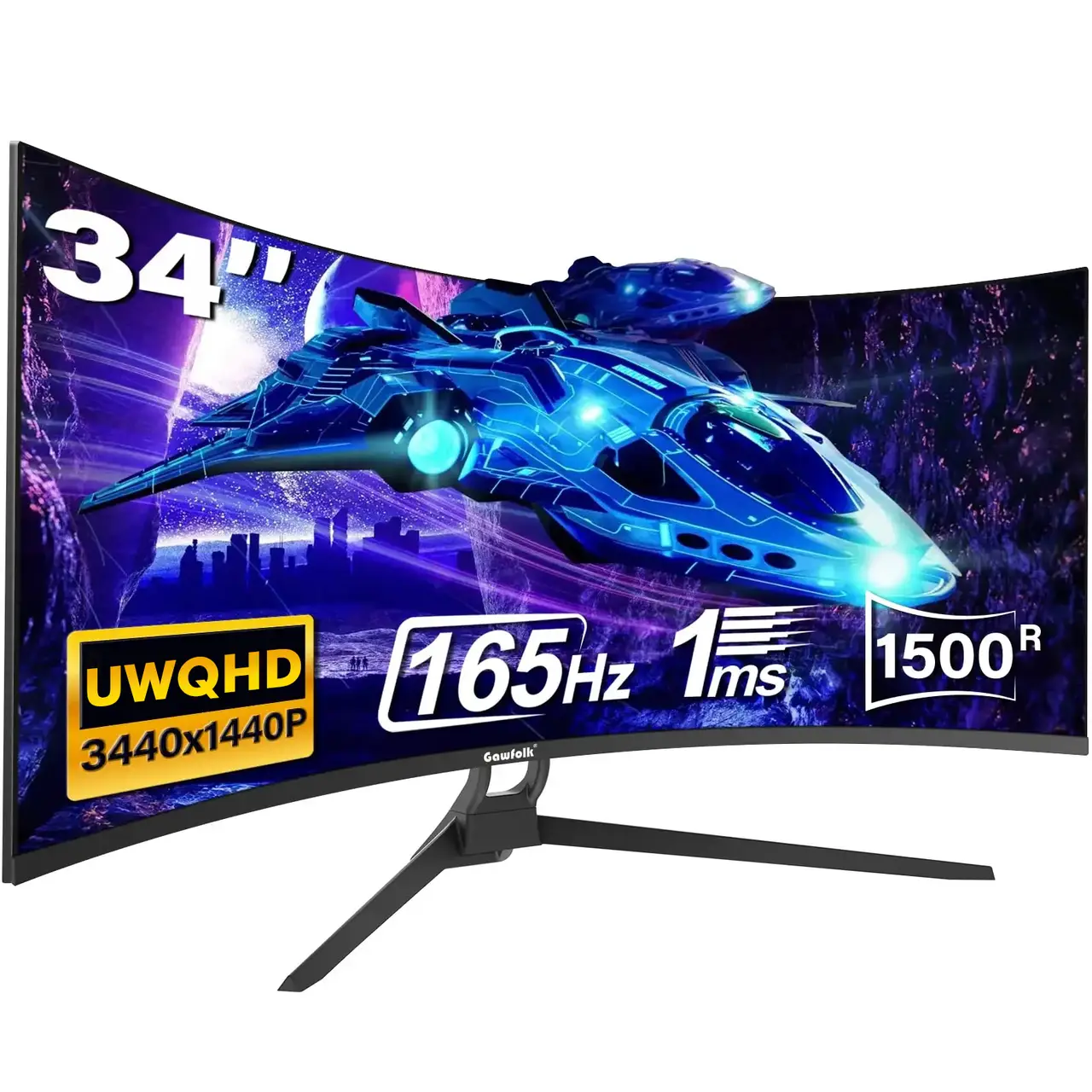
Make more room for play and work with the Gawfolk 34-inch curved ultrawide monitor, featuring a 3440 × 1440 resolution, 21:9 aspect ratio and 1500R curve. Its 165Hz refresh rate, 1ms MPRT response time and AMD FreeSync support help keep compatible games smooth, while HDR and 120% sRGB coverage add visual detail and colour. With HDMI and DisplayPort connections, it suits gamers seeking a wider view and anyone who wants space to keep multiple windows visible.
How to Choose the Right Gaming Monitor
Start with the games you play, your graphics card and the space available on your desk. The right gaming monitor balances resolution, smooth motion and useful connectivity, rather than relying on one headline specification.
Key Features to Consider
Compare these essentials to find a screen that suits your setup and how you play.
- Screen size, resolution and format: Choose a resolution your graphics card can run comfortably; a larger or ultrawide screen, such as a 34-inch UWQHD model, needs more graphics performance than a standard Full HD display. Check the aspect ratio and desk space, and consider whether a curved screen suits your viewing distance and games.
- Refresh rate and response time: A higher refresh rate, measured in Hz, can make fast movement look smoother, especially in competitive games, but your PC or console must be able to deliver enough frames to benefit. Compare response-time claims carefully and look for independent testing where available, as advertised figures may use different measurement methods.
- Panel, adaptive sync and connections: Consider whether you prioritise viewing angles, contrast or colour, and check for adaptive-sync support that is compatible with your graphics card to help reduce screen tearing. Before buying, confirm the monitor has the right HDMI or DisplayPort connections for your devices and supports the resolution and refresh rate you intend to use.
Go Wider, Play Smoother: A More Immersive Gaming View
An Ultrawide Curved View for Games and Multitasking
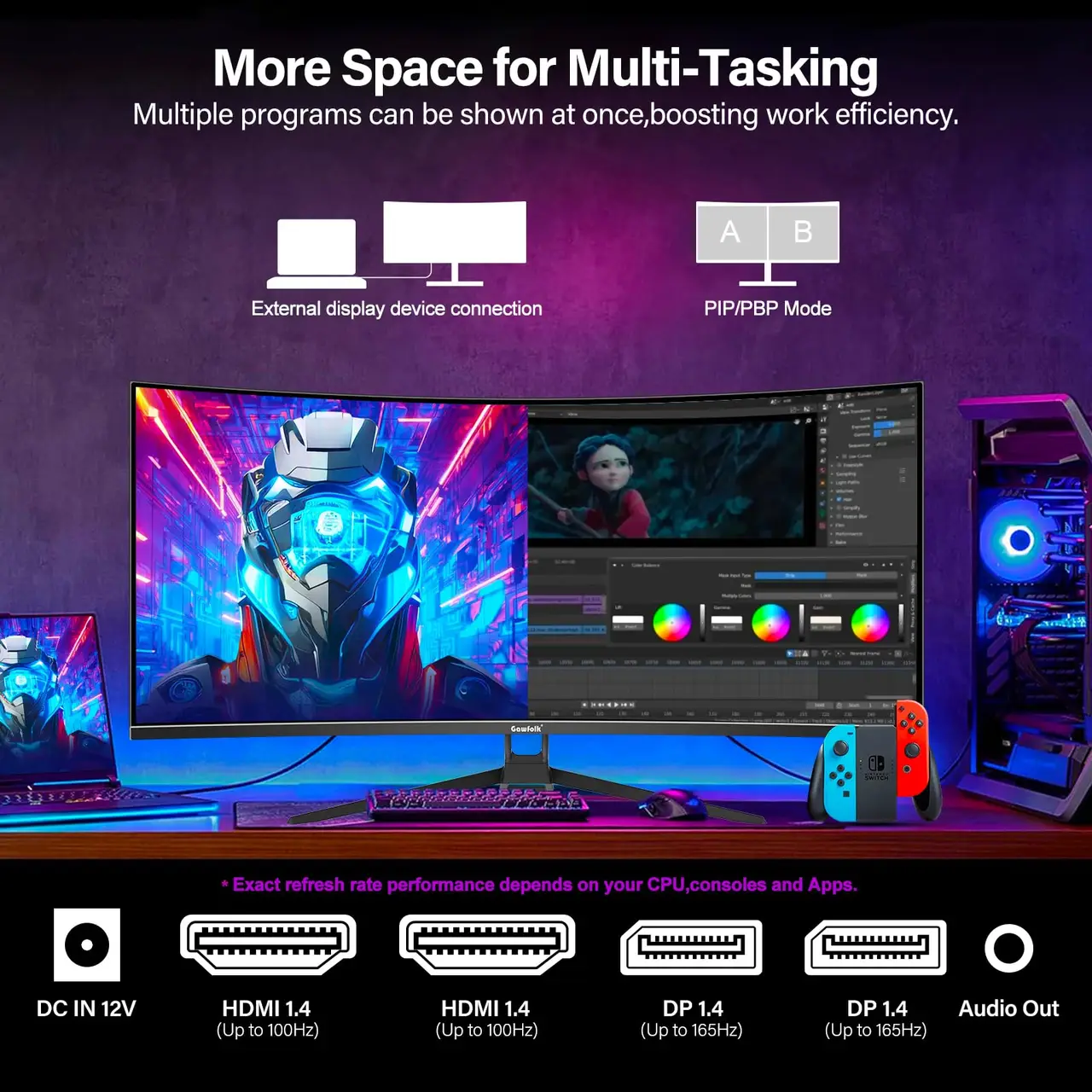
Settle into a more immersive view with the 21:9 ultrawide display and its sweeping 1500R curve, designed to bring more of your game world into focus. The expansive screen also gives everyday multitasking plenty of room, making it easy to keep several windows visible while you work, browse or chat. UWQHD resolution adds crisp detail to compatible content, while HDR, 300-nit brightness and 120% sRGB coverage bring vivid colour and added visual depth to your entertainment and games.
Fast, Fluid Gameplay with Adaptive Sync
Enjoy responsive play with a 165Hz refresh rate and 1ms MPRT response time, a combination that makes fast-moving scenes feel smooth and immediate. From quick turns in action games to rapid movement across the screen, the high refresh rate keeps gameplay feeling lively. AMD FreeSync Adaptive Sync helps coordinate the monitor’s refresh with a compatible graphics card for fluid visuals, so your favourite games can look and feel more engaging. Connect through DisplayPort for refresh rates of up to 165Hz on compatible devices.
Flexible Connections for Your Gaming Setup
Make your desk setup work for the way you play with two HDMI 2.0 ports and two DisplayPort 1.4 ports. This selection gives you convenient ways to connect compatible computers and gaming devices, and makes switching between sources straightforward. HDMI supports refresh rates of up to 120Hz, while DisplayPort supports up to 165Hz, letting you choose the connection that suits your device and gaming priorities. Pair the monitor’s broad, curved view with your preferred setup for immersive gaming, entertainment and productive multitasking.
Ultrawide Gaming Monitor: Who It Suits
PC Gamers Using DisplayPort
When you play PC games where fluid motion matters, connect
over DisplayPort and use the curved ultrawide screen, high
refresh rate and FreeSync Adaptive Sync to help reduce tearing
and keep gameplay smooth. You get a wider, more consistent
view of the action.
People Juggling Several Work Windows
When your work involves switching between documents, browser
tabs and other tasks, spread your windows across the ultrawide
screen instead of repeatedly minimising them. Keeping more of
your work in view makes it easier to move between tasks
without losing your place.
Console Players Using HDMI
When your console connects to your monitor over HDMI, use the
curved ultrawide display for a broader view and HDMI refresh
support for smoother compatible gameplay. You get a more
involving gaming session without needing a DisplayPort
connection.
Film And Series Viewers
When you settle in to watch films or series, the ultrawide
screen gives you a wider view, while HDR and broad colour
coverage bring more visual detail and colour to compatible
content. Your viewing feels more immersive and visually rich.
Frequently Asked Questions
Is the Gawfolk 34-inch monitor wide enough for multitasking?
Yes, its 21:9 ultrawide screen gives you room to keep several windows visible side by side. The 3440 × 1440 resolution provides detailed workspace, while the 1500R curve wraps the display gently around your view. It is equally suited to switching between work and games on one screen.
Can I get 165 Hz on the Gawfolk monitor over HDMI?
For the full 165 Hz refresh rate, connect your compatible device through DisplayPort 1.4. The monitor’s HDMI 2.0 inputs support up to 120 Hz, while its two DisplayPort inputs support up to 165 Hz. Choose the connection that matches your device to get the refresh rate it can deliver.
How do I safely connect the Gawfolk curved monitor?
Switch off the monitor and connected device before attaching an HDMI or DisplayPort cable. Connect the monitor’s power lead to its adapter and use a properly earthed socket. Keeping the cables unplugged while you connect them helps you set up the 34-inch screen safely before switching everything on.
Don't just buy, Joybuy
Discover more of your favourite brands on Joybuy and enjoy great deals.