Researching at a cramped desk
If you need space for papers or notes alongside your laptop, check the device’s actual dimensions and how much clear desk space you have. The German Federal Archives offers access to digitised collections for research.


For family history research at a small desk, a compact device makes sense if space is limited and it can run the software you use. If you often view digitised records alongside your notes, a larger built-in display may work better. Also check software compatibility, the ports you need and how you’ll back up your data separately.
If you need space for papers or notes alongside your laptop, check the device’s actual dimensions and how much clear desk space you have. The German Federal Archives offers access to digitised collections for research.
If you compare scanned documents with your notes, check that everything is easy to read at your preferred text size. For longer periods of laptop use, the German Social Accident Insurance recommends using an external keyboard and mouse, as well as an external monitor if possible.
If you already use a particular programme, check its operating system requirements before buying a laptop. Ahnenblatt requires Windows, while the Gramps Project offers a macOS version.
The German Federal Archives offers digitised collections for research. For longer periods of laptop use, the German Social Accident Insurance recommends using an external keyboard and mouse, as well as an external monitor if possible. So plan for your laptop, papers and any extra equipment together.
| Buying consideration | What to check | Who may find this especially important |
|---|---|---|
| Desk space | Compare the device’s dimensions with the space available; allow room for papers and any extra equipment. | If I want to keep sources and notes beside my laptop on a small desk, I need to consider the space required for my whole workstation. Around 31% of consumers prioritise the space available. |
| Readability of digitised records | Check how sources and text appear at your preferred scaling; compare the display size and type of the specific model. | When reading scanned documents, I want to make out the details while keeping my notes in view. Around 25% of consumers prioritise the readability of digitised records. |
| Software compatibility | Check the requirements for the version of the programme you actually use against the laptop’s operating system. | If I want to continue my research using a particular family tree programme, it needs to run on the system I choose. Around 25% of consumers prioritise compatibility with their genealogy software. |
| File backups | Estimate how much storage your files need and plan for a separate backup, including how you’ll restore your files. | If you keep your own family trees, notes or scans, you’ll want to be able to restore them if your device fails. Around 19% of consumers put backing up their research files first. |
According to its provider, Ahnenblatt 5 requires Windows, while the Gramps Project also offers a macOS version. So a programme you know well won’t necessarily work on every laptop.
Before choosing a model, check the current system requirements for the specific application.
Switching to different software may mean having to learn how to use it all over again.
If the only copy of your research files is on your laptop, you could lose them if the device fails. The German Federal Office for Information Security recommends backing up your data regularly.
Keep a separate copy and check that you can restore your files from it.
A separate backup system may require extra equipment.
A larger built-in display and a well-equipped workstation solve different problems. External input devices or a monitor will also take up space on a small desk.
Measure the available space and plan for your sources, notes and any extra equipment together.
For longer work sessions, the German Social Accident Insurance recommends using an external keyboard and mouse, as well as an external monitor if possible. You’ll need to allow extra space for them.
According to Joybuy, the MacBook Air configuration listed here does not include a power adapter. What’s included can vary between configurations.
Before buying, check the details for the configuration you’ve chosen and whether you’ll need charging accessories.
If a suitable power adapter isn’t included, you’ll need to make sure you have another way to charge it.
The Dell 14 Plus DB14250 is a 14-inch Windows option for working with sources and notes when desk space is limited.
The MacBook Air with M5 is a compact macOS option, provided it’s compatible with the research software you use.
The ThinkPad X1 Carbon Gen 13 is a 14-inch Windows option to consider if a matt display would suit your workspace.
The Zenbook 14 OLED UX3405 shows what a compact 14-inch laptop with an OLED display can offer.
The OmniBook 5 Flip 14-fp0750ng is a Windows option with a 360-degree hinge, if you’d find different ways of positioning your laptop useful.
This selection includes compact Windows laptops and a MacBook with macOS. The key is to check that your genealogy software works with the relevant operating system and consider how much screen space you need at your desk.
 No image available
An option for research using Windows genealogy software; check the requirements for the specific version of the programme you use.
Snapdragon X Plus, 16 GB RAM and 512 GB SSD.
 No image available
For a Windows setup; check that the requirements of your genealogy software are compatible with the operating system on this specific model.
Core Ultra 5, 24 GB RAM and 512 GB SSD.
 No image available
A 14-inch Windows option if you want to view sources and notes on the built-in display; check the system requirements for your genealogy software.
Touchscreen, 32 GB RAM, 1 TB SSD, 2.8K OLED and Windows 11 Home.
 No image available
A compact macOS option if it’s compatible with your research software. The Gramps Project offers a macOS version; Ahnenblatt 5 requires Windows.
16 GB unified memory and two Thunderbolt 4/USB-C ports. According to Joybuy, this configuration does not include a power adapter.
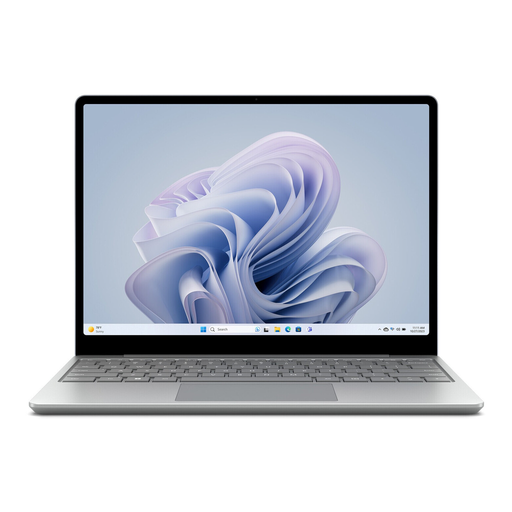 No image available
A smaller Windows option for a tight workspace; check that the display and storage will suit your sources and files.
12.45-inch touchscreen, Intel Core i5, 8 GB RAM, 256 GB SSD and Windows 11 Home.
For native use of Ahnenblatt 5, yes: the provider lists Windows as a requirement. If you use browser-based services or another application such as Gramps, check which platform version is available.
First, check what will fit on your desk alongside the laptop. For longer work sessions, the German Social Accident Insurance recommends using an external keyboard and mouse, as well as an external monitor if possible. This is ergonomic advice, not a purchasing requirement.
Back up files you’ve created regularly, keeping the copies separate from your laptop. The German Federal Office for Information Security lists external storage devices as one option; also check that you can restore your files.
For consumer purchases made at a distance, you generally have a right of withdrawal; section 355 of the German Civil Code (BGB) provides for a 14-day withdrawal period. When it starts and whether any legal exceptions apply depends on the specific contract. The consumer advice centre also distinguishes the statutory right of withdrawal from your statutory warranty rights against the seller.
No. The North Rhine-Westphalia State Archives explains that some digitised sources are available online, while others can only be viewed in reading rooms. This applies to the collections held by the NRW State Archives and not necessarily to every archive in Germany.