
Lieferung heute & morgen

Qualitätsgarantie

Willkommens-Angebote freischalten: KOSTENLOSE Lieferung | Bis zu 80 % RABATT | Kostenlose 30-Tage-JoyPlus-Testphase
App herunterladen
As the person responsible for office supply procurement or IT infrastructure, you face a recurring task: the printer reports a low toner level, and a replacement is unavoidable. Choosing the right genuine Canon toner may seem simple at first, but the market is filled with pitfalls that can lead to unnecessary costs, equipment failure, and frustration. A wrong purchase doesn't just mean wasted money; it also means valuable work time lost resolving compatibility issues or poor print quality.
This guide serves as a practical reference. We will highlight the most common mistakes made when purchasing printer cartridges for Canon Laserjet printers and show you which crucial parameters you must consider to always make the right choice.
Procuring consumables is often subject to cost pressure. However, it is precisely here that short-term savings can lead to significant long-term problems.
To avoid these mistakes, you should base your purchasing decision on objective criteria. Focus on the following three points to ensure you receive the correct genuine Canon toner.
The most important step is to identify the correct model designation. You can find this in several places:
A precise match between your printer's model number (e.g., Canon imageRUNNER or Canon i-SENSYS series) and the toner's specification is essential for smooth operation.
The page yield, specified according to the ISO/IEC 19798 standard, indicates how many pages can be printed with an average coverage of 5%. For many models, Canon offers both standard and high-yield cartridges (often marked with an "H" or "XL").
Choosing a genuine Canon toner is an investment in the reliability and longevity of your office equipment. Genuine cartridges are precisely engineered to match the mechanics and software of the respective printer model. This ensures:
Depending on the application and printer model, the requirements for a toner cartridge vary. Here are three recommendations tailored to typical profiles in corporate environments.
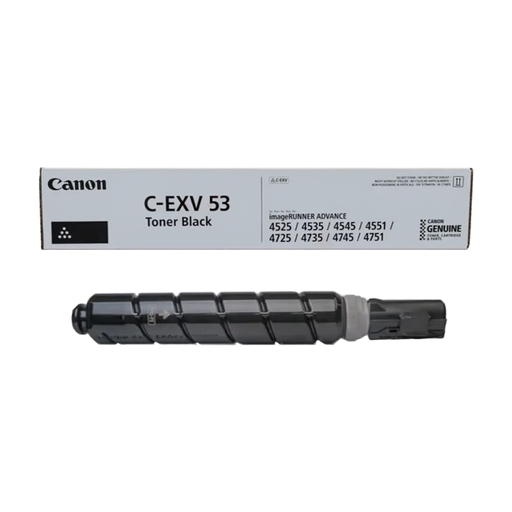
Why This Fits Their Persona: Ideal for IT departments managing large-scale Canon imageRUNNER ADVANCE systems. The high capacity reduces the frequency of replacements, lowering maintenance overhead and the overall cost per page.
Avoids the mistake of buying a low-capacity cartridge, which would lead to frequent operational interruptions in a busy environment.
Very high page yield of 42,100 pages. Engineered for reliability in professional Canon imageRUNNER ADVANCE devices.
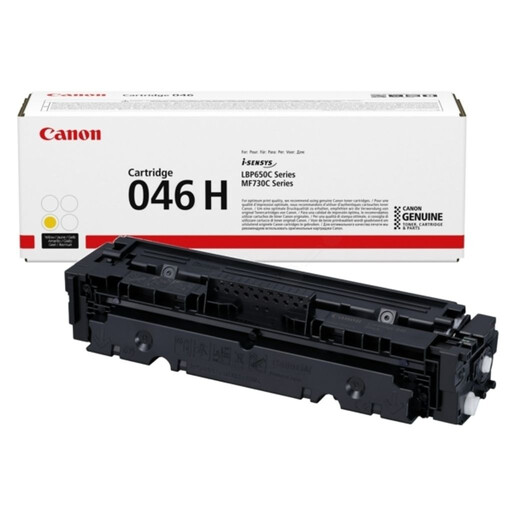
Why This Fits Their Persona: Perfect for small to medium-sized businesses using Canon i-SENSYS colour laser printers. The high-yield (H) version offers an excellent balance between purchase price and page output for regular office use.
Solves the problem of model number confusion, as it is specifically designed for popular i-SENSYS models like the LBP654Cx or MF735Cx. The "H" version optimises running costs.
High capacity of 5,000 pages. Guarantees vibrant, consistent colour results for professional documents.
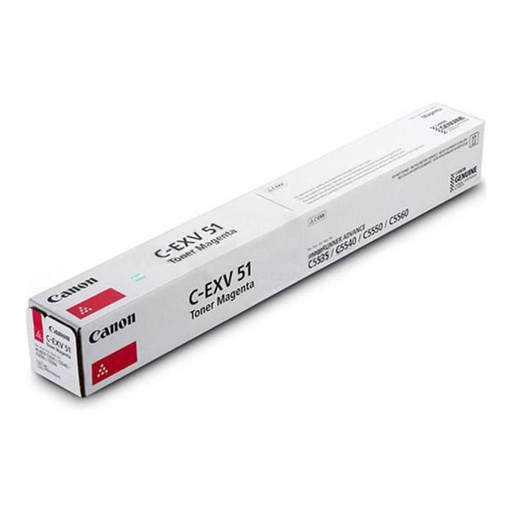
Why This Fits Their Persona: For marketing departments or agencies that depend on precise and brilliant colour reproduction. This Canon Magenta Toner is designed for the professional colour printing systems in the imageRUNNER ADVANCE C5500 series.
Prevents the risk of colour deviation and poor print quality, which would be unacceptable when using budget alternatives for presentations or marketing materials.
Very high page yield of 26,000 pages. Specially developed for vibrant, consistent, and high-quality colour prints.
We have compiled a complete, up-to-date list of products that meet these strict selection criteria and the demands of professional use.
The most reliable way is to read the model number directly from the old cartridge you are replacing. Alternatively, you can open the access door on your printer where the toners are installed. There is usually a sticker there with the exact model names of the compatible toners.
A high-yield cartridge (often marked "H" or "XL") contains more toner powder than a standard cartridge. This allows it to print a higher number of pages. For offices with regular printing needs, H-versions are often more economical because the cost per page is lower and the toner needs to be changed less frequently.
The process for changing a Canon toner is straightforward. Turn on the printer and open the relevant cover. Wait for the toner carousel to move into the replacement position. Unlock and remove the empty cartridge. Before unpacking the new cartridge, gently shake it horizontally a few times to distribute the toner powder. Remove all protective seals and insert the new cartridge into the colour-coded slot until it clicks audibly into place. Close the cover. The printer will then typically calibrate itself automatically.