
Lieferung heute & morgen

Qualitätsgarantie

Willkommens-Angebote freischalten: KOSTENLOSE Lieferung | Bis zu 80 % RABATT | Kostenlose 30-Tage-JoyPlus-Testphase
App herunterladen
A Gigabyte Aorus CO49DQ OLED Gaming Monitor is designed for users who want to combine gaming, multitasking and creative applications on a single, exceptionally wide screen. The 49-inch format with a 32:9 aspect ratio can replace two 27-inch QHD monitors, but it also requires plenty of desk space and a powerful graphics card.
Before you buy, it's worth taking a close look at the technical specifications. High numbers for refresh rate, response time or HDR don't automatically mean a monitor is suitable for every workspace or every game.
A DQHD monitor with 5120 x 1440 pixels displays significantly more image points than a conventional QHD monitor. For modern games, you'll therefore need a powerful graphics card. Depending on the game, detail level and whether HDR or synchronisation technology is enabled, the actual achievable frame rate can be well below 144 frames per second.
Check before you buy:
A curved OLED monitor uses self-emissive pixels, which allows it to produce a highly contrast-rich image. However, with permanently static elements – such as stock tickers, streaming overlays or Windows taskbars – there is always a risk of uneven pixel wear. The built-in OLED Care function can provide protective mechanisms, but it doesn't replace sensible usage settings.
We recommend:
Two HDMI ports aren't automatically equally versatile. What matters is the version, bandwidth, supported refresh rate and additional features. An HDMI 2.1 monitor can be interesting for modern consoles, while a PC is often connected via DisplayPort. For laptop users, it's also important whether USB-C actually supports video signals via DisplayPort Alternate Mode and sufficient charging power.
The 5120 x 1440 pixel resolution on the CO49DQ is spread across a width of 49 inches. The ultrawide 32:9 format is ideal for racing simulations, flight simulators, strategy games and side-by-side windows. The 1800R curvature can bring the outer screen areas closer to your field of view.
Still, consider your seating position: with such a wide monitor, you need enough viewing distance. For productive work, you should also check whether the software you use supports 32:9 properly. Some applications don't display the side areas optimally.
The CO49DQ uses a QD-OLED panel. According to the available product specifications, it offers a contrast ratio of 1,500,000:1, coverage of 99% DCI-P3 and VESA DisplayHDR True Black 400 certification. These figures describe measurable panel and certification characteristics; the actual image quality also depends on the profile, room lighting, source device and software.
For content creators, it's important whether the colour profile matches your particular application. A wide colour gamut doesn't automatically mean accurate colour reproduction in every programme.
The stated 144 Hz refresh rate can make motion appear smoother than a 60 Hz display, provided your graphics card can deliver enough frames. The advertised 0.03 ms response time is a GtG value from the product data. Such measurements shouldn't be directly equated with total input lag, as signal processing, the game itself and your peripherals also play a role.
Support for AMD FreeSync Premium Pro can help reduce screen tearing and uneven motion at varying frame rates, when used with compatible graphics cards. Before buying, check compatibility with your own system.
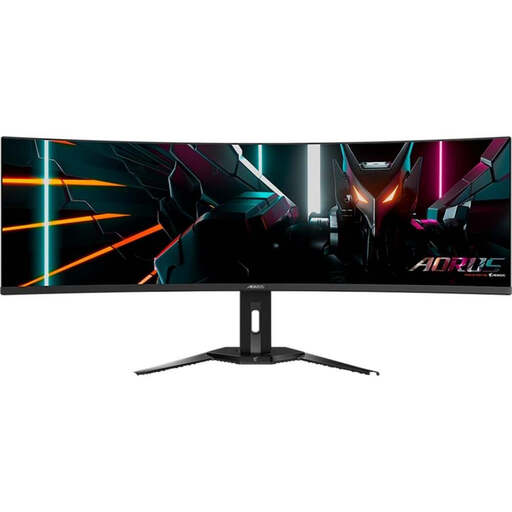
Why this product suits the profile: This model combines 49 inches, DQHD resolution, QD-OLED and 144 Hz with a KVM function and USB-C connectivity. That makes it ideal for demanding PC gamers, streamers and users with multiple devices.
The technical specifications list specific ports, resolution and panel type. OLED Care functions are included, but should be supplemented with regular pixel refresh and varied content.
5120 x 1440 pixels, 144 Hz, 0.03 ms GtG, 1800R curvature, KVM, USB-C with 18 W Power Delivery and two HDMI 2.1 ports.
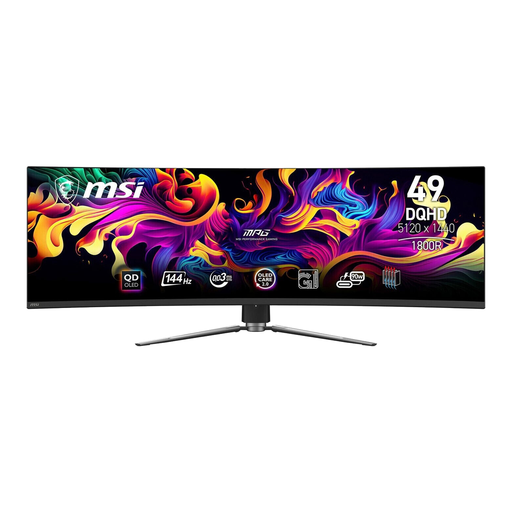
Why this product suits the profile: This monitor is aimed at users who want a wide QD-OLED display with console support, KVM and a comprehensive selection of ports.
The specifications distinguish between HDMI 2.1, DisplayPort 1.4a and USB-C. That makes it easier to choose the right connection for your PC, laptop or console.
DQHD resolution, 144 Hz, 0.03 ms GtG, 1800R curvature, DisplayHDR True Black 400, KVM and USB-C with up to 90 W Power Delivery according to product specifications.
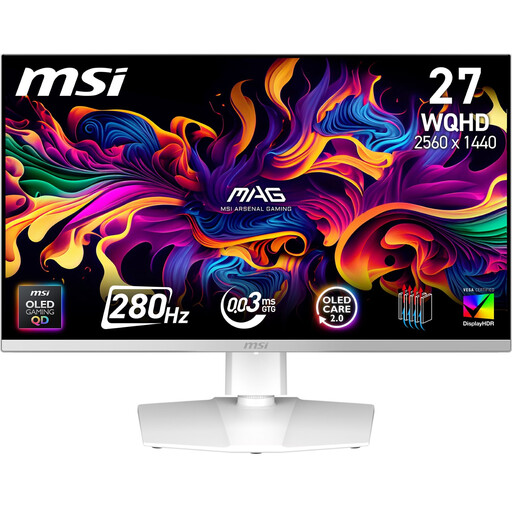
Why this product suits the profile: If you prefer QD-OLED and a high refresh rate but don't have room for a 49-inch desk setup, you get a more compact 27-inch format.
The smaller screen width reduces the space needed and the demands on graphics performance. You still get OLED, 0.03 ms GtG and Adaptive-Sync support.
27 inches, QHD resolution, 280 Hz, 0.03 ms GtG, FreeSync Premium Pro, two HDMI 2.1 ports and USB-C.
We've put together a full, regularly updated list of products that fully meet these strict selection criteria and the safety regulations in force in the EU.
The 32:9 format and 1800R curvature can be great for sim racing, because they create a wide horizontal field of view. However, the racing simulation you're using must support the aspect ratio. Your graphics card also needs to be able to output the DQHD resolution at a consistent frame rate.
For the native resolution of 5120 x 1440 pixels at 144 Hz, you'll need a powerful graphics card with a suitable DisplayPort or HDMI output. The actual performance depends on the game, the graphics settings and the signal connection you're using. Before you buy, check the technical specifications of both your graphics card and your cable.
Avoid prolonged static content, activate automatic power-saving features and let the built-in OLED maintenance cycles run to completion. After switching the monitor off, don't disconnect it from the mains immediately if a panel refresh is indicated.