
Lieferung heute & morgen

Qualitätsgarantie

Willkommens-Angebote freischalten: KOSTENLOSE Lieferung | Bis zu 80 % RABATT | Kostenlose 30-Tage-JoyPlus-Testphase
App herunterladen
Anyone looking to buy a Gigabyte Radeon RX 9070 GRE Gaming OC 12GB graphics card should not be guided solely by the boost clock, RGB lighting or claims such as “4K gaming”. What matters is whether the graphics card is suitable for your case, power supply, monitor and intended use. The designation AMD Radeon RX 9070 GRE identifies the GPU platform, while Gigabyte’s version adds features such as WINDFORCE cooling, RGB and Dual BIOS.
12 GB of GDDR6 is an important specification, but on its own it does not indicate how well a card will suit a particular game or programme. The 192-bit memory interface, memory bandwidth, in-game settings and desired resolution also matter. For many current gaming scenarios, 12 GB may be sufficient. However, buyers planning to use high-resolution textures, extensive creative projects or the card for several years should check the requirements of the relevant software.
The PCIe 5.0 interface describes the connection between the graphics card and the motherboard. It makes compatibility with newer platforms easier, but does not automatically guarantee more frames per second. A motherboard with PCIe 4.0 may also be suitable for many systems, provided the slot, BIOS and other components are compatible. It is worth checking the motherboard manual before buying.
According to the product specifications, the Gigabyte Gaming OC measures 288 × 132 mm and weighs around 998 g. As well as the length, you should check the available space for the card’s width, power cables and airflow. A minimum power supply of 700 W is recommended. This is not a blanket power-consumption figure for the graphics card, but a system recommendation that also takes the processor, drives and power-supply quality into account.
The card uses 12 GB of GDDR6 with a 192-bit memory interface. GDDR6 is an established type of graphics memory for gaming and GPU-accelerated applications. When choosing a card, users should also compare the requirements of their games, editing software or 3D applications. Anyone planning to work with large video projects, complex 3D scenes or particularly high texture quality should factor in the memory requirements of the specific software.
The product specifications list a boost clock of 2340 MHz and a GPU based on the RDNA 4 architecture. The actual clock speed can vary depending on temperature, workload, case airflow and power management. A high nominal clock speed is therefore only one part of the buying decision. More important is whether the entire platform is suitable for the desired resolution and refresh rate.
According to the manufacturer, the WINDFORCE system includes three Hawk fans, copper heat pipes, a large copper plate, 3D-Active Fans and Screen Cooling. The cooling system is designed to help dissipate heat under load, although noise levels and temperatures still depend on the case and individual fan curve.
A Dual BIOS with “Performance” and “Silent” modes lets you choose between a performance-focused profile and a quieter one. 3 × DisplayPort and 1 × HDMI allow you to connect multiple monitors. The stated maximum resolution is 7680 × 4320 pixels. This does not mean that every game will run at this resolution with a high frame rate.
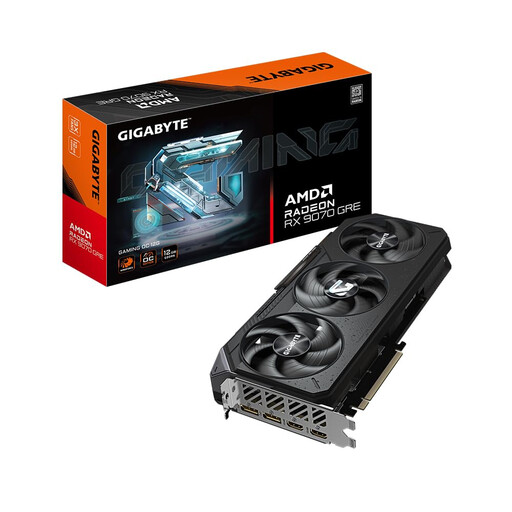
Why this product suits the profile: The combination of 12 GB GDDR6, an AMD Radeon RX 9070 GRE GPU, WINDFORCE cooling and Dual BIOS is aimed at users comparing technical features and customisation options.
The relevant details for memory, dimensions, connections and power supply are clearly listed. This allows buyers to check case and system compatibility in advance.
PCIe 5.0 x16, 3 × DisplayPort, 1 × HDMI, RGB lighting and switchable Performance/Silent BIOS.
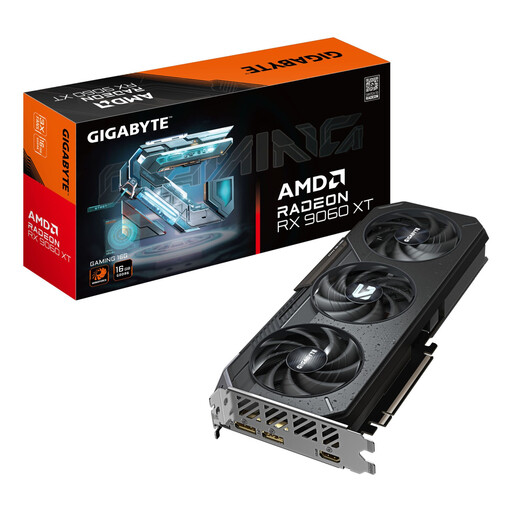
Why this product suits the profile: This AMD graphics card offers 16 GB GDDR6 and is aimed at buyers who prioritise more graphics memory with compatible hardware and do not necessarily need RX 9070 GRE-class performance.
Memory capacity is not judged solely by the product name. The 128-bit interface, PCIe 5.0, WINDFORCE cooling and case compatibility should also be checked.
16 GB GDDR6, a 3,230 MHz boost clock according to the product specifications, RGB lighting and support for output of up to 8K.
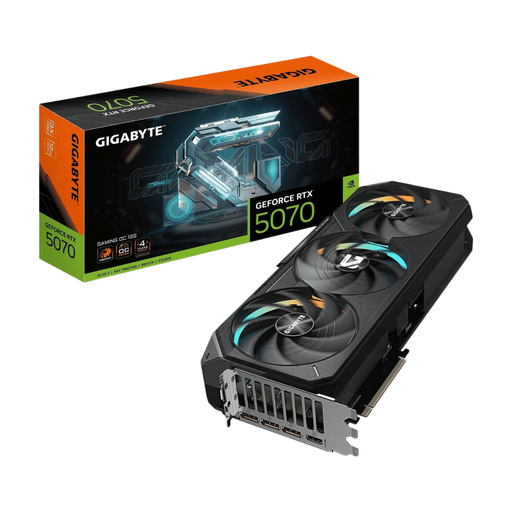
Why this product suits the profile: For users who also run applications with specific NVIDIA requirements alongside gaming, this alternative platform may be an interesting option.
The choice is not based solely on marketing terms, but on 16 GB GDDR7, a 256-bit interface, a 3-slot design and a recommended power supply capacity of 750 W.
16 GB GDDR7, PCIe 5.0, three DisplayPort connections, HDMI and active cooling with three fans according to the product specifications.
We have put together a complete, regularly updated list of products that fully meet these strict selection criteria and the safety regulations applicable in the EU.
Before installation, switch off the PC completely, disconnect it from the mains and take suitable precautions against electrostatic discharge. Insert the graphics card into a PCIe x16 slot and then connect it using the designated PCIe power cables. Do not touch the gold contacts or components on the circuit board.
You should also check the following:
After installation, you should use the latest AMD Radeon drivers. According to the product description, the Gigabyte Control Center can be used for RGB effects, temperature monitoring and fan curves.
According to the product specifications, the card supports a maximum output resolution of 7680 × 4320 pixels. Whether 4K gaming is possible at a particular frame rate depends on the game, graphics settings, drivers, processor and desired refresh rate. This does not constitute a blanket performance guarantee.
A minimum of 700 W is recommended for the Gigabyte Radeon RX 9070 GRE Gaming OC 12GB graphics card. The quality of the power supply, the available PCIe power connections and the PC’s total power consumption are also important. If you have a powerful processor or several drives, an individual system check may be advisable.
Its service life depends on operating hours, temperatures, dust levels, case airflow and software requirements. Regular cleaning, sufficient airflow and up-to-date drivers can help ensure stable operation. For upcoming games or professional programmes, users should regularly reassess the relevant memory and performance requirements.