
Lieferung heute & morgen

Qualitätsgarantie

Willkommens-Angebote freischalten: KOSTENLOSE Lieferung | Bis zu 80 % RABATT | Kostenlose 30-Tage-JoyPlus-Testphase
App herunterladen
Choosing a new television can be a challenge, given the vast array of technologies, operating systems, and features. A Google TV aggregates content from various streaming services into a single, unified interface and simplifies navigation with integrated voice control. This article serves as a guide to help you understand the technical specifications and make an informed purchasing decision. We will present a selection of models suited for different requirements and budgets.
To find the right device for your needs, several technical aspects are crucial. Here are three key points to consider during your selection.
The panel technology is a key determinant of picture quality. Two common options in the premium segment are QLED and Mini LED.
The screen size and resolution should be matched to your room and seating distance.
Modern TVs offer features tailored to specific use cases.
Based on the criteria mentioned, we have compiled a selection of models that cover a range of needs.
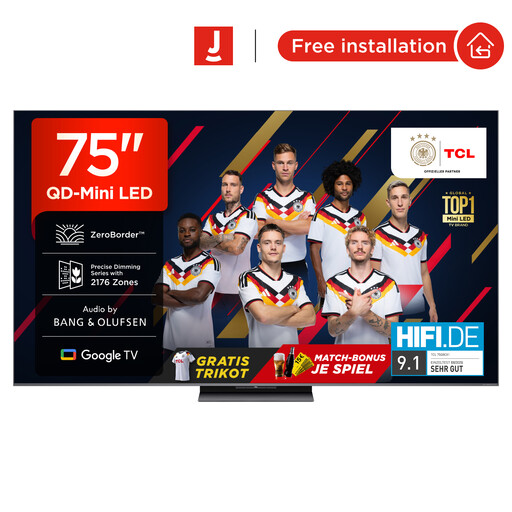
Why It Stands Out: The TCL 75Q8C combines advanced QD-Mini LED technology with a 144Hz refresh rate and an audio system by Bang & Olufsen. The CrystGlow WHVA Panel with an anti-reflection film ensures precise light control and minimises glare.
Pros:
Who Is It For? This model is aimed at home cinema enthusiasts and demanding gamers seeking an uncompromising premium experience on a 75-inch TV, who value excellent picture and sound quality.
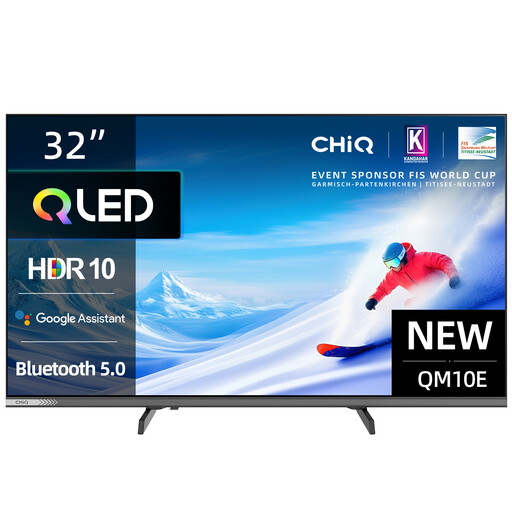
Why It Stands Out: The CHiQ L32QM10E brings the benefits of QLED technology to a compact 32-inch form factor. With its slim metal body and frameless design, it's a stylish and space-saving solution that doesn't compromise on the smart features of Google TV.
Pros:
Who Is It For? Ideal for users looking for a high-quality, smart TV for smaller spaces like a bedroom, kitchen, or home office. It offers solid picture quality and all the benefits of Google TV in a compact package.
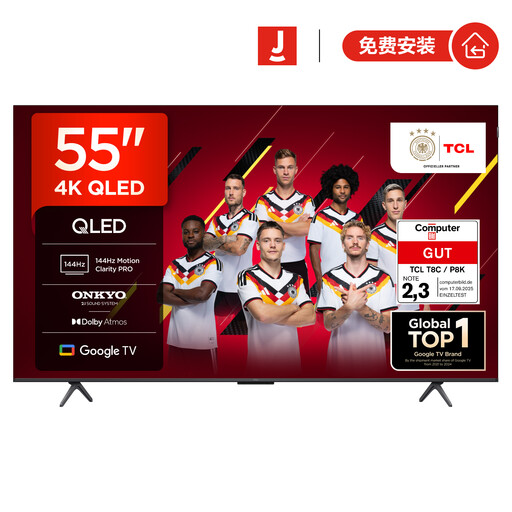
Why It Stands Out: The TCL 55T8C is a versatile TV for gaming and movie watching. It combines a 144Hz QLED display with comprehensive gaming features like HDMI 2.1, ALLM, and FreeSync. The integrated 2.1 sound system from Onkyo, complete with a subwoofer, delivers powerful audio.
Pros:
Who Is It For? This model is an excellent choice for gamers and film fans looking for a high-performance 55-inch TV. It offers high-end gaming features and strong picture and sound performance at an attractive price.
The models presented here already cover a broad spectrum. However, if you are looking for devices with specific HDR capabilities or other screen technologies, you can find more alternatives in our main category.
Discover our comprehensive selection of HDR TVs.
1. What is the difference between Google TV and Android TV? Google TV is essentially a newer, revamped user interface for Android TV. While Android TV organises apps into rows, Google TV focuses on personalised content recommendations from all your subscribed services. The underlying technology is the same, but the user experience on Google TV is more geared towards discovering films and series.
2. Do I need a Google account for a Google TV? For full use of the smart features, including personalised recommendations and downloading apps from the Play Store, a Google account is required. While you can use the TV for basic functions like receiving broadcast channels or using HDMI devices without an account, you would miss out on the core benefits of the operating system.
3. What are the benefits of a 144Hz TV for gaming? A TV with a 144Hz refresh rate can display up to 144 frames per second. This results in visibly smoother and sharper motion compared to the 60Hz standard. Especially in fast-paced games (e.g., first-person shooters or racing sims), this reduces motion blur and allows for faster reaction times, as the on-screen information is updated more quickly.