
Lieferung heute & morgen

Qualitätsgarantie

Willkommens-Angebote freischalten: KOSTENLOSE Lieferung | Bis zu 80 % RABATT | Kostenlose 30-Tage-JoyPlus-Testphase
App herunterladen
Govee TV backlighting can add colour to your living room, gaming area or streaming setup. To ensure your purchase remains worthwhile in the long term, however, you should look beyond the number of colours or terms such as “Ambilight for TVs”. The key factors are the right screen size, the type of colour detection and the control options available.
An LED strip for 46 to 60 inches will not automatically fit a 65-inch TV. Conversely, a set designed for 75 to 85 inches may protrude from a smaller device or be difficult to install neatly. Before buying, you should compare the set’s compatible screen size with your TV’s actual diagonal measurement.
Important: the inch measurement refers to the screen diagonal, not the width of the device. TVs with particularly narrow bezels or unusual backs may also have limited adhesive space.
A camera-based TV light detects the colours on the screen and transfers them to the LED strips. The result depends on factors including the camera’s positioning, calibration, room brightness and reflections from the wall. A dual-camera TV backlight solution can capture the edges of the screen from two perspectives, but it still requires careful installation.
If you only need static colours or music synchronisation, a simple RGBIC LED strip for TV may be sufficient. For automatic adjustment to films, series and games, however, a camera system is important.
Not every product supports the same wireless standards or voice assistants. For example, the Govee Envisual TV Backlight T2 requires a 2.4 GHz Wi-Fi connection; according to the product specifications, 5 GHz networks are not supported. App control, Bluetooth, Wi-Fi and voice commands should also be considered separately.
For a LED backlight for 55–65-inch TVs, the strips need sufficient space along the back of the TV. The surface should be clean, dry and free from dust so that the adhesive sticks properly. Before installation, it is advisable to check the connections and camera position without removing the protective film.
Larger devices require a LED backlight for 75–85-inch TVs with a suitable strip length. On very thin TVs, a height-adjustable or gravity-based camera mount can make installation easier.
However, the designation alone says nothing about how the light will actually be distributed on the wall. The distance from the wall, wall colour and brightness all affect the visible result.
Depending on the model, the Govee Home app lets you select colours, scenes, brightness and synchronisation modes. Video, music and scene modes are often available. TV lighting with app control is useful if you regularly want to adjust the settings.
For smart home users, details about Alexa-compatible TV lighting and Google Assistant-compatible LED lighting are also relevant. Before buying, check whether your preferred voice system and home Wi-Fi network are supported.
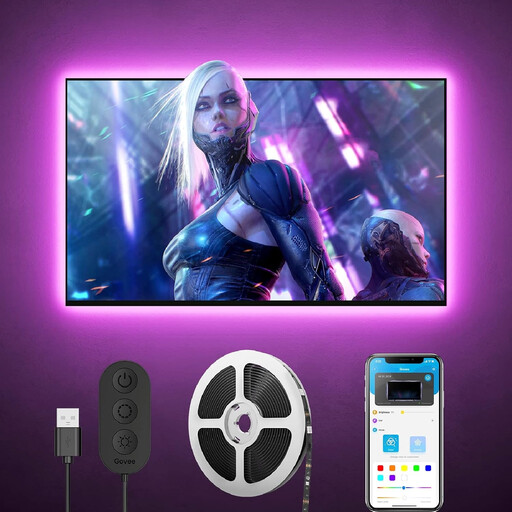
Why this product suits this profile: The 3-metre set is designed for TVs or monitors from 46 to 60 inches and offers app, Wi-Fi and Bluetooth control.
The stated size of 46–60 inches reduces the risk of choosing a strip with the wrong length. It is installed along the back of the TV.
RGB lighting with more than 64 scene modes, DIY settings and an integrated microphone for music synchronisation.
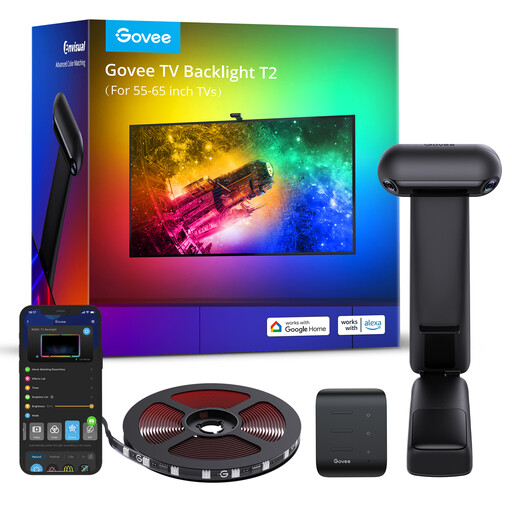
Why this product suits this profile: This model is designed for 55–65-inch TVs and combines RGBIC technology with two cameras to detect colours at the edges of the screen.
The required calibration via the Govee Home app makes the setup easy to follow. The device works with 2.4 GHz Wi-Fi, not 5 GHz.
Dual-camera system, RGBIC effects, music synchronisation and control via the app, Alexa and Google Assistant.
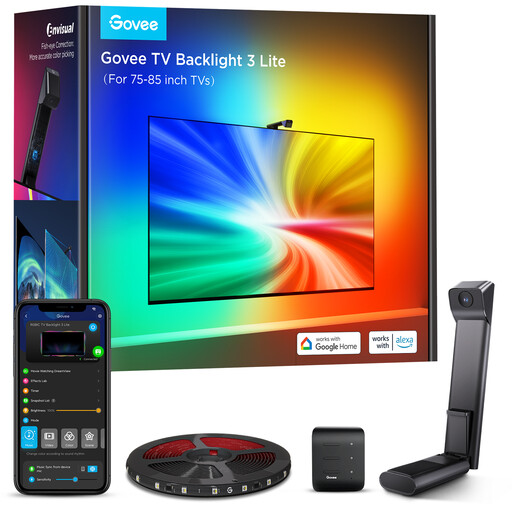
Why this product suits this profile: The version for 75–85-inch TVs is aimed at owners of large screens and offers a fisheye camera, DreamView and audio synchronisation.
The size specification is tailored to large screens. The camera mount is designed for slim TV housings, but the strips still require a dry, clean adhesive surface.
RGBICW lighting, 5 metres of cable, Wi-Fi and Bluetooth connectivity, plus voice control with Alexa and Google Assistant.
Before attaching the strips, clean the back of the TV with a suitable dry cleaning cloth or one specifically intended for this purpose. Do not sharply bend the LED strips at the corners. According to the product specifications, the strips on the T2 model should not be cut, as this could damage the circuitry.
Only use the supplied power adapter and keep the control unit uncovered. The products are intended for indoor use and should be protected from moisture, drinks and high temperatures. As power consumption depends on brightness and operating time, switching the lights off when not in use is recommended. If you regularly use gaming lighting for your TV, an automatic shut-off via your smart home system can also be practical.
We have put together a complete, regularly updated list of products that fully meet these strict selection criteria and the safety regulations applicable in the EU.
For a 65-inch device, models specifically designed for 55–65 inches are suitable. This includes the Govee Envisual TV Backlight T2. If the housing is particularly wide or unusually shaped, you should also check whether the back offers sufficient installation space.
Not every model supports 5 GHz. According to the product description, the Govee Envisual TV Backlight T2 requires 2.4 GHz Wi-Fi. Before setting it up, make sure that your router, smartphone and Govee Home app can connect to the intended network.
The actual service life depends on operating hours, brightness, heat generation and the mechanical strain placed on the strips. Good ventilation, the correct power adapter and careful installation help prevent unnecessary strain. The relevant warranty and returns conditions should be checked in the product details before buying.