
Lieferung heute & morgen

Qualitätsgarantie

Willkommens-Angebote freischalten: KOSTENLOSE Lieferung | Bis zu 80 % RABATT | Kostenlose 30-Tage-JoyPlus-Testphase
App herunterladen
Buying a graphics card may initially seem like a matter of comparing GPU models and prices. In practice, however, several details determine whether the card is suitable for your existing desktop PC. Overstated performance claims, insufficient video memory and underestimated dimensions are some of the most common causes of unsuitable purchases.
This buying guide from the Joybuy Product Recommendation Officer explains the most important technical specifications and shows which models are suitable for different requirements.
A specification such as 8K support primarily describes the maximum signal and monitor resolution. It does not automatically mean that every game will run in 8K at a high frame rate. The target resolution and the specific games you play are therefore more important when choosing a card:
A higher boost clock is only one part of the overall specification. Memory capacity, memory interface, cooling and power consumption also affect how the card performs in use. A graphics card with GDDR7 can offer high memory transfer rates, but it cannot replace sufficient VRAM capacity or suitable GPU performance.
For NVIDIA models, CUDA cores and supported features such as DLSS 4 are relevant points to consider. With an AMD Radeon graphics card, you should assess the architecture, memory capacity and supported software features for the intended application.
Despite having a suitable PCIe slot, a graphics card may be too long, too wide or too heavy for the case. Before buying, check:
A PCIe 5.0 graphics card will generally also work in older PCIe systems, although it may run at a lower PCIe generation depending on the platform. Compatibility should be checked against the motherboard, processor and power supply.
For current games, high-resolution textures, video editing and 3D applications, VRAM is a key specification. Models with 8 GB may be suitable for many 1080p and 1440p scenarios. 12 GB to 16 GB provides more headroom for high-quality textures, larger projects and more demanding applications.
The memory interface, such as 128-bit or 256-bit, works together with the memory type and clock speed. You should therefore avoid looking at the “GDDR7” specification alone.
A cooling system with two or three fans requires more space than a compact single-fan card. However, larger coolers are designed to dissipate more heat when power consumption is high. In an SFF system, on the other hand, length, slot height and airflow are particularly important.
You should also pay attention to:
An SFF graphics card is not automatically compatible with every small-form-factor case. The exact dimensions remain crucial.
The manufacturer’s recommended power supply capacity is an important reference point. An RTX 5080 with 360 W power consumption has different requirements from an RX 6500 XT with 107 W. The correct connector must also be available, such as 12V-2x6, 8-pin or 6-pin PCIe.
Only use suitable cables and check that the power connector is fully inserted. Before installation, the PC must be switched off and disconnected from the mains.
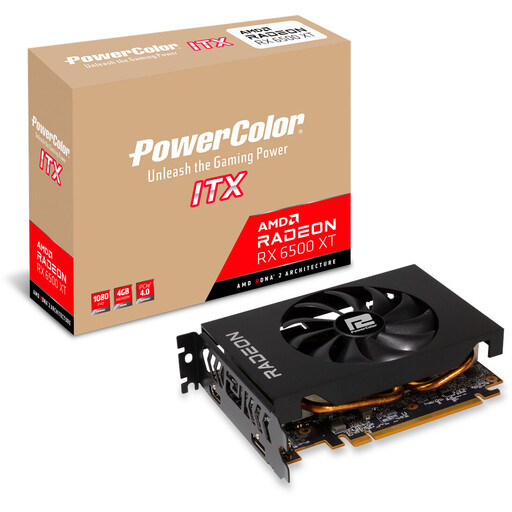
Why this product suits the profile: This compact ITX card is designed for smaller cases, with a length of 165 mm and a two-slot design. It is aimed at 1080p gaming and straightforward upgrades.
The dimensions, 107 W power consumption and recommended 400 W power supply capacity are clearly stated. This makes it easier to assess an older or compact PC.
4 GB GDDR6, PCIe 4.0, 165 mm length and a 6-pin connector.
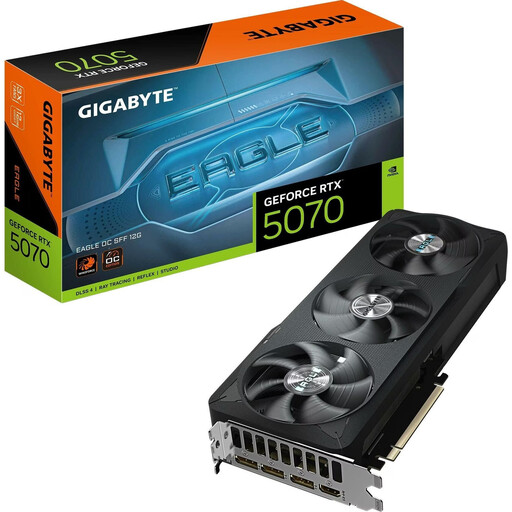
Why this product suits the profile: This NVIDIA GeForce RTX graphics card combines 12 GB GDDR7 with PCIe 5.0 and a 2.5-slot design for gaming PCs with 1440p or selected 4K requirements.
The 12 GB of VRAM and specified 2.5-slot design help avoid common planning mistakes caused by insufficient memory or a case compartment that is too narrow.
6,144 CUDA cores, 12 GB GDDR7, 672 GB/s memory bandwidth and RGB lighting.
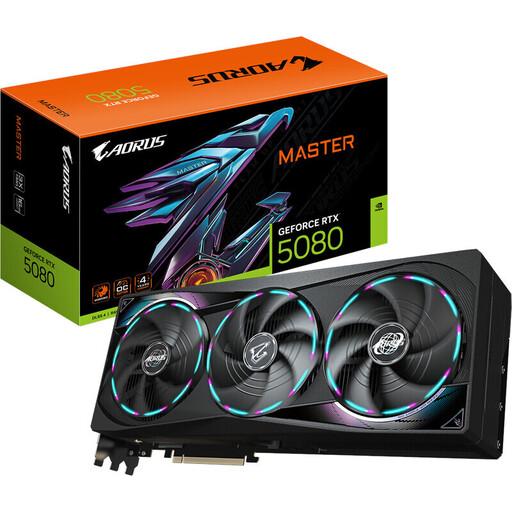
Why this product suits the profile: This specification is designed for high-resolution gaming, creative workflows and multiple monitors, provided that the case and power supply meet the requirements.
The card’s dimensions of 360 × 150 × 75 mm, 360 W power consumption and recommended 850 W PSU make its space and power requirements clear.
RTX 5080, 16 GB GDDR7, 256-bit memory interface, PCIe 5.0, three fans and RGB lighting.
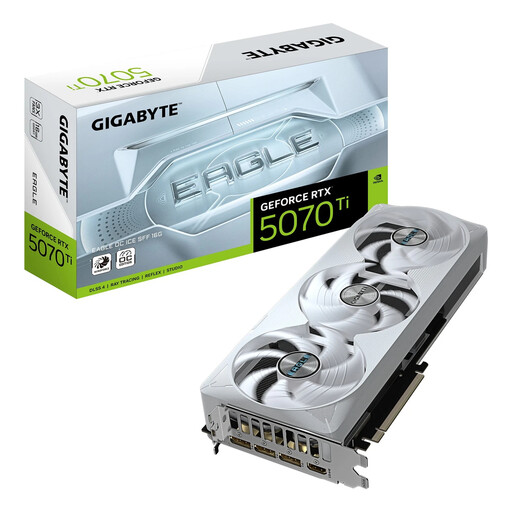
Why this product suits the profile: The SFF-Ready concept, 16 GB GDDR7 and three-slot design appeal to users who want to combine demanding technical requirements with a more compact system.
The SFF-Ready designation, dimensions of 304 × 126 × 50 mm and recommended 750 W PSU provide specific checks instead of making a blanket compatibility claim.
RTX 5070 Ti, 16 GB GDDR7, PCIe 5.0, DLSS 4 support, three fans and RGB lighting.
We have put together a complete, regularly updated list of products that fully meet these strict selection criteria and the safety regulations applicable in the EU.
For 1080p, 8 GB may be sufficient depending on the game and quality settings. At 1440p, and for video editing, 3D and AI applications, 12 GB or 16 GB provides additional capacity. The amount required depends on the programme, textures and resolution.
The power supply must provide the manufacturer’s recommended capacity and have the appropriate connectors. A card with high power consumption may also require a case with adequate ventilation. You should therefore check not only the wattage, but also the age, quality and cable provision of the power supply.
Service life depends on workload, cooling, dust protection, driver support and the increasing demands of new games. Regular cleaning, unobstructed airflow and correctly installed power connections can help extend practical service life. However, it is not possible to give a reliable fixed period for every model.