
Lieferung heute & morgen

Qualitätsgarantie

Willkommens-Angebote freischalten: KOSTENLOSE Lieferung | Bis zu 80 % RABATT | Kostenlose 30-Tage-JoyPlus-Testphase
App herunterladen
A new graphics card should deliver high frame rates, run quietly and fit inside your existing case. In practice, however, purchases often fail not because of GPU performance, but because important details have been overlooked. A model that appears powerful on paper may be too long for the case, overload the power supply or offer too little video memory for the desired resolution.
This buying guide explains what PC gamers, content creators, streamers and PC builders in Germany should look out for. The selection takes into account VRAM, physical dimensions, power consumption, cooling, connection standards and monitor support.
A higher boost clock sounds appealing, but it is not the only measure of performance. Actual frame rates also depend on GPU architecture, memory bandwidth, drivers, the game engine and the processor. Two models with the same graphics chip may have different clock speeds without this automatically resulting in a proportionate performance advantage.
Many current gaming graphics cards are long and occupy between two and four slots. Before buying, you should therefore compare the following measurements:
For example, a GIGABYTE AORUS GeForce RTX 5080 MASTER 16G is 360 mm long and 150 mm wide. This extra-wide format must be checked against the case. An SFF graphics card such as the GIGABYTE GeForce RTX 5070 Ti Eagle OC ICE SFF, on the other hand, measures 304 × 126 × 50 mm and is designated as NVIDIA SFF-Ready. Even so, you still need to check the specific case.
The manufacturer’s recommendation is a useful guideline, not a universal guarantee for every PC configuration. For powerful models such as an RTX 5080, the product specifications state 850 watts and a 12V-2x6 connector. Several RTX 5070 Ti models are recommended with 750 watts.
The wattage is not the only important factor. You should also consider:
Video memory affects how many high-resolution textures, large projects and multiple displays can be handled comfortably. For 1080p gaming, a smaller memory capacity may be sufficient. For a 1440p graphics card, 4K gaming, modding, video exporting or AI applications, you should choose the capacity more carefully.
Current NVIDIA models such as the RTX 5060 Ti, RTX 5070 Ti and RTX 5080 use GDDR7 in this selection. AMD Radeon graphics cards such as the RX 9060 XT and RX 9070 GRE use GDDR6. Alongside capacity, the memory interface and bandwidth are important: an RTX 5080 with 16 GB GDDR7, 256-bit and 960 GB/s bandwidth should be assessed differently from a card with 8 GB and 128-bit.
Your buying decision should start with your monitor:
For content creation, software support, encoders, connectors and memory capacity are also important. A graphics card for content creation therefore does not necessarily need to be the same choice as a graphics card designed purely for gaming.
An active cooling system with two or three fans requires sufficient airflow. Large heatsinks can control temperatures more effectively under load, but they also take up more space. Compact ITX cards save room, but their smaller cooling surface can result in different noise and temperature characteristics.
RGB lighting is a visual feature. An RGB graphics card should therefore not be chosen solely for its lighting. GPU, VRAM, cooling, connectors and compatibility remain the decisive factors.
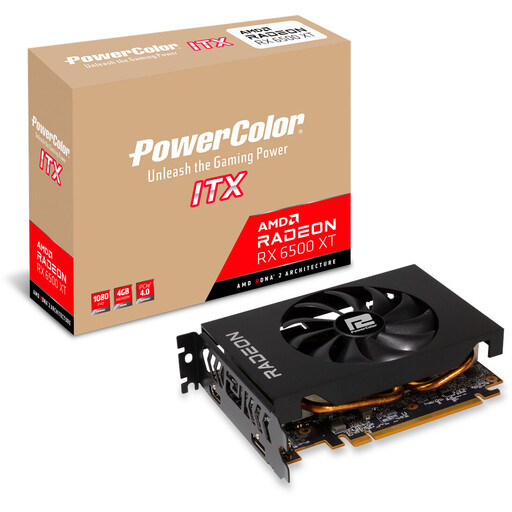
Why this product suits the profile: This compact ITX card is designed for 1080p gaming and, according to the product specifications, requires a power supply rated at 400 watts or more.
At 165 mm long and with a 2-slot design, planning the case is easier than with many large multi-fan cards. However, the 4 GB GDDR6 should match your intended resolution.
ITX format, stated power consumption of 107 watts, one 6-pin connector and support for up to two monitors.
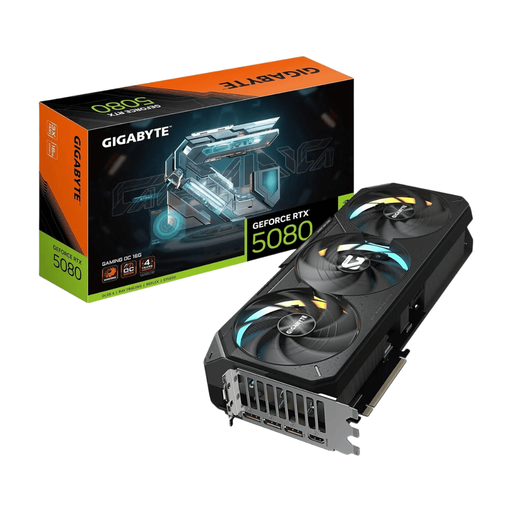
Why this product suits the profile: This NVIDIA GeForce RTX graphics card combines 16 GB GDDR7, PCIe 5.0 and outputs for up to four monitors.
The product data specifies dimensions of 340 × 140 × 70 mm and a 4-slot design. Checking these figures in advance reduces the risk of an unsuitable installation.
10,752 CUDA cores, 16 GB GDDR7, stated memory bandwidth of 960 GB/s and triple active cooling.
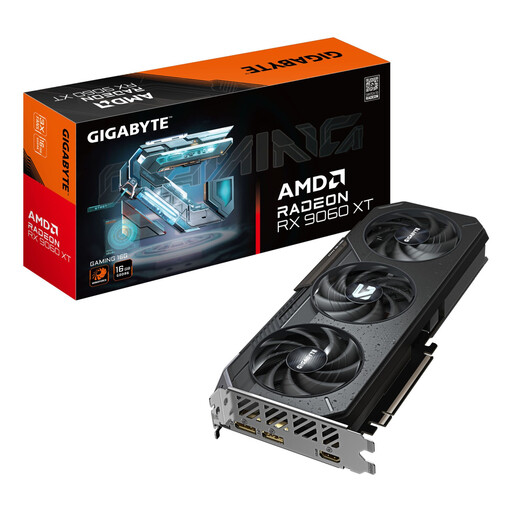
Why this product suits the profile: 16 GB of memory and PCI Express 5.0 are suitable for 1440p gaming, large textures and selected content creation workflows.
The memory capacity ensures that you do not focus solely on a high chip clock speed. You should still check the dimensions and power supply requirements before ordering.
16 GB GDDR6, 192-bit memory interface, PCIe 5.0, RGB lighting and WINDFORCE cooling.
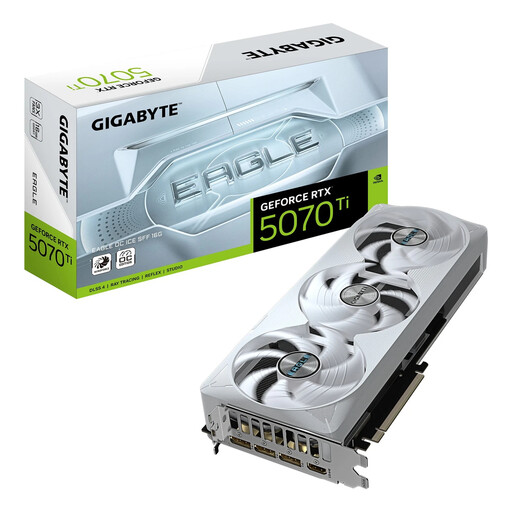
Why this product suits the profile: The SFF-Ready format is aimed at PC builders who want to fit 16 GB GDDR7 and PCIe 5.0 into a more compact system.
The NVIDIA SFF-Ready designation makes it easier to shortlist suitable cards, but it does not replace checking the dimensions. At 304 mm long and occupying three slots, the card still requires a suitable case.
8,960 CUDA cores, 16 GB GDDR7, stated bandwidth of 896 GB/s and support for up to four monitors.
We have put together a complete, regularly updated list of products that fully meet these strict selection criteria and the safety regulations applicable in the EU.
This depends on the game, desired frame rate and quality settings. Models such as the RTX 5070, RTX 5070 Ti and RX 9060 XT are positioned in the product specifications for 1440p or higher resolutions. Before buying, you should also check the VRAM, power supply and case size.
For 1080p, 8 GB may be sufficient depending on the game. At 1440p, with high-resolution textures, extensive mods and content creation, 12 or 16 GB provides more headroom. VRAM alone does not determine performance, however; GPU architecture, memory bandwidth and software also remain important.
Power consumption is determined by the card’s power draw and how long it is used each day. A card drawing 360 watts uses considerably more energy under high load than a 107-watt model. For a rough calculation, multiply the power draw in kilowatts by the number of operating hours and your electricity price. Idle periods, fan operation and the rest of the PC hardware also contribute.