
Lieferung heute & morgen

Qualitätsgarantie

Willkommens-Angebote freischalten: KOSTENLOSE Lieferung | Bis zu 80 % RABATT | Kostenlose 30-Tage-JoyPlus-Testphase
App herunterladen
When you want to buy a graphics card, you will often start by comparing the GPU model, memory capacity and price. However, these details alone do not show whether the card will fit your PC or meet your intended needs. A 1440p gaming graphics card, a 4K graphics card for high frame rates and a graphics card for content creation can differ considerably.
Typical buying mistakes come down to three points: an underpowered power supply, a card that is too large, or overestimating individual marketing terms. The selection below will help you assess technical specifications in practical terms.
16 GB of video memory can be useful for high-resolution games, large textures and creative applications. For office work, multimedia and many Full HD games, a lower specification is often sufficient. Memory capacity is also only one part of overall performance. Memory type, memory interface and bandwidth all play a role.
A graphics card with GDDR7 can offer high memory bandwidth, depending on the model. For example, the NVIDIA GeForce RTX 5080 uses 16 GB GDDR7, a 256-bit interface and bandwidth of up to 960 GB/s. An AMD Radeon RX graphics card such as the RX 9060 XT, on the other hand, uses GDDR6 and 16 GB of memory.
A powerful card can occupy three or more slots and measure over 30 cm in length. This can block neighbouring PCIe slots or make drive cages inside the case unusable. For small systems, an SFF graphics card with documented length and width is often the better choice.
You should check these dimensions before buying:
A card rated at 300 or 360 watts needs not only a suitable power supply, but also the correct cable. Several NVIDIA GeForce RTX 5080 models recommend a 12V-2x6 connector and a power supply of at least 850 watts. The specifications provided by the individual manufacturer are decisive.
The available product data, for example, lists 300 watts and a recommended 750-watt power supply for an RTX 5070 Ti graphics card. One selected RTX 5060 Ti graphics card model is rated at 180 watts and requires an 8-pin connector. The power supply should have sufficient headroom and use certified cables. Connectors must be fully inserted and should not be subjected to an excessively tight bend.
For 1440p gaming, a balanced combination of GPU performance, memory and cooling is crucial. A 4K graphics card requires considerably more processing power at high detail settings. The term “8K support” usually describes the maximum output resolution. It does not automatically mean that current games will run in 8K at a high frame rate.
A PCIe-5.0 graphics card can be used in a compatible PCIe-5.0-x16 slot. However, actual system performance also depends on the motherboard, processor, power supply, drivers and application. In many PCs, a graphics card is backwards-compatible, but checking the motherboard manual is still advisable.
Depending on the model, NVIDIA RTX 50-series cards support DLSS 4. This is a technology-dependent feature that must be supported by the game, driver and settings. AMD offers its own image reconstruction methods. Buyers should therefore check which games and programmes actually support the desired features, rather than simply looking for the presence of a logo.
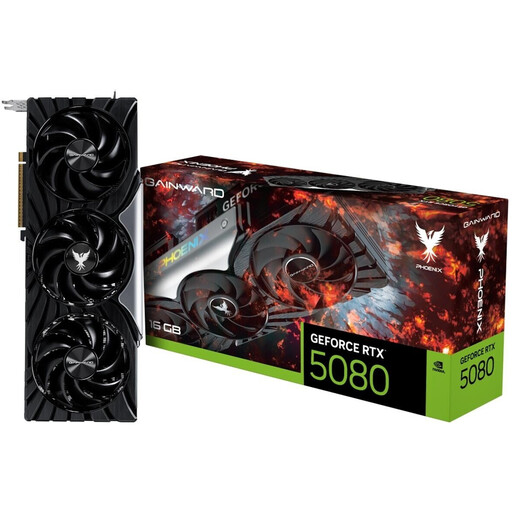
Why this product suits this profile: This card is designed for users who want to combine high 4K performance, modern connections and extensive software support in a desktop PC.
The product data specifies dimensions of 331.9 mm in length and 133.1 mm in width, along with a recommended power supply rating of 850 watts. This makes it easier to check case compatibility and power requirements before buying.
16 GB GDDR7, a 256-bit memory interface, PCIe 5.0, three DisplayPort connections and DLSS 4 support according to the product description.
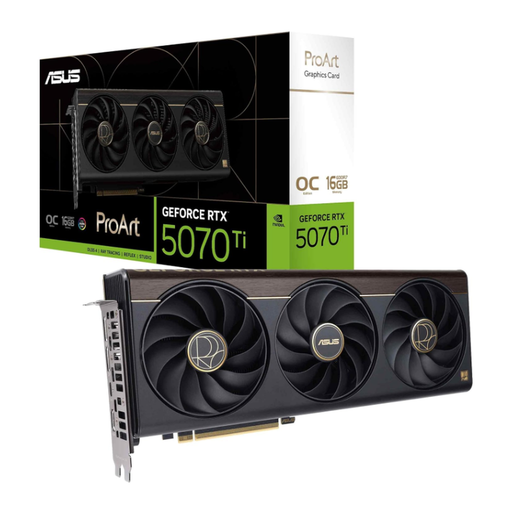
Why this product suits this profile: This card is designed for gaming and creative workflows. Alongside 16 GB GDDR7, it offers a USB-C connection for compatible peripherals.
The 2.5-slot design is clearly specified. This allows buyers to check whether the card will fit alongside expansion cards and large CPU coolers.
Boost clock speed of up to 2,610 MHz in OC mode, 16,384 MB GDDR7 and a 256-bit memory interface according to the product data.
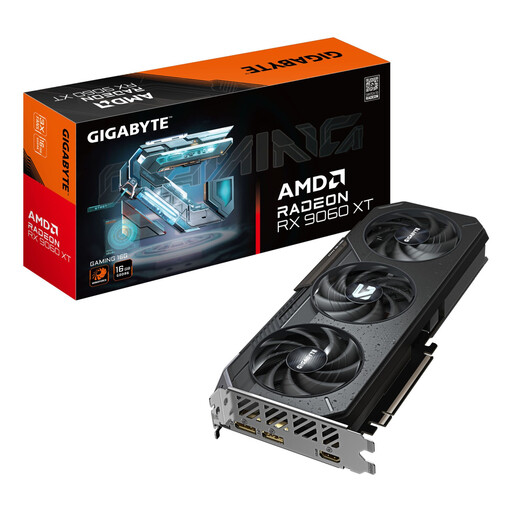
Why this product suits this profile: The AMD Radeon RX 9060 XT is positioned for 1080p and 1440p gaming, as well as general creative applications, and offers 16 GB GDDR6.
The specification is not described solely by the model name: 16 GB of memory, PCIe 5.0 and the specific cooling system are all stated.
16 GB GDDR6, a 192-bit interface, PCIe 5.0, dual BIOS with Performance and Silent modes, and a length of 288 mm.
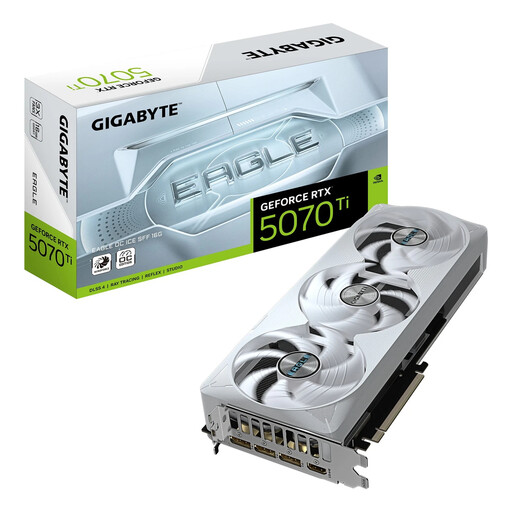
Why this product suits this profile: The SFF-Ready designation and 3-slot format make it easier to choose a card for compact systems, provided the case supports the specified dimensions.
At 304 mm long, 126 mm wide and 50 mm high, the relevant installation dimensions are documented. The specifications also list a 750-watt power supply and a 12V-2x6 connector.
We have put together a complete, regularly updated list of products that fully meet these strict selection criteria and the safety regulations applicable in the EU.
That depends on the game, detail settings and desired frame rate. Models such as an RTX 5060 Ti graphics card, RTX 5070 graphics card or Radeon RX 9060 XT are generally relevant product categories for 1440p. The specific game requirements, processor, RAM and monitor remain decisive.
The card manufacturer’s recommendation should be used as a starting point. According to the available data, an RTX 5080 may require a power supply of at least 850 watts, while an RTX 5060 Ti is specified at 600 watts. You should also check the connector standard and the quality of the power supply.
It is not possible to guarantee a fixed service life reliably. Usage intensity, case cooling, dust, ambient temperature and the power supply all affect how long it will last. Regular cleaning, unobstructed fan openings and correctly connected power cables can help maintain the intended operating conditions.