Designers using a shared desk
If you regularly set up and pack away your drawing device, desk space, cables and storage at the end of the day all matter. You can use an existing monitor with a graphics tablet that has no screen.


If you have a suitable monitor and regularly need to clear your shared desk, a graphics tablet without a screen is a sensible place to start. If you want to draw directly on the image, consider a connected pen display, provided you have enough space and the right connections and power supply. If you don’t have access to an office computer, you’ll need a standalone tablet, so check that the pen and apps suit the way you work. Manufacturers’ colour-mode claims are no substitute for checking your print workflow.
If you regularly set up and pack away your drawing device, desk space, cables and storage at the end of the day all matter. You can use an existing monitor with a graphics tablet that has no screen.
If you want to edit lines and details directly on the drawing on screen, consider a connected pen display. The screen size needs to suit your work, and you’ll need enough room for the display, stand and cables.
If you want to sketch without connecting to an office computer, a standalone tablet could be a good option. Check that the pen is compatible with the specific tablet generation and that the apps you need fit into the rest of your workflow.
A good fit if: you want to draw using a monitor you already have and don’t want to set up an extra screen on your shared desk.
Consider: you’ll look at the monitor rather than the tablet surface. Also check driver and computer compatibility.
A good fit if: you want to draw directly on the fashion sketch on screen and have enough desk space.
Consider: the video connection, power supply and space for the display, stand and cables must all work with your setup. A display isn’t automatically a standalone computer.
A good fit if: you want to sketch without connecting to an office computer.
Consider: check the pen, tablet generation and the drawing and desktop apps you need for your workflow.
| Priority | What to check before buying | Who is it important to? |
|---|---|---|
| Setting up and packing away | Compare the device’s dimensions, stand, cable routing and the desk space available. | If I need to put the device away regularly, keeping the extra desk space it takes up to a minimum matters most to me. Around 40% of consumers prioritise saving space and being able to pack it away quickly. |
| Drawing directly on the image | Check the visible work area, video connection, power supply and pen compatibility for the exact model. | If I want to edit lines directly on the fashion sketch on screen, this way of working is a priority for me. Around 30% of consumers prioritise drawing directly on screen. |
| Sketching without an office computer | Check the tablet generation, compatible pen, what’s included and the apps you need, one by one. | Anyone who wants to sketch away from their office computer needs a compatible combination of devices. Around 20% of consumers prioritise sketching without a connected office computer. |
| Colour design and output | Check the colour modes on the specific display separately from the other steps in your own output workflow. | If I need to assess colour variations for later output, the entire output process matters to me, not just the display. Around 10% of consumers prioritise checking colour and output. |
A screen on a drawing device doesn’t tell you whether you can run apps on it without a computer.
Before choosing a model, decide whether you want to sketch using a computer you already have or without one.
You may still need a separate computer to use a connected pen display.
A shared desk also needs room for your computer, input device and connections, and everything needs to be put away again after work.
Compare the dimensions and what’s included with the specific product against the space you have and how you’ll set it up and pack it away.
You may also need to store a separate stand or extra cables.
Manufacturer claims about the colour modes and pen specifications of a particular model don’t assess your entire output workflow or confirm that the device will suit your software.
Assess colour, software and final output separately from the advertised display or pen specifications.
The Intuos Pro (2025) is a graphics tablet designed to be used with an existing monitor; the Cintiq 16 is a separate pen display.
The Kamvas 13 (Gen 3) and Kamvas 16 (Gen 3) are connected pen displays with different screen sizes.
The Artist Pro 16 (Gen 2) is a larger pen display, while the Deco Pro (Gen 2) is a graphics tablet without a screen.
The iPad Air with M4 is a standalone tablet option for sketching without a connected office computer.
The M908 is a graphics tablet without a screen, designed to be used with a separate display.
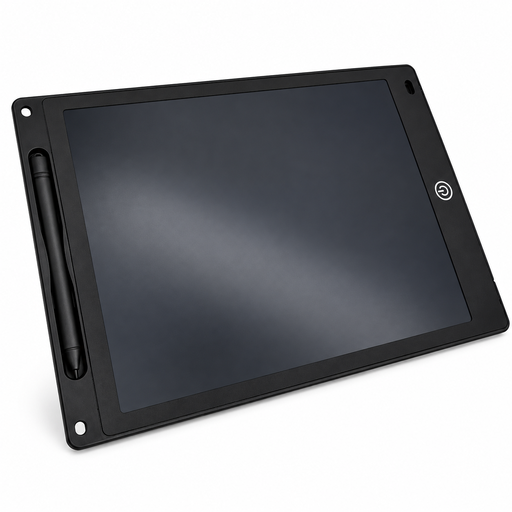
This selection includes a reusable LCD writing tablet with a pen for simple sketches on a drawing surface.
 No image available
For simple sketches on a reusable LCD drawing surface.
12 inches; 5 mm thin; includes a pen, lock function and erase button; colour: black.
According to the product description, the erase button clears the entire image at once.
No. A graphics tablet or connected pen display is different from a standalone tablet. The Wacom Intuos Pro (2025) is a graphics tablet; the iPad Air with M4 is a standalone tablet option which, according to Apple, supports Apple Pencil Pro and Apple Pencil (USB-C).
Compare the display and device dimensions, stand, required connection and power supply for the specific model with your computer and the desk space available. A connection type listed on its own doesn’t tell you whether it will work with your particular computer.
Check whether the compatible pen and any required cables or stand are included in the package you choose, and keep your proof of purchase. According to Your Europe, consumer purchases in the EU are generally covered by a legal guarantee of at least two years from the date you receive the goods if they are faulty; a voluntary manufacturer’s guarantee doesn’t replace it. Consumer rights don’t necessarily apply in the same way when you buy on behalf of a business.
According to the Verbraucherzentrale, online consumer contracts generally come with a 14-day right to cancel, which you must notify the other party about. You’ll need to check separately whether the specific purchase is a consumer contract and whether an exception applies.
The Bundesnetzagentur lists CE marking, product identification, manufacturer details, instructions in German and a declaration of conformity among the checks it carries out as part of its market surveillance. This doesn’t mean that a particular listing has already been checked or is compliant with the law.