Joybuy products for drawing with a pen
This selection includes an LCD drawing surface and standalone Android tablets with a pen for drawing.
 No image available
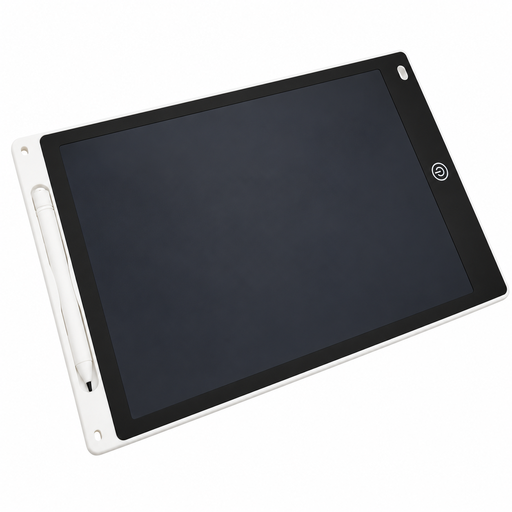
12-inch LCD drawing tablet with stylus and erase function
Could be worth considering for sketching if an LCD drawing surface with an erase function suits the way you work.
12 inches; with stylus and erase function.
Check whether the drawing surface supports the digital file and print workflow you need.
View at Joybuy
 No image available
UXD Android 16 tablet, 13.4 inches, 128 GB ROM
Could be a good fit if you want to draw on a standalone tablet with a pen in different locations.
13.4-inch display with 1920 × 1200 pixels; Android 16.
20 GB RAM (8 GB + 12 GB virtual) and 128 GB ROM.
Listed in the product name: stylus, keyboard and mouse. Check that the drawing app and file transfer options you need will work on the tablet.
View at Joybuy
 No image available
UXD Android 16 tablet, 13.4 inches, 256 GB ROM
Could be a good fit if you want to draw on a standalone tablet with a pen in different locations.
13.4-inch display with 1920 × 1200 pixels; Android 16.
20 GB RAM (8 GB + 12 GB virtual) and 256 GB ROM.
Listed in the product name: stylus, keyboard and mouse. Check that the drawing app and file transfer options you need will work on the tablet.
View at Joybuy
Frequently asked questions
Can I connect a pen display using a single USB-C cable?
Not simply because both devices have USB-C ports. For the documented single-cable setup with the Huion Kamvas 13 (Gen 3), the port and cable must support at least USB 3.1 Gen 1 for data and DisplayPort 1.2 Alt Mode for video. Check the specifications for your computer and cable.
How do I prepare colours for book printing?
Ask your printer for its output requirements. If you use Photoshop on desktop, Adobe describes a workflow using suitable profiles for the output device and paper, as well as a print preview. A display colour gamut specification is no substitute for this preparation.
What are my rights when buying online in Germany if the device isn’t suitable or is faulty?
For a consumer purchase made at a distance, you generally have a right to cancel, usually within 14 days of receiving the goods; exceptions may apply, and the specific contract should be checked. If a product is faulty, your statutory rights are against the seller. The Verbraucherzentrale distinguishes these rights from a voluntary guarantee.
What should I check to make sure an electronic device sold in Germany conforms to requirements?
The Bundesnetzagentur lists several things it checks during market surveillance, including CE marking, product identification, manufacturer details, German instructions with any required information, and the declaration of conformity. This does not mean that every individual listing has already been checked.
Can I put an old graphics tablet in my household rubbish?
No. The Umweltbundesamt says that old electrical equipment must be collected separately and must not go in household rubbish. Options include recycling centres and suitable take-back points at retailers; removable batteries should be handed in separately.


