Teachers at a cramped shared desk
When there’s little room alongside your computer, papers and other users, both the device’s overall dimensions and its usable drawing area matter.


If you already have a computer monitor and share your desk, a graphics tablet without a display is often the obvious place to start. The key considerations are how much desk space you have and whether looking at the screen while drawing on a separate surface suits the way you work. A pen display may be a better fit if you want to write directly on the construction shown on screen and have enough room, along with the right video, data and power connections. For precisely defined angles and shapes, the tools in your teaching software matter too.
When there’s little room alongside your computer, papers and other users, both the device’s overall dimensions and its usable drawing area matter.
If you explain angles and shapes during lessons, consider whether writing directly on a display is worth the extra space it takes up.
If you work at different desks, check the operating system, connections and any driver installation requirements before choosing a device.
A good fit if: you use an existing computer monitor at a shared desk and want to explain or sketch by hand on screen.
Bear in mind: your strokes appear on the monitor, not beneath the pen tip. You’ll need to be comfortable looking at the screen while drawing on a separate surface.
A good fit if: you want to write directly on the construction shown when demonstrating, and have enough room for the display and cables.
Bear in mind: check whether your specific computer can provide a video signal, data connection and power. A USB port alone doesn’t guarantee this.
| Buying priority | What to check before buying | Who should pay particular attention |
|---|---|---|
| Desk space | Compare the available space and the device’s overall dimensions, not just its active drawing area. | When there’s little room beside my computer and papers, the device’s full footprint matters to me. For around 36% of consumers, space is the top priority. |
| Drawing and explaining geometry | Check that the pen input and the construction and measurement tools in your teaching software suit the way you work. | If I want to explain shapes, angles and distances clearly, the right software tools are essential. Around 29% of consumers prioritise this use for geometry. |
| Writing directly on screen | Decide whether you need to write on a display, then check that its dimensions and connections suit your workspace. | If I want to explain a construction right beneath the pen tip, I weigh the extra space required against this way of working. Around 21% of consumers prioritise writing directly on screen. |
| Different computers | Check the operating system and connections on each computer you plan to use, and find out whether you’ll need to install drivers. | When I use different computers for lessons, I want to know in advance that the connections and installation permissions will work. For around 14% of consumers, compatibility is the priority. |
The active area and the device’s overall size aren’t the same. For the Wacom Intuos Pro Medium, Wacom lists an active area of 263 × 148 mm and overall dimensions of 291 × 206 mm.
Before choosing based on the drawing area, compare the device’s overall dimensions with the space available at your shared desk.
As well as a data connection, a display device needs the right video connection and power supply. The connections required depend on the specific model.
Check that the computer you plan to use for lessons supports the connections the display needs and can power it.
Germany’s consumer advice centre distinguishes between your statutory rights against the seller and a voluntary guarantee, which has its own terms and conditions.
Keep your proof of purchase and, if a fault develops, check which rights or guarantees apply.
The models mentioned range from a graphics tablet for use with an existing monitor to the Intuos Pro Medium, which has additional controls.
The Inspiroy 2 M is a graphics tablet with controls, while the Kamvas 16 (Gen 3) is a display alternative.
The Deco 01 V3 is a screen-free model with a larger active area, while the Artist Pro 16 (Gen 2) lets you draw directly on a display.
The M908 is another screen-free model with a large active area and controls designed for desk use.
The following Joybuy products are LCD writing tablets for making notes or sketches directly on the screen. Check that this way of working suits your geometry software and teaching routine.
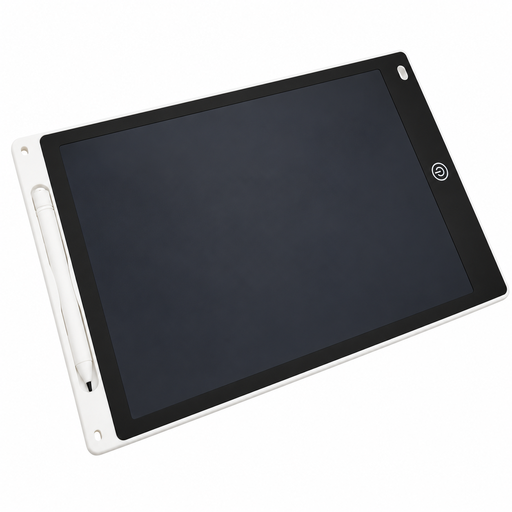 Image unavailable
For anyone who wants to make notes or sketches directly on an LCD surface.
The product name specifies a 12-inch tablet with a pen and erase function. According to the product information, the button cell requires supervision and the battery compartment should only be opened by an adult.
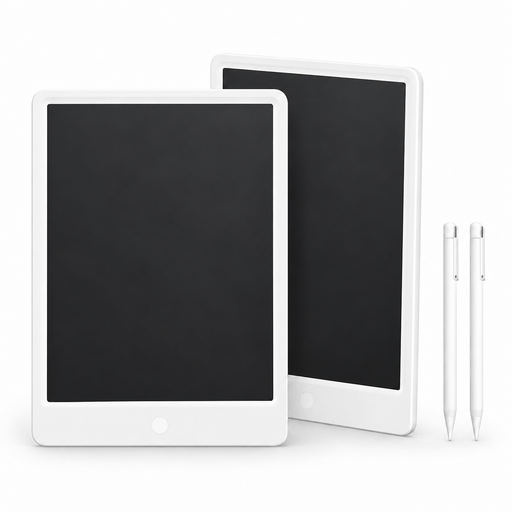 Image unavailable
For anyone who wants to write or sketch directly on an LCD surface and is looking for a set of two tablets.
The product name specifies 13.5 inches, a pen, a reusable writing surface and a pack of 2. The product information warns against leaving the button cell within reach of children.
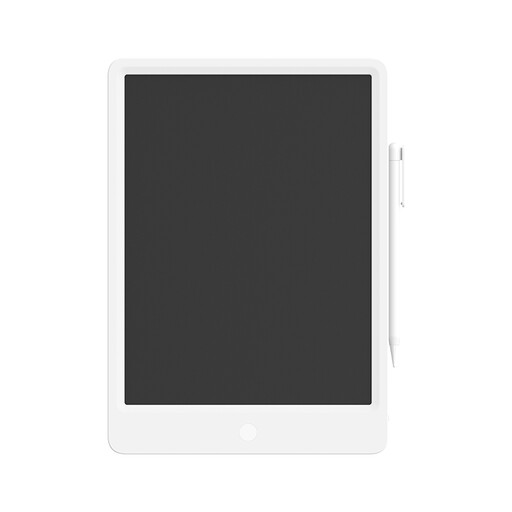 Image unavailable
For anyone who wants to write or draw directly on an LCD surface.
The product name specifies a 13.5-inch digital LCD writing tablet with a pen. The product information warns against leaving the button cell within reach of children.
Not for that alone. GeoGebra Notes has its own shape and measurement tools, as well as freehand pen marks. Check whether these tools support the way you teach; manufacturer claims about pressure levels aren’t a substitute for doing so.
It depends on the model and computer. Wacom says the One by Wacom Medium connects to a Mac or PC, after which you’ll need to install a driver. For Chromebooks, the manufacturer says you can get started via USB without installing a driver. If you’re using a managed school computer, also check whether you’re allowed to install software.
Wacom recommends using an anti-static or slightly damp cloth and applying light pressure when cleaning its devices. Keep liquids away from the device and pen, and follow the care instructions for your specific model.
According to Germany’s consumer advice centre, consumers who buy online generally have a 14-day right to cancel, although exceptions and the specific contract should be checked. Your statutory rights against the seller and a voluntary guarantee are different things. If a school buys as an organisation, don’t assume that the consumer right to cancel applies without checking.
According to information from the European Union, CE marking is required for products covered by relevant harmonised legislation. It’s the manufacturer’s declaration of conformity, not a general, independent assessment of a product’s suitability for teaching.