Texture artists with limited desk space
You already work on a computer and want to put your drawing device away when you’ve finished. Compare its overall dimensions with the active drawing area.


If you paint game textures on your existing computer and are short on desk space, a pen tablet without a display could be a good fit: you draw on the tablet and see the result on your monitor. A pen display is better suited to working directly on the image, provided you have room for it and the right connections. A standalone Android drawing tablet is another option, but it won’t automatically replace your desktop software.
You already work on a computer and want to put your drawing device away when you’ve finished. Compare its overall dimensions with the active drawing area.
You want to make brushstrokes exactly where you see the texture, and have room for an extra display and the necessary connections.
Before you buy, you want to check that pen pressure, drivers and the connection will work with your computer and software.
A good fit if: You work on your existing monitor and want to put the device away when you’re done.
Consider: You draw while looking at your monitor, rather than directly beneath the pen tip.
A good fit if: You want to edit the texture directly on screen and have space to set up the display.
Consider: The video signal, power supply and cables must be compatible with your computer and chosen connection method.
A good fit if: You want to sketch away from your desk and have already checked that your apps and file-sharing options meet your needs.
Consider: An Android drawing tablet won’t automatically run your desktop texture software.
| What matters to you | What to check before buying | Who should pay particular attention |
|---|---|---|
| Space required | Check the overall dimensions and active area separately, and measure the space available on your desk. | If your keyboard and paperwork already take up the limited desk space, consider whether you can put the device away too. Around 33% of consumers put space requirements first. |
| Drawing directly on screen | Decide whether your existing monitor will do or whether you’d prefer a pen display; if choosing a display, check its connections and what’s included. | If you want to make brushstrokes directly on the texture as it appears on screen, drawing on the image itself is key. Around 25% of consumers prioritise this. |
| Pen pressure and connectivity | Check the model, operating system, drivers and connection are compatible, then test the pressure sensitivity in the software you use. | If you want your brush size or strength to respond to pen pressure, you’ll need a setup that works with your computer and software. Around 25% of consumers prioritise this compatibility. |
| Accessories and ongoing costs | Compare what’s included, the cables you’ll need and the replacement nibs compatible with the specific model. | If you want to avoid extra costs for connections or replacement parts, check exactly what’s included. Around 17% of consumers put the total cost first. |
The active area is the space you draw on, not the dimensions of the whole device. For the ugee M908, the manufacturer lists an active area of 254 × 158,8 mm and overall dimensions of 330,1 × 210,1 mm.
Measure the available space on your desk and compare it with the dimensions of the specific version you’re considering.
Huion specifies that connecting the Kamvas 13 to a mobile device via USB-C requires at least USB 3.1 Gen 1 and DisplayPort 1.2. An additional power adapter is also required when connecting to an Android device. The USB-C-to-USB-C cable is listed as optional.
Check the video signal, power supply and included cables for your specific computer and intended connection method.
Depending on the device and connection method, you may need an extra cable or a separate power supply.
Blender’s documentation explains that brush size or strength can respond to pressure when you use a graphics tablet and enable the relevant setting. The number of pressure levels alone doesn’t confirm that the drivers and device will work with your computer.
Check that the operating system and drivers are compatible with the complete model, then test a pressure-sensitive brush in your software after setup.
A standalone device and a display connected to a computer offer different ways of working. Being able to draw on an Android tablet doesn’t mean the desktop software you need will run on it.
Before you buy, decide which application you need to edit and export textures in, and check that the necessary file-transfer process will work.
Using a different app or file-transfer workflow may add an extra step.
The Intuos Pro (2025) is worth considering if you want to work on your existing monitor.
The Kamvas 13 is a pen display for anyone who wants to work directly on the image on screen.
The Deco 01 V2 and Magic Drawing Pad are examples of a pen tablet without a display and a standalone Android device.
The M908 is a pen tablet without a display, with a documented active area and scroll wheel.
For drawing on the go: before you buy, check that the apps you need and your file-sharing options will work with your desktop texture workflow.
 No image available
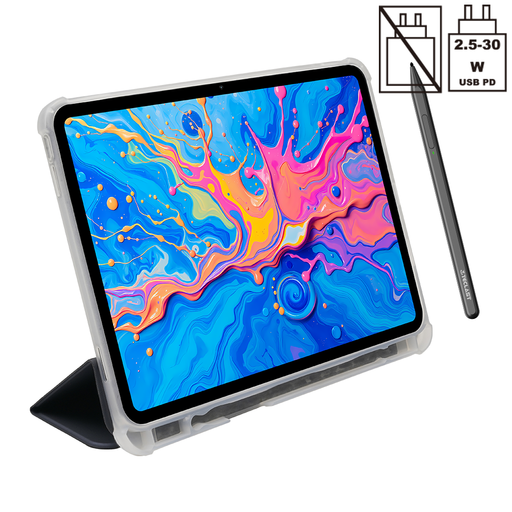
Described as a standalone Android tablet with a T-Pen for drawing; check that the apps you need and file-sharing options will fit your desktop workflow.
Product description: 12.7-inch 2K display, T-Pen and support for 4096 pressure levels. Android 15.
No. Blender documents pressure-sensitive brush functions for graphics tablets; with a device without a display, you’ll see the image on the connected monitor. Whether you’re comfortable drawing on one surface while looking at another is a matter of personal preference.
Not in every situation. Huion specifies that connecting to a mobile device via USB-C requires at least USB 3.1 Gen 1 and DisplayPort 1.2; an additional power adapter is required when connecting to an Android device. Check the intended connection method and what’s included with your version.
In Blender, enable the relevant pressure sensitivity setting for brush size or strength. The Blender Foundation describes these functions for use with a graphics tablet. Once you’ve set it up, test your specific device with your installation in a file.
It depends on whether the apps you need, as well as importing and exporting files, work on the device. XPPen’s Magic Drawing Pad is an Android device; before buying, check that it will support your specific desktop texture workflow.
When you buy goods from a professional trader in the EU, they are generally covered by a minimum two-year legal guarantee. For standard online distance purchases, you generally have a 14-day right to withdraw from the contract from the date of delivery. Exceptions and conditions, such as return postage costs, may apply. Your Europe explains these EU rules.