What should you look for when buying?
First, consider how often you enlarge hard-to-read details in photos. Then choose a screen size, resolution and setup that work with your software and the space available.
| Concern |
What to check when buying |
Who will find this important? |
| Photo details and data-entry fields |
Check the screen size, native resolution and readability of your photo-and-form layout. |
When I compare weathered writing in a photo with data-entry fields, both views need to remain easy to read. Around 36% of consumers are likely to prioritise seeing photo details clearly. |
| Comparing duplicate entries |
Check with your data-entry software whether there’s room for the photo, record and data-entry form at the same time. |
When I check possible name variants, I want to compare the photo and existing entries clearly. For around 29% of consumers, comparing duplicate entries is likely to be their main buying concern. |
| Display for extended work |
Check the adjustment range, reflections in your lighting conditions and whether the text size is comfortable to read. |
When I regularly spend long periods entering data, I need a display and screen position that make it comfortable to work. Around 21% of consumers are likely to put workspace comfort first. |
| Laptop connection and power |
Check your laptop’s video output and power requirements against the specifications of the specific model; check the EU energy label. |
When I want to use a monitor with a laptop, the video connection and power supply need to work together. For around 14% of consumers, connectivity and running costs are likely to be the main buying concern. |
Monitors for photo comparison and indexing
This selection includes monitors for comparing gravestone photos with data-entry views, from QHD office models to widescreen displays for viewing multiple windows.
 Image unavailable
INNOCN 40C1U, 40 inches, 5120 × 2160
A wide workspace if you want to arrange a photo alongside a data-entry view.
The product specifications list an IPS panel, USB-C with 65 W Power Delivery, and PIP and PBP.
View at Joybuy
 Image unavailable
Lenovo ThinkVision T27Q-40, 27 inches, QHD IPS
A potential QHD office monitor if you mainly work with readable source material and data-entry fields.
QHD has fewer pixels than 4K for heavily enlarged photo and form views.
View at Joybuy
 Image unavailable
Z-Edge AGEX, 27 inches, QHD, white
A QHD option for mostly readable photos and data-entry fields; it has fewer pixels than 4K for heavily enlarged views.
The product name specifies a Fast IPS panel and a height-adjustable stand.
View at Joybuy
 Image unavailable
INNOCN E34A1R, 34 inches, UWQHD
A wide workspace and the option to compare two signal sources, if your workflow calls for this type of display.
The product specifications list 3440 × 1440 pixels, a VA panel, PIP and PBP, and a height-adjustable stand. The resolution has fewer pixels than 4K.
View at Joybuy
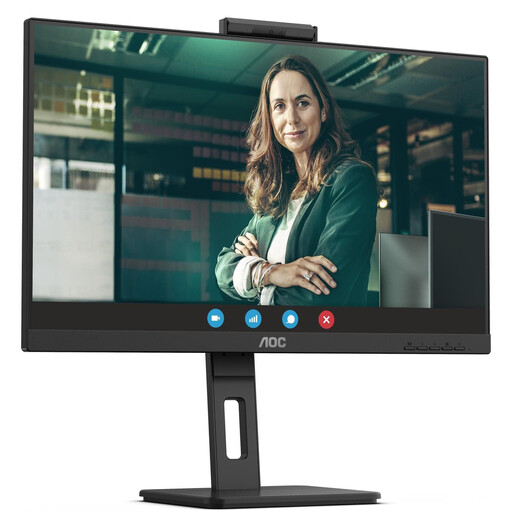 Image unavailable
AOC Pro-Line Q27P3CW, 27 inches, QHD IPS
A QHD option for office work and mostly readable source material; check the display with your actual photo-and-form layout.
QHD offers fewer pixels than 4K for heavily enlarged views.
View at Joybuy
Frequently asked questions
Are two entries for one person in the gravestone index always a mistake?
No. In the Gravestone Project run by the Association for Computer Genealogy, an extra search entry may be intentional for a double name, with only one entry containing birth and death dates. Check the rules of the database you’re actually using before merging entries.
How should I set up the monitor for a photo and data-entry form?
Display the photo and data-entry form at a scaling level that’s comfortable for you to read, and position the screen to minimise distracting reflections. The Federal Institute for Occupational Safety and Health’s ASR A6 explicitly excludes screen use in private settings outside workplaces and teleworking. Its requirements are therefore not a general legal buying requirement for private indexing work.
Is USB-C on my laptop enough for video and charging over one cable?
Not necessarily. Check your laptop’s video mode and charging requirements against the features of the specific monitor. For the FlexScan EV2740X, EIZO specifies DisplayPort Alt Mode and up to 94 W Power Delivery via the USB-C port.
What running costs and purchasing rights should I consider?
Compare the EU energy labels of specific monitors rather than trying to estimate power consumption from screen size or resolution. In its article dated 13 August 2026, the Verbraucherzentrale distinguishes the statutory guarantee against the seller from a voluntary warranty. For typical online consumer purchases, you generally have a 14-day right to cancel. Cancellation and rights relating to faulty goods are separate matters.
Do workplace screen rules also apply to private indexing work?
Not as a general rule. The Federal Institute for Occupational Safety and Health’s ASR A6 sets out requirements for covered workplaces and teleworking, but explicitly excludes screen use in private settings outside these areas. Voluntary indexing alone therefore does not create a general obligation to comply with ASR requirements.
What should I do with an old monitor?
Take it to a separate electrical waste collection point rather than putting it in your household bin. The Federal Environment Agency lists local collection points and retailer take-back schemes, among other options. Which return option is available depends on your specific circumstances.


