Photographers with a fixed card set-up
If you’re photographing several greeting cards from the same angle, a tripod and a suitable remote shutter release can help you keep your set-up in place and avoid touching the camera when you take a shot.


You don’t necessarily need a separate remote shutter release to photograph greeting cards against a dark background. For occasional shots, a compatible camera app or the self-timer may be enough; cable and Bluetooth releases are options when they’re explicitly compatible with your camera model. A tripod helps you keep the framing consistent, and triggering the shutter without touching the camera can help avoid camera shake – but you’ll still need to consider lighting and focus separately.
If you’re photographing several greeting cards from the same angle, a tripod and a suitable remote shutter release can help you keep your set-up in place and avoid touching the camera when you take a shot.
If you change the cards or lighting between shots, a compatible wireless remote can let you trigger the shutter from your set-up, without having to go back to the camera each time.
If you only photograph cards now and then, first check whether your existing camera app’s remote shooting feature is enough for the way you plan to work.
| Buying consideration | What to check before buying | Who is this important to? |
|---|---|---|
| Steady, repeatable shots | Whether your set-up is stable and the shutter release is compatible with your camera and its connection. | When I’m photographing several cards with the same framing, I don’t want to touch the camera when I take a shot. Around 42 % of consumers prioritise a steady, repeatable set-up. |
| Operating the camera from your set-up | Whether your exact camera model supports the remote and it has the controls you need. | When I don’t want to go back to the camera while changing cards or lighting, being able to operate it from a short distance matters to me. Around 33 % of consumers put freedom of movement on set first. |
| Avoiding extra accessories | Whether your camera’s app-based remote shooting or self-timer already provides the control you need. | If I only take photos occasionally, I want to try the camera features I already have before buying accessories. Around 25 % of consumers prioritise keeping extra costs to a minimum. |
Remote controls work with specific supported camera models. Even cable releases from the same brand may require different connections.
Before buying, compare your camera’s full model name and the exact name of the shutter release with the manufacturer’s information.
Triggering the shutter without touching the camera can help avoid camera shake when you press the button. However, a remote shutter release won’t stabilise your set-up or the card’s lighting.
Check framing, focus and lighting separately on your own set-up before choosing any additional shutter-release accessories.
With suitable cameras, a supported app can be used for remote shooting.
Try your camera’s app-based remote shooting first, then decide whether separate controls would genuinely make your workflow easier.
For explicitly supported Canon cameras, the BR-E1 Bluetooth remote or a compatible app may be suitable options.
Nikon offers the ML-L7 Bluetooth remote, as well as the MC-DC2 and MC-DC3 cable options for compatible cameras.
The RMT-P1BT is designed for supported Sony cameras with a Bluetooth receiver; for suitable cameras, Imaging Edge Mobile may be an app alternative.
The CS-205 is a short cable option for specifically compatible PENTAX cameras in a nearby, fixed set-up.
The models below are designed for smartphone photography using a holder, tripod and remote control. They are not confirmed shutter releases for separate camera bodies.
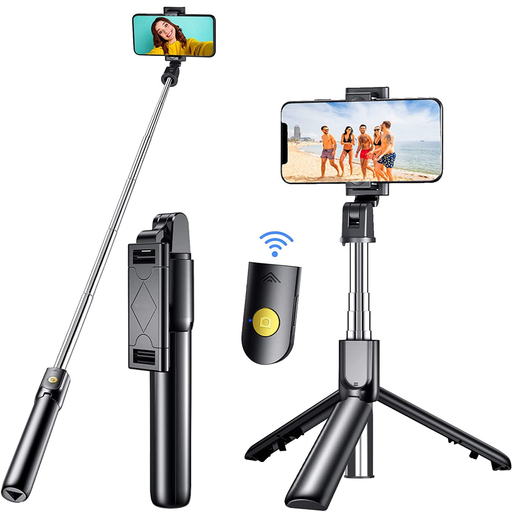 No image available
For smartphone photography where you want a tripod and a detachable remote control.
The title lists a 3-in-1 phone holder, an extendable design and compatibility with iOS and Android smartphones. Use with separate camera bodies isn’t specified.
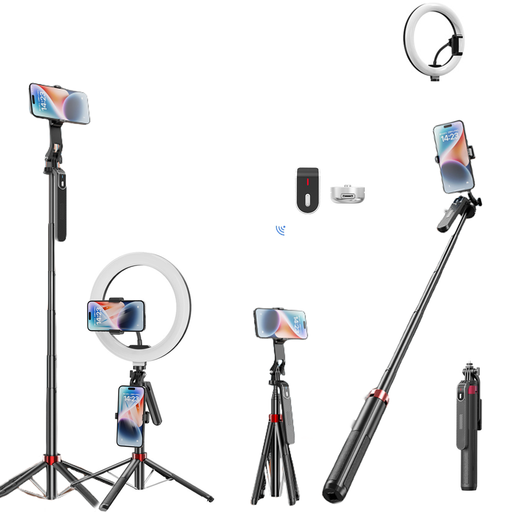 No image available
For smartphone or action camera photography when you want a tripod and the fill light listed in the title as part of your set-up.
The title lists a length of 160 cm, a load capacity of 2 kg and support for smartphones and action cameras. Use with other camera bodies isn’t specified.
 No image available
For a smartphone set-up where you need an extendable mini tripod phone holder and a remote control.
The title lists a 3-in-1 phone grip, two cold shoe mounts and compatibility with iPhone, Samsung and Android smartphones.
 No image available
For smartphone photography with a tripod function and remote control when you want a taller set-up.
The title lists a Bluetooth connection, a length of 1,9 m, a phone holder and a fill light. The remote control described is for smartphones.
No, a remote shutter release alone can’t guarantee a sharp shot. Triggering the shutter without touching the camera can help avoid camera shake, while a tripod helps you keep the framing consistent across repeated shots. Check the focus and lighting on your card set-up too.
First, check the manufacturer’s information to see whether the specific remote is compatible with your camera’s full model name. Set up the connection according to the instructions, then test the shutter release and any controls you need before photographing a series of cards.
Yes, if your camera supports remote shooting with a suitable app and its available features meet your needs. Test the connection and the controls you need in advance; app support isn’t automatic for every camera model.
According to the Verbraucherzentrale, consumers in Germany generally have a 14-day right to cancel online purchases. Before buying, check the terms and exceptions that apply to your contract; separate statutory rights may also apply if goods are faulty or not as described.