What should you look for when buying?
First, work out which concern has the biggest impact on your photos. The percentages show the share of consumers who would prioritise each concern when photographing greeting cards under artificial light.
| Priority |
What to look for |
Who is this especially important to? |
| Colours and whites under artificial light |
Check whether you can adjust the white balance and whether the specific model supports RAW shooting, if you want to edit your photos afterwards. |
If the colour of white cards matters to me, I want to be able to set the white balance for my lighting. Consumers who prioritise colour accuracy are likely to account for around 33 %. |
| Small lettering and embellishments |
Test a card at the planned output size and check the minimum focusing distance and reproduction ratio of the lens included or planned for your setup. |
If I want to show small lettering or embossing, what matters to me is whether the specific lens can capture the area clearly and at a large enough size. Consumers whose main priority is capturing detail are likely to account for around 27 %. |
| Reflections, flicker and framing |
Check whether the camera can be securely mounted on a tripod and whether you can test your light source with the shutter settings you plan to use. |
If glossy cards reflect light or my photos show banding under my lighting, I want to be able to control the light and setup. Consumers who prioritise control over lighting and setup are likely to account for around 20 %. |
| Easy setup and what’s included |
Check which lens and charging accessories are included in the specific offer; if you’re buying a kit, make sure you check the exact variant. |
If I want to get started without having to make lots of extra decisions, a straightforward setup with suitable accessories is important to me. Consumers who prioritise a simple setup are likely to account for around 20 %. |
Cameras at Joybuy
The following selection includes cameras you should test for yourself when photographing greeting cards under artificial light. Check the framing, sharpness and colour reproduction.
 No image available
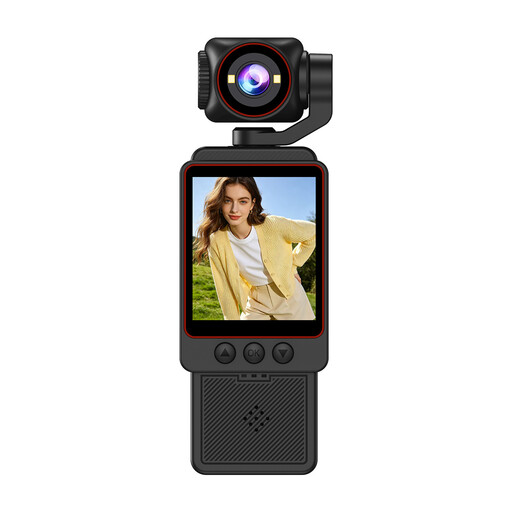
Small Video Camera, 1080P HD Video
Try a test shot to see whether it can capture whole greeting cards and fine details.
The product title mentions 1080P HD video and HD photos.
View at Joybuy
 No image available
NAXSIR Digital Camera 4K Ultra HD, 64 MP
For greeting cards, the key is whether the text you want to show and the full edge of the card look sharp in your setup. Check both with a test shot first.
The product title mentions 64 MP photo resolution, 18x digital zoom, autofocus and a 32 GB memory card.
View at Joybuy
 No image available
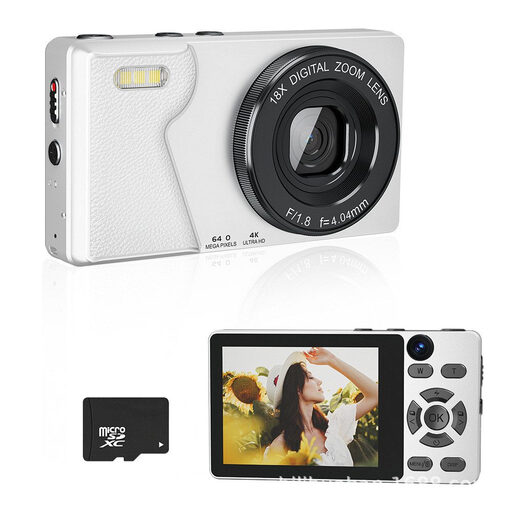
KINSI Retro Digital Camera 4K UHD, 64 MP
Test the camera to check that the whole card fits in the frame and the fine lettering remains clear at your intended output size.
The product title mentions two cameras, autofocus, a 2.8-inch display, 20 filters, image stabilisation and a 2000-mAh battery.
View at Joybuy
 No image available
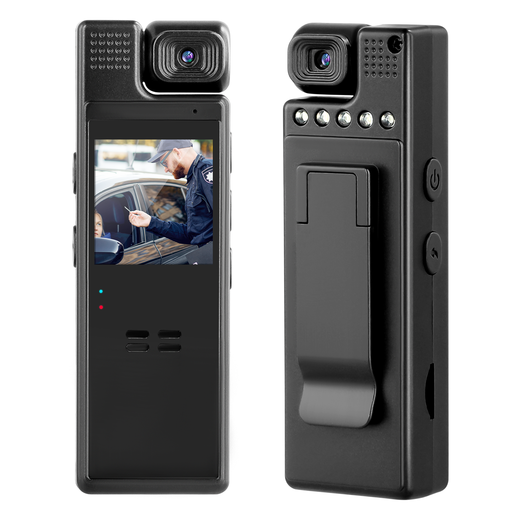
Compact camera with audio, 1080P and a 180° rotating lens
You can judge whether this camera is right for your card photos by taking a test shot of the text, edges and colours.
The product title mentions 1080P and a lens that rotates through 180°.
View at Joybuy
 No image available
DJI Osmo Pocket 3, 1-Inch CMOS
For static greeting card shots, take your own photo to check the sharpness and framing you want.
The product title mentions 4K/120fps video, 3-axis stabilisation, fast focusing and a 2-inch touchscreen.
View at Joybuy
Frequently asked questions
How should I start a series of shots under artificial light?
Keep your setup and lighting as consistent as possible, and set the white balance for that light. If the lighting changes, check the white balance again and test a card to see whether the text, edges and light areas look as you want them to.
How can I prevent banding with LED or other flickering lights?
First, check whether the light source you’re using is actually causing banding. Sony lists changing the shutter speed, using the mechanical shutter or using an available anti-flicker function as possible options, depending on the model; not every camera offers all of these.
Do I need a 1:1 macro lens to photograph a whole greeting card?
Not just because of the card’s size. First, check whether your lens can capture the whole card with enough detail for the text to be legible. A 1:1 lens such as the separately available NIKKOR Z MC 50 mm may be worth considering if very small details are your main subject.
What rights apply when shopping online in Germany?
For online orders, you generally have a 14-day right to cancel from the day you receive the goods. The Verbraucherzentrale states this period in its article dated 5 August 2026. Your statutory rights against the seller are separate from any voluntary manufacturer’s guarantee; the specific circumstances of your purchase are what matter.
Can I publish photos of greeting cards designed by other people online?
Not simply because you took the photo yourself. The German Patent and Trade Mark Office notes that drawings and texts may be protected, and that making them available to the public is one of the rights of exploitation. If someone else created the design, check which rights apply to the specific card and use before publishing it.


