What should you look for when buying?
Nintendo says Nintendo Switch Sports Resort supports one to four players on a single system. For Nintendo Switch Sports, the number of players depends in part on the sport and game mode. So check the details for the specific game first, then work out how many controllers and accessories you’ll need.
| Buying priority |
What to check before buying |
Who is this important to? |
| Playing at the same time |
Local player count for the sport and game mode; controllers you already own that the game supports. |
If we want as many people as possible to play at once, I check the number of places for each sport and game mode rather than simply counting controllers. Around 36% of consumers prioritise the number of people who can play at the same time. |
| Game and console compatibility |
Check the exact game title, console generation and supported controller type. |
If I want to avoid buying the wrong thing, I check the game and console against the title’s controller list. Around 29% of consumers put compatibility first. |
| Motion controls |
The right wrist straps for the controller generation; the control method used in your chosen sport. |
If we’ll be playing with swinging movements, I make sure we have the right straps and that the game requires or supports those controllers. Around 21% of consumers prioritise motion controls that are safe and practical to use. |
| What the group already has |
Count the controllers and accessories you already own; work out what you’ll need for the game mode and group size. |
If we want to make the most of the accessories we already have, I check what else we’ll need for each additional controller or game mode. Around 14% of consumers prioritise the total cost of getting their group ready to play. |
Joybuy products for sports games
This selection includes Joy-Con for compatible motion-controlled Switch games, as well as a wired gamepad for compatible Xbox or Windows games. Check the controller type and local player count separately for each title.
 No image available
Nintendo Switch 2 Joy-Con 2 2-piece set (Blue/Light Yellow)
For a Switch 2 gaming session with a compatible motion-controlled game.
The set includes two Joy-Con 2 controllers and two matching wrist straps. Joy-Con 2 are designed for Switch 2.
The number of players still depends on the game mode and sport.
View at Joybuy
 No image available
Razer Wolverine V3 Tournament Edition White
For a compatible sports game with gamepad controls on Xbox or Windows, if a wired connection suits you.
Wired gamepad with USB-C cable connection; the included cable is listed as 3 m long.
The description lists four rear paddles and six customisable buttons. Check separately that they suit your chosen game and group.
View at Joybuy
 No image available
Nintendo Switch Joy-Con pair (Neon Blue/Neon Yellow)
For compatible motion-controlled Switch games when you need an extra pair of Joy-Con.
The set includes one left and one right Joy-Con, plus two wrist straps. The controllers can be used individually or together.
For Nintendo Switch Sports, the controls and player count need to match the sport you choose.
View at Joybuy
 No image available
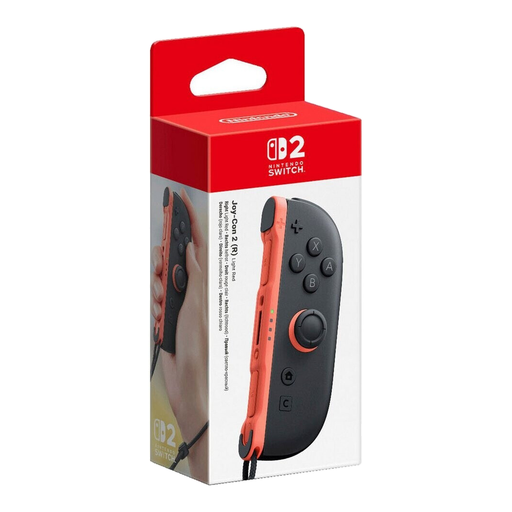
Nintendo Switch 2 Joy-Con 2 (Right) – Light Red
For an additional player in a compatible motion-controlled Switch 2 game.
Includes one right Joy-Con 2 and one wrist strap, not a pair.
Joy-Con 2 are designed for Switch 2; the game determines how many people can play.
View at Joybuy
 No image available
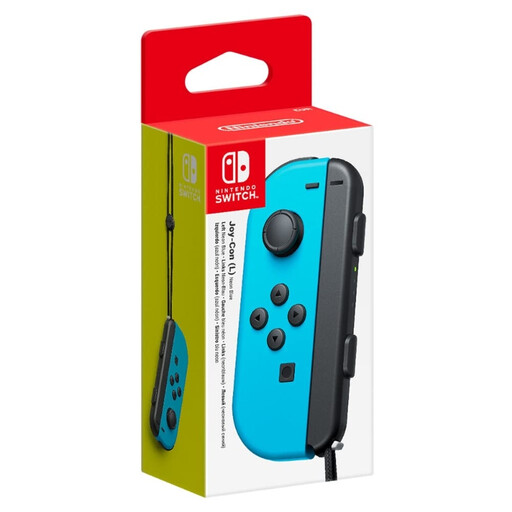
Nintendo Switch Joy-Con (L) – Neon Blue
For an additional player in a compatible motion-controlled Switch game.
A single left Joy-Con with motion sensors and wireless Bluetooth connectivity.
This is not a pair, so check which controllers the sport you want to play requires.
View at Joybuy
Frequently asked questions
Can I play Nintendo Switch Sports with a Switch Pro Controller?
No. Nintendo does not support either the Nintendo Switch Pro Controller or the Nintendo Switch 2 Pro Controller for this game. Check whether your chosen sport needs one or two Joy-Con.
Can eight paired controllers automatically let eight people play at once?
No, the player count for the game mode is what matters. For Nintendo Switch Sports, Nintendo says LAN mode supports up to two players per console and up to eight in total. You’ll need several suitably equipped consoles to do this.
How do I get Joy-Con ready for a motion-controlled game?
When using Joy-Con or Joy-Con 2 separately and wirelessly, attach the matching wrist strap and secure it as instructed by Nintendo. Wrist straps from the two controller generations are not interchangeable.
Do I need an online membership to play Nintendo Switch Sports at home?
Nintendo’s information does not indicate that an online membership is needed for local multiplayer. Nintendo requires an active Nintendo Switch Online membership for online play, which is different from playing together in person.
How can I check whether a gamepad is suitable for a sports game with several players?
First, check that the controller’s platform matches the game’s, then check the local player count for the specific title. The German PlayStation Store lists one to four local players for EA SPORTS FC 27, but only one to two for Windjammers 2.


