
Lieferung heute & morgen

Qualitätsgarantie

Willkommens-Angebote freischalten: KOSTENLOSE Lieferung | Bis zu 80 % RABATT | Kostenlose 30-Tage-JoyPlus-Testphase
App herunterladen
The search for the right gaming headset can quickly become overwhelming. The market is flooded with technical jargon, marketing promises, and a vast selection of models. Whether for intense gaming sessions on a PC, thrilling duels on the PS5, or clear communication in the home office—the requirements are diverse. But not every headset that makes big claims can deliver on them.
As a Joybuy Product Recommendation Officer, I'm here to help you separate the wheat from the chaff. In this guide, I'll show you the most common pitfalls to avoid and which crucial features you should really focus on to make an informed decision.
Many buyers regret their decision because they fell for exaggerated marketing messages. Pay close attention to these three points to avoid making a poor purchase:
To find the right headset, focus on the following objectively measurable criteria. These are the key determinants of your device's performance and longevity.
The connection type is fundamental to its use. Each option has specific advantages and disadvantages:
A good microphone is essential for team chats or online meetings. Look for the following features:
A headset is often worn for hours on end. Therefore, comfort is not a luxury but a necessity.
Here are some recommendations tailored to specific user groups that successfully navigate the pitfalls mentioned.
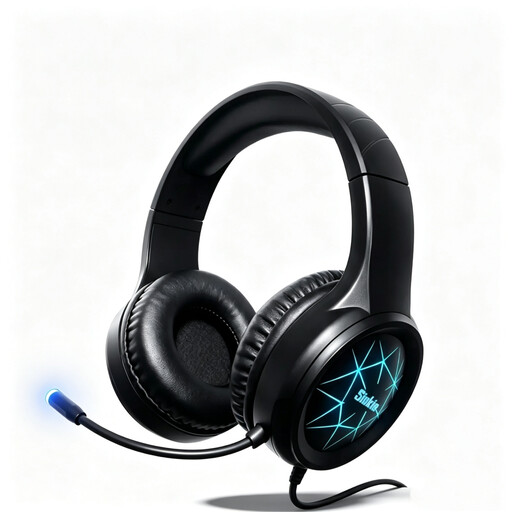
Why This Fits Their Persona: Ideal for gamers looking for a straightforward and functional solution for PC and consoles without a large budget. It covers all the basic needs for gaming.
It bypasses the compatibility pitfall with a dual connection option (USB & 3.5mm), ensuring broad and reliable use across PC, PS4, PS5, and Xbox. It focuses on solid stereo sound instead of exaggerated surround promises.
High platform compatibility thanks to two cable options. The 50mm drivers provide a solid audio foundation for entry-level gaming.
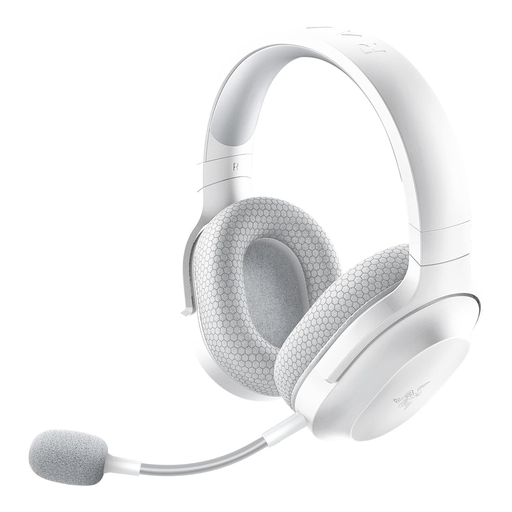
Why This Fits Their Persona: Perfect for users who want a single headset for low-latency gaming on PC or console and for calls or music on their smartphone. The lightweight design and detachable mic make it suitable for everyday use.
It elegantly solves the compatibility problem with SmartSwitch Dual Wireless technology. This allows for seamless switching between 2.4 GHz RF and Bluetooth without re-pairing the headset. The detachable HyperClear microphone also delivers clear voice quality.
SmartSwitch Dual Wireless for maximum flexibility. At only 250g, it's very lightweight and offers a long battery life of up to 50 hours.
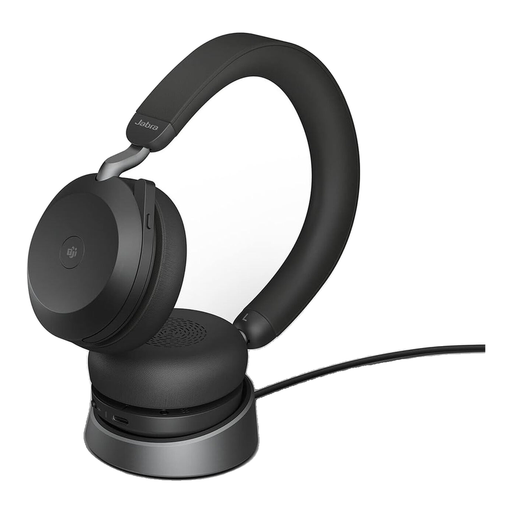
Why This Fits Their Persona: Designed for professionals in noisy environments or home offices who depend on outstanding call quality and concentration. The MS Teams certification and busylight are tailored for professional workflows.
This headset avoids the pitfall of ineffective noise cancellation with a professional-grade solution: advanced Active Noise Cancellation (ANC) and an 8-microphone technology with Digital Signal Processing (DSP) ensure verifiably clear voice transmission.
Superb call quality and noise cancellation. The dual connectivity allows simultaneous connection to a PC and a smartphone.
We have compiled a complete, real-time updated list of products that fully meet these strict selection criteria and German safety regulations.
1. Can I use a gaming headset for my home office? Yes, many models are excellent for use as an office headset. Look for a clear microphone, high comfort, and ideally, a discreet design. Models with a detachable microphone like the Razer Barracuda X are particularly flexible. However, for purely professional purposes, specialized headsets like the Jabra Evolve2 offer optimized features such as certified compatibility with meeting software.
2. How long does the battery of a wireless headset last? The battery life of modern wireless headsets varies greatly but typically ranges from 20 to 50 hours per charge. This is more than sufficient for most users, including for extended gaming sessions. Check the manufacturer's specifications for the specific model. Many wireless headsets can also be used via cable while charging.
3. Is 7.1 surround sound really necessary for gaming? That depends on the game and personal preference. In competitive shooters, a well-implemented surround sound can help locate opponents by their footsteps. For many other game genres or for enjoying music, high-quality stereo sound is often the better and more natural choice. The quality of the implementation is more crucial than the mere "7.1" label on the packaging.