
Lieferung heute & morgen

Qualitätsgarantie

Willkommens-Angebote freischalten: KOSTENLOSE Lieferung | Bis zu 80 % RABATT | Kostenlose 30-Tage-JoyPlus-Testphase
App herunterladen
The search for a new high-performance laptop in 2026 has become more complex. The term "AI laptop" is ubiquitous, yet the underlying technology and its actual benefits are often unclear. Many users invest in expensive devices only to find that their advertised "AI capabilities" are pure marketing, or that their performance is throttled by fundamental design flaws. This guide will help you separate the wheat from the chaff and find a device that can reliably handle your demanding tasks.
Before we dive into the crucial components, you should be aware of three common marketing traps that can lead to buyer's remorse:
To avoid these traps, focus on three verifiable technical specifications. These define whether a notebook is truly suited for demanding AI workflows, gaming, or professional creative work.
A true AI laptop is distinguished by an integrated NPU (Neural Processing Unit). This specialised hardware is designed to execute machine learning tasks with extreme efficiency and low power consumption. While a CPU handles general-purpose calculations, the NPU specifically accelerates AI functions like real-time translation, intelligent video conferencing effects, or running local language models. Processors like the Intel Core Ultra 9 laptop or an AMD Ryzen AI notebook feature such dedicated NPUs. Performance is often measured in TOPS (Tera Operations Per Second)—a higher value indicates more powerful AI acceleration.
For demanding gaming, 3D rendering, and AI training, the GPU remains the most critical component. A high-end GPU like the NVIDIA GeForce RTX 5090 provides massive acceleration not only for games but also for professional software (e.g., in a notebook for video editing and AI). Pay attention to two aspects here:
A mobile workstation notebook must offer more than just raw processing power. The display is your primary workspace. Look for wide colour gamut coverage (e.g., 100% DCI-P3), a high resolution (QHD or higher), and sufficient brightness (at least 400 nits) for accurate colour grading. Modern ports like Thunderbolt 5 or USB 4 are essential for fast data transfer with external storage and for connecting high-resolution monitors. Future-proof wireless standards like Wi-Fi 7 ensure fast and stable network connections.
Based on these objective criteria, we have identified a few models that are particularly well-suited for specific user profiles.
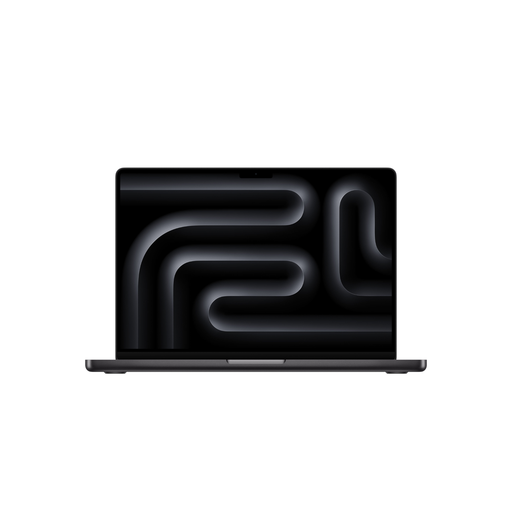
Why it's a great fit: Ideal for video editors, 3D artists, and developers who rely on the optimised software-hardware integration of macOS. The high memory bandwidth of the M5 Max chip significantly accelerates complex rendering and AI workloads.
The unified memory architecture avoids the bottleneck between the CPU, GPU, and RAM, meaning 48 GB here often performs more efficiently than higher amounts in traditional systems.
The Liquid Retina XDR display offers a peak brightness of 1600 nits and excellent colour reproduction, which is crucial for professional visual work.
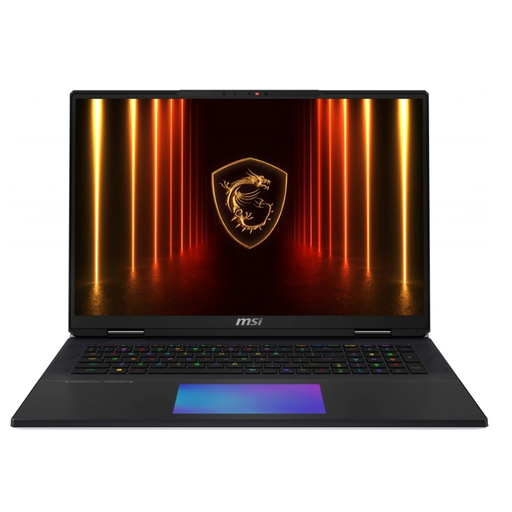
Why it's a great fit: Designed for maximum raw power. The combination of an Intel Core Ultra 9 285HX and an RTX 5090 with a 175W TGP makes it a mobile desktop replacement for the most demanding gaming and compute-intensive AI models.
The device features an elaborate vapor chamber cooling system explicitly designed to dissipate the high heat output of its components and minimise thermal throttling.
The mechanical keyboard with Cherry MX switches provides precise tactile feedback, which is prized for gaming and heavy typing. The 18-inch UHD+ Mini-LED display with a 120 Hz refresh rate is another major plus.
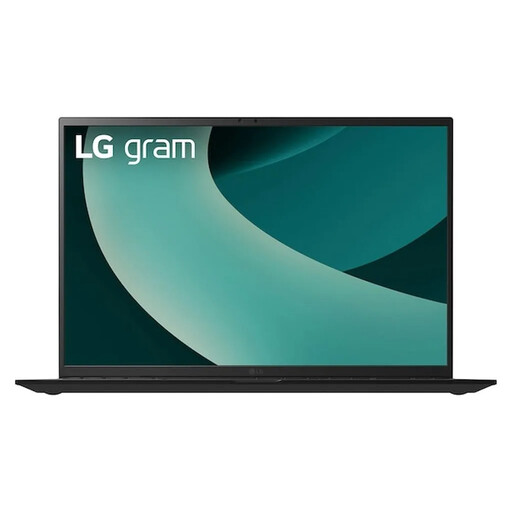
Why it's a great fit: Perfect for users who need maximum mobility without sacrificing AI performance. At just 1.39 kg, it is extremely lightweight for a 17-inch device, yet it offers strong NPU performance on the go thanks to its Intel Core Ultra 7 processor.
This model doesn't promise high-end gaming performance, instead focusing on its strengths: portability and efficient AI acceleration via the NPU. It avoids the compromise of trying to do everything mediocrely.
The magnesium alloy chassis keeps the weight under 1.4 kg for a 17-inch display. According to the manufacturer, the processor's NPU achieves up to 47 TOPS, which translates to high efficiency for mobile AI applications.
We have compiled a complete, up-to-date list of products that fully meet these strict selection criteria and rigorous safety standards.
The main difference is dedicated hardware. While many powerful laptops have fast CPUs and GPUs, a true AI laptop also includes an NPU (Neural Processing Unit). This is specialised for performing AI calculations in a very power-efficient manner. This enables features like real-time background blur in video calls or the use of local AI assistants without heavily draining the battery or slowing down the main processors.
For professional users working with 4K video editing, complex graphic designs, or local AI models, 32 GB of RAM is a solid baseline. Anyone regularly handling 8K footage, intensive 3D simulations, or very large datasets should consider 64 GB or more. On Apple devices with M-series chips, a smaller amount of RAM (e.g., 36 GB or 48 GB) can deliver comparable or even better performance than Windows systems with more RAM, thanks to the unified memory architecture.
The investment heavily depends on your use case. For professional 3D artists, data scientists, or hardcore gamers who need maximum graphics performance for 4K ray tracing at high frame rates, the RTX 5090 offers a significant performance boost. However, for general productivity tasks, photo editing, or casual gaming, it is overkill. In those cases, models like an RTX 5060 or 5080 offer a more balanced ratio of price, performance, and power consumption. The crucial factor is that the laptop's cooling system must be able to handle the GPU's high heat output.