For the occasional listing, your existing smartphone may be enough, provided test shots in your window light show the colour, shape and details clearly. If you regularly photograph a range of products or want close-ups, a mirrorless camera with a suitable lens gives you more control over framing and settings. For very small details, check the lens and shooting distance separately.
Which option is right for you?
Occasional handbag sellers
If you’re creating a one-off listing, start by taking test shots with your existing smartphone. This will show whether the overall view, colour and details meet your needs. Adobe recommends considering a smartphone you already own if you’re working with a limited budget.
Shop owners with a changing range
If you photograph lots of handbags, a consistent frame and repeatable set-up can make all the difference. Canon Germany highlights how a tripod can help you take consistent product shots.
Photographers who focus on details
If you want to show stitching, embossing or hardware clearly, the camera, lens and shooting distance all matter. Canon Academy explains that the closer you get to your subject, the shallower the area in focus becomes.
What should you consider when choosing?
Your existing smartphone
A good fit if: you only take overall shots occasionally and test images meet your needs.
Bear in mind: lighting, the background and a repeatable set-up still matter.
Mirrorless camera with a standard zoom lens
A good fit if: you regularly photograph handbags in different sizes and want more control over framing and settings.
Bear in mind: test it with your own subject to check whether you can get close enough to photograph small pieces of hardware or stitching.
Mirrorless camera with a close-up lens
A good fit if: you regularly want small embossed details, stitching or fastenings to fill more of the frame.
Bear in mind: the lens and shooting distance need to be right. The closer you shoot, the shallower the area in focus becomes.
| What matters to you |
What to look for when buying |
Who might prioritise this? |
| Reliable colour |
Test the camera by the window you’ll actually use and check whether you can control the white balance. Adobe notes that window light varies depending on conditions. If you plan to edit your images, check the file format supported by the specific model, too. |
If I want to compare handbag colours in changing window light, I’ll first test the results in the spot where I plan to shoot. Around 36 % of consumers say colour is their main priority. |
| Consistent perspectives |
Check whether you can position the camera and tripod reliably in your shooting spot, and whether the lens can frame the sizes of handbag you’ll be photographing from the space available. Canon Germany describes a tripod as a way to achieve consistent framing. |
When photographing several handbags, I want to keep the framing as consistent as possible without setting everything up again for each one. Around 29 % of consumers prioritise consistency across a series. |
| Visible material details |
Check the close-up magnification and minimum focusing distance of the specific lens using a typical embossed detail or clasp. Canon Academy explains that the area in focus gets smaller as the shooting distance decreases. |
If I want to highlight stitching, embossing or fastenings, I’ll check the results on a real detail. Around 21 % of consumers say close-ups are their top priority. |
| Less extra effort |
Start by comparing a test shot with your smartphone. If you’re buying a camera kit, check exactly what’s included rather than assuming you’ll get additional accessories. |
For a one-off listing, I don’t want to buy equipment before I know whether my existing photos are good enough. Around 14 % of consumers prioritise keeping extra effort to a minimum. |
Pitfalls to avoid when buying a camera
-
Buying a camera body before testing your window light
Your existing smartphone may be enough for simple product photos. The camera, lighting and background each serve a different purpose.
Start by photographing the handbag where you plan to shoot, taking both an overall view and a typical close-up. Check the colour, shape and sharpness before deciding whether to buy a new camera.
-
Assuming a standard zoom will capture small details
A kit zoom lens isn’t automatically suitable for close-ups of stitching or hardware just because of its focal length. Shooting distance and depth of field affect how large and sharp a detail appears.
Test it on a real embossed detail or clasp, then compare the close-up magnification you can achieve with suitable lenses.
For very small features, you may need an additional close-up lens.
-
Confusing image stabilisation with a fixed set-up for a series
Stabilisation and a tripod do different jobs. For repeatable product photos, keeping the camera in a fixed position helps you maintain the same framing for each handbag.
Choose a fixed position for the camera and subject when planning a series, even if your camera or lens has image stabilisation.
-
Assuming a kit includes everything you need
Kit contents vary. Nikon states that its Z50II kit with a 16–50-mm zoom lens does not include a charger.
Before placing your order, check exactly what’s included in the specific offer and compare it with the equipment you already have.
Camera brands to consider
Canon
The EOS R50 kit with RF-S 18-45mm is an APS-C interchangeable-lens option for getting started with regular product photography.
- Canon lists 24.2 MP, the RF/RF-S mount and a vari-angle touchscreen.
- Canon says the EOS R50 does not have in-body image stabilisation. You’ll need to check separately whether the kit lens can capture the smallest handbag details. These are manufacturer specifications, not an independent image-quality test.
Nikon
The Z50II kit with NIKKOR Z DX 16-50mm f/3.5-6.3 VR includes a zoom lens for adjusting your framing.
- Nikon confirms that the zoom lens has built-in image stabilisation.
- Nikon says the kit mentioned here does not include a charger. Check what’s included and whether the charging process suits you.
Sony
According to Sony, the ZV-E10 II with a 16–50-mm kit zoom is designed for photo and video content with interchangeable lenses.
- For the kit version, Sony lists an APS-C sensor with around 26.0 effective megapixels for photos, as well as RAW photo support.
- Video features are only a reason to choose this camera for handbag photography if you also want to shoot clips. Test the kit zoom on the details you want to show.
Fujifilm
The X-S20 is an APS-C option that lets you choose the lens to suit your needs.
- Fujifilm lists 26.1 MP, RAW support and five-axis sensor-shift stabilisation.
- You’ll need to choose a suitable lens separately. Test its close-up performance on a typical handbag; stabilisation alone doesn’t tell you how large a detail will appear in the image.
Joybuy products for handbag photography
The following Joybuy products include cameras for photography and video. When photographing handbags by a window, check whether the framing, close-up distance and set-up for a series suit your specific needs.
 No image available
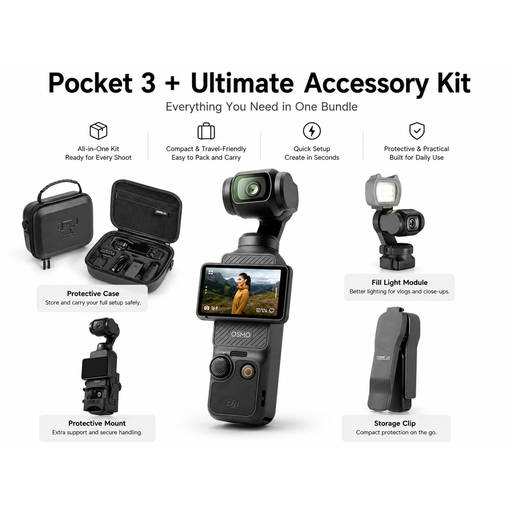
DJI Pocket 3 bundle with STARTRC accessories set
Check whether this camera, described in the product title as a handheld gimbal camera, offers the framing you want for handbag photos.
View at Joybuy
 No image available
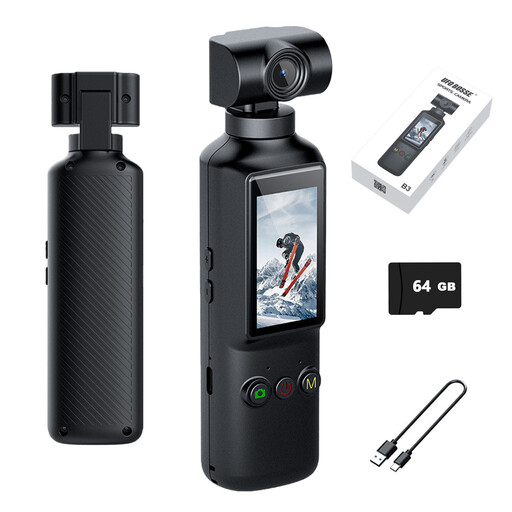
KINSI Mini Pocket Camera, 16 MP
The product title lists a 270° rotating lens, 16 MP and 4K video. Test it on a handbag to see whether you can achieve the framing and close-up view you need.
The title also lists a 5.1-cm HD display, Wi-Fi, a 1000-mAh battery and a USB-C port.
View at Joybuy
 No image available
Sony Alpha 6100 APS-C camera with 16–50-mm power zoom
The 16–50-mm power zoom listed lets you adjust your framing. Check at your shooting table whether the space available works for both overall shots and close-ups.
View at Joybuy
 No image available
DJI Osmo Pocket 4 Standard Combo
The product title lists a 1-inch CMOS sensor, 4K/240fps, 3-axis stabilisation, 2× lossless zoom, 107 GB of built-in storage and a 2-inch rotating screen. Check whether this camera suits the fixed set-up you have planned for handbag photography.
View at Joybuy
 No image available
Komery W6 digital camera with 12x optical zoom
The product title lists 12x optical zoom, 4K video, Wi-Fi and 64 MP. Test it with your own subject to see whether you can achieve the framing you want for handbag photos.
View at Joybuy
Frequently asked questions
Do I need to buy a mirrorless camera straight away to photograph handbags by a window?
No. Your existing smartphone may be enough for occasional product photos. Adobe recommends this option if you’re working with a limited budget. Use test shots taken where you plan to photograph your handbags to decide whether the colour, shape and details meet your needs.
How can I brighten the darker side of a handbag?
Try placing a white reflector on the side opposite the window. Adobe explains that it redirects existing light into the shadows but doesn’t create light itself. Adjust its position and check that the texture and hardware are still visible.
What should I consider when setting up to photograph a whole range of handbags?
Keep the camera position and framing as consistent as possible, and check each new handbag on the screen. Canon Germany describes a tripod as a way to maintain the same composition and background across multiple product shots.
When buying a camera online in Germany, do I always get 14 days to withdraw and a two-year legal guarantee?
These consumer rules don’t apply in every case or to every type of buyer and contract. The European Union explains that eligible online purchases by consumers from traders generally come with a 14-day withdrawal period from delivery and at least two years of legal guarantee for new goods. If you’re buying as a business or from a private individual, don’t assume these rules apply without checking.
Can I use someone else’s product photo in my handbag listing?
Don’t use someone else’s image unless you’ve confirmed you have the right to do so. Section 72 of the German Copyright Act (UrhG) protects photographs and generally assigns the rights to the photographer. Taking your own photos avoids using someone else’s image, but doesn’t resolve any other rights that may apply to the specific image or listing.


