Start by checking which specific adventure games you want to play, and make sure they’re installed and can launch without an internet connection before you travel. If you’re travelling light, the Nintendo Switch Lite is worth considering; for compatible Steam games, there’s the Steam Deck OLED, while PC games that require Windows call for a Windows handheld. Consider weight and game-dependent battery life separately: a larger battery capacity alone doesn’t tell you how long a particular game will run.
Who is a handheld console at the airport right for?
Travellers who play offline
If you can’t rely on the airport Wi-Fi while you wait, check the requirements of the specific game you want to play. A device’s offline mode alone doesn’t guarantee that a particular adventure will launch without a connection.
Players with an existing game library
If you already own Switch or PC adventure games, the key question is whether those specific titles will run on the handheld and work well with its controls.
Travellers packing light
A lighter device can be more practical for shorter waits. Just bear in mind the trade-off between weight, screen size and battery life, which depends on the game.
What should you look for when choosing one?
| What matters when buying |
What to check before buying |
Who it matters most to |
| Launching offline |
Install and update the specific game before your trip, then test it without a network connection. A Nintendo Switch 2 game-key card requires a download before the game can be launched for the first time. |
If I want to play without reliable Wi-Fi, the adventure I’ve prepared needs to launch offline. Around 28% of consumers prioritise being able to launch games offline. |
| Games you already own |
For each title, check the platform version, whether handheld mode is supported or whether it’s compatible with Steam Deck, and whether it requires a particular launcher. |
If you want to keep playing adventures you’ve already bought, choose based on the specific games you own. Around 22% of consumers put their existing games first. |
| Play time per charge |
Compare the figures for the exact model, bearing in mind that battery life depends on the game and how you use the device. Wh indicates battery capacity, not guaranteed play time. |
If the wait might be a long one, what matters to me is how long my game will actually run. Around 22% of consumers prioritise play time per charge. |
| Weight and screen |
Compare the weight and screen size of the exact model. If you play text-heavy adventures, consider how easy the text is to read, too. |
If I’m travelling with light hand luggage, I want to weigh up the device’s weight against its screen area. Around 17% of consumers prioritise keeping carry weight to a minimum. |
| Additional requirements |
Check whether your games require downloads, suitable storage or a subscription. Cloud streaming on PlayStation Portal requires PlayStation Plus Premium. |
If I want to keep extra costs for the way I plan to play under control, I’ll factor in games, storage and any services I might need. Around 11% of consumers focus above all on the total cost. |
Buying mistakes to avoid
-
A physical Switch 2 card always contains the full game
A game-key card doesn’t contain the complete game data. According to Nintendo, you’ll need an internet connection and free storage space to launch the game for the first time.
Before travelling, check the card type and how much storage is required. Download the game in advance if you want to play without Wi-Fi.
-
Steam Deck compatibility automatically means you can play offline
The ‘Playable’ rating may mean some adjustments are needed. According to Steam Support, games that need an active connection or an external launcher won’t work in offline mode.
Check your specific game’s compatibility and whether it can launch offline separately. Test offline mode before you leave.
-
You can convert battery capacity directly into hours of play
Manufacturers’ battery life figures depend on factors including the game and how you use the device. A figure in Wh indicates capacity, not guaranteed battery life.
Plan around the figures for the exact device model, your expected play time and a suitable way to charge it.
-
PlayStation Portal is a console you can play offline
Sony describes Remote Play over Wi-Fi with a PS5. Cloud streaming for selected PS5 games is available in Germany with a broadband connection and PlayStation Plus Premium; the range of games is limited.
Choose Portal only if your games and available connection are suitable for Remote Play or cloud streaming.
Key brands at a glance
Nintendo
The Switch Lite is for supported handheld games and a lightweight option; the Switch 2 offers a larger screen and the option to play on a TV.
- Nintendo lists the Switch Lite at around 275 g, with a 5.5-inch display. It supports Switch titles with handheld mode.
- The Switch Lite doesn’t support TV output, and some game features may require additional Joy-Con controllers. Nintendo lists battery life for the Switch 2 as 2 to 6.5 hours, depending on the software and features used.
- A Switch 2 game-key card requires an internet connection and free storage space the first time you launch a game. These requirements depend on the game and card type.
Valve
The Steam Deck OLED is for compatible Steam adventures and anyone looking for a portable PC gaming device.
- Valve lists the Steam Deck OLED with a 50-Wh battery and 3 to 12 hours of play time, depending on the content.
- Steam’s ‘Verified’ and ‘Playable’ ratings mean different things; ‘Playable’ games may need some adjustments. According to Steam Support, games that require a connection or an external launcher won’t work offline.
ASUS
The ROG Xbox Ally X is worth considering if the requirements of your PC games are suited to this specific Windows model.
- ASUS lists the ROG Xbox Ally X RC73XA-NH011W with Windows 11 Home, 80 Wh, a 7-inch display and a weight of 715 g.
- Battery capacity doesn’t tell you how long you can play. Model codes for other Ally devices aren’t interchangeable.
Lenovo
Legion Go models are aimed at buyers looking for a larger display or a particular PC handheld configuration.
- For the Legion Go S 83N6002KMH, Lenovo lists SteamOS, an 8-inch display and 55.5 Wh.
- These specifications apply to the SteamOS model listed and don’t automatically apply to Windows models or other Legion Go models.
MSI
Claw Windows handhelds are another option for PC gaming; you’ll need the full model number to make a meaningful comparison.
- MSI lists the Claw 8 AI+ A2VM-015 with Windows 11 Home, an 8-inch display and 80 Wh.
- The Claw 8 AI+ A2VM and the Claw 8 EX AI+ CG3EM are different models, so specifications for one can’t automatically be applied to the other.
Sony
PlayStation Portal is designed for Remote Play or supported cloud streaming, not for playing independently without a connection.
- Sony describes Remote Play over Wi-Fi with a PS5. Cloud streaming for selected PS5 games is available in Germany.
- Cloud streaming requires PlayStation Plus Premium and broadband internet. The selection of games and the quality of your network affect how well it works at the airport.
Handhelds for adventure games at Joybuy
This selection includes portable retro handheld consoles, a Nintendo Switch Lite and a Windows handheld, for waits when you’ve chosen the right games in advance.
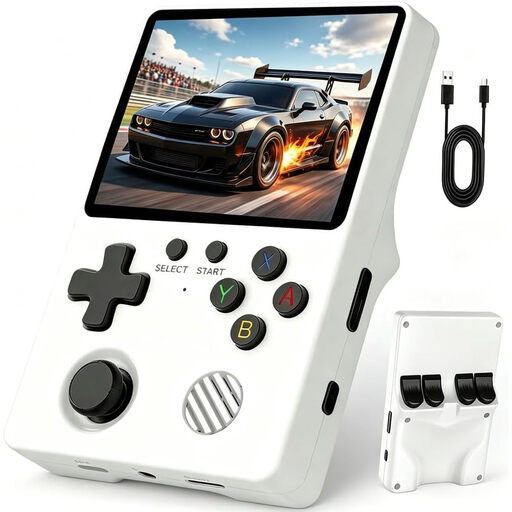 No image available
Retro handheld console with over 20,000 games
Could suit a wait if the retro game collection includes the adventure games you want to play; check the specific titles before buying.
View at Joybuy
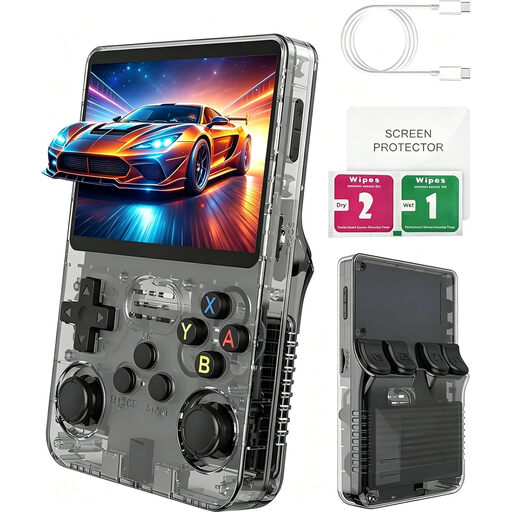 No image available
Handheld console with over 100 games
Could be a good fit if you’re looking for a portable device to play the included games. The product name lists a 3-inch IPS display and a Linux system; check whether it includes the adventure games you want.
View at Joybuy
 No image available
Retro handheld console with 300 pre-installed games
Could be an option for shorter waits if the included selection features the adventures you want to play. The product name lists a 3.2-inch HD display and a rechargeable battery; check the specific titles in advance.
View at Joybuy
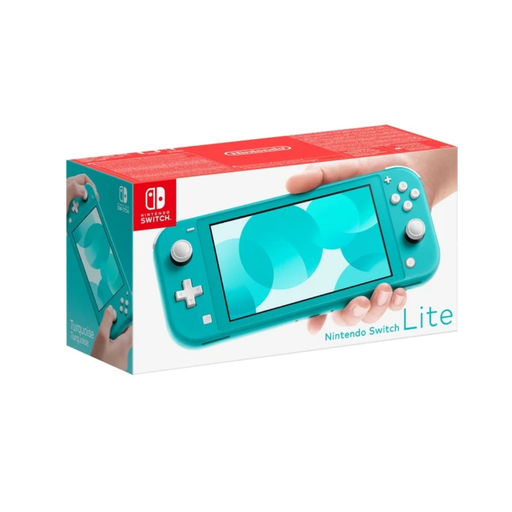 No image available
Nintendo Switch Lite – Turquoise
Suitable for Switch adventures when the specific title supports handheld mode. Nintendo lists a weight of around 275 g and a 5.5-inch display; some game features may require additional Joy-Con controllers. Check whether each game can launch offline.
View at Joybuy
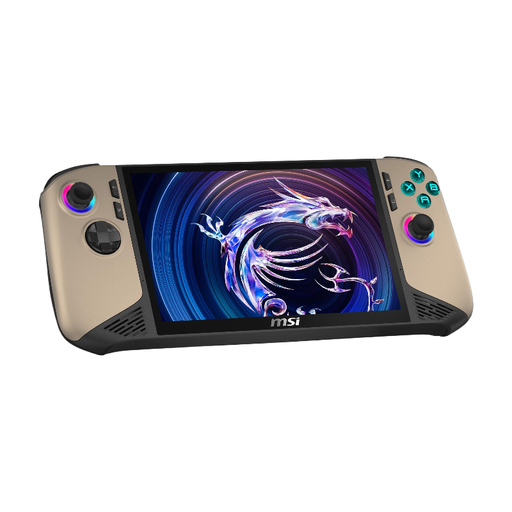 No image available
MSI Claw 8 AI+ Gaming Handheld – Intel Core Ultra 7, 8" FHD+ 120Hz, 32GB RAM, 1TB SSD, Windows 11 Home
Could be a good fit if your PC adventure supports Windows and meets the requirements of the specific game. The product name lists Windows 11 Home, an 8-inch FHD+ display with 120Hz, 32GB RAM and a 1TB SSD; also check whether the game can launch offline.
View at Joybuy
Frequently asked questions
How do I prepare a Steam adventure for a wait without Wi-Fi?
Sign in online beforehand, update the files and launch the game you want to play once. Then test offline mode before your trip; according to Steam Support, games that require an internet connection or an external launcher won’t work in offline mode.
Is a purchased game card enough to play on Switch 2 without a download?
Not with every type of card: according to Nintendo, a game-key card doesn’t contain the complete game and requires an internet connection and free storage space the first time you launch it. Once downloaded, you can launch the game without an internet connection as long as the key card is inserted.
Can I take a handheld or power bank on a connecting flight?
The European Union Aviation Safety Agency (EASA) recommends carrying portable electronic devices in your hand luggage. Spare batteries and power banks must not go in checked baggage and need to be protected against short circuits. For lithium-ion batteries, EASA permits up to 100 Wh without operator approval, over 100 to 160 Wh with operator approval, and prohibits batteries over 160 Wh. Also check the rules for your airline and route. EASA also advises against charging power banks or using them to power devices on board.
Can I use PlayStation Portal at the airport without owning a PS5?
You don’t necessarily need to own a PS5 to use Sony’s cloud streaming for selected PS5 games; in Germany, this requires PlayStation Plus Premium and broadband internet, among other things. Remote Play, on the other hand, connects to a PS5 over Wi-Fi. Portal is therefore not the right choice for playing without a connection.
Who should I contact if something goes wrong after I buy?
When you buy from a trader, EU consumer information states that you have a legal guarantee of at least two years from the date you receive the goods, provided by the seller. This is separate from any additional manufacturer’s guarantee; the rule explicitly doesn’t apply to purchases from private individuals.


