If you want to play puzzles on your own with minimal luggage, the Switch Lite is an obvious option, provided the game you want supports handheld mode and the built-in controls. For a larger screen, consider the Switch OLED model or, if your puzzle games are in your Steam library, a Steam Deck OLED. Whichever device you choose, install the specific game before travelling and test that it launches without an internet connection. Manufacturers’ battery-life estimates don’t guarantee a particular amount of playing time.
Who plays on the go?
Solo puzzle players
If you want to play on your own and travel light, pay particular attention to handheld mode, suitable controls and whether the game can launch offline. Nintendo Germany explains how to use a loaded virtual game card without an internet connection.
Players facing a longer wait
If you want to read clues easily and get through a longer wait without access to a plug socket, screen size and the battery life of the specific model and game may matter more than having the most compact dimensions. Nintendo Germany and Valve each give battery-life ranges, but neither guarantees a particular playing time.
Travellers with a PC games library
If you already own puzzle games for Steam or Windows, check their compatibility, controls and offline behaviour on the specific device. Valve marks Escape Simulator as Steam Deck Verified; ASUS Germany lists Windows 11 Home for the ROG Ally X (2024) RC72LA-NH007W variant.
What should you look for when buying?
| What matters when buying |
What to check |
Who is it most important to? |
| Launching offline |
Install the specific game and test it on the device you plan to take, with no internet connection. For Steam, Support recommends launching the game online first and setting up Offline Mode. |
If you want to play at the airport where the connection may vary, launching your puzzle game shouldn’t depend on Wi-Fi. Around 29% of consumers put offline reliability first. |
| Game and controls |
Check that the specific title is available and supports handheld play, touch controls and a controller. How 2 Escape includes a companion smartphone app as part of the game. |
If there’s a particular puzzle you want to play, the game and its controls need to work with your device. Around 29% of consumers prioritise this fit between game and controls. |
| Weight and luggage |
Compare the device’s weight and dimensions, and consider whether you’ll need to bring extra accessories. |
If you have limited space at the gate or want to pack the device away easily, portability matters most. Around 18% of consumers prioritise a low weight and compact size. |
| Screen and battery |
Compare the screen size and battery-life range for the exact model. If you’re facing a long wait, don’t plan around the upper figure alone. |
If you want to see clues clearly and play for longer without a plug socket, the screen and battery reserve matter. Around 18% of consumers prioritise readability and battery life. |
| Using your PC games |
Check each game individually for device compatibility, suitable controls and offline launch. |
If you want to use your existing PC library, support for the specific games you own is essential. Around 6% of consumers prioritise their existing PC games library. |
Avoid common buying mistakes
-
Assuming “downloaded” means “playable offline”
An installed game may still require an online licence, a first launch or an update. This could stop it launching at the airport.
Before you leave, install the game and open it without an internet connection on the exact console you plan to take. Nintendo and Steam Support describe the relevant preparation steps.
-
Choosing the Switch Lite based only on the word “Switch”
The Switch Lite supports titles with handheld mode, but some Joy-Con functions aren’t available without additional controllers. This may limit how you can control a particular puzzle game.
Check the game page for handheld mode and the controls it requires. Nintendo lists both touchscreen and Joy-Con motion controls for The Room.
Games that require Joy-Con functions may need additional controllers, which you’ll also have to pack for your trip.
-
Treating the highest manufacturer estimate as guaranteed puzzle-playing time
The battery-life figures given by Nintendo and Valve are ranges; actual battery life depends on factors including the game and how you use the device.
If you’re facing a long wait, take the lower end of the battery-life range into account too. Before flying, also check the operating airline’s rules for devices and power banks.
-
Taking a shop’s brand listing at face value
On a Joybuy listing for a Steam Deck OLED, the visible brand name “Sony” didn’t match the product name.
Before buying, check the brand, full model variant and what’s included directly on the product page.
Key brands at a glance
Nintendo
The Switch family offers compact handheld play, a larger screen and its own range of Switch 2 titles.
- Nintendo Germany describes the Switch Lite as a handheld console and lists touchscreen controls for The Room.
- The Switch Lite can’t output to a TV; some Joy-Con functions require additional controllers. Check compatibility for the specific title you want to play on Switch 2.
Valve
The Steam Deck OLED is aimed at players who want to use puzzle games from their Steam library and make the most of additional control options.
- Valve lists a touchscreen and trackpads; Escape Simulator is marked as Steam Deck Verified.
- Verification doesn’t tell you whether a game will launch without an internet connection. Valve recommends setting up Offline Mode and testing the game you want to play in advance.
ASUS
The ROG Ally X (2024) is a Windows handheld option for travellers whose choice depends on the PC games they already own.
- For the RC72LA-NH007W variant, ASUS Germany lists Windows 11 Home, a 7-inch touchscreen and an 80 Wh battery.
- These manufacturer specifications don’t guarantee a particular battery life for an escape-room game or compatibility with every title.
Joybuy products for travelling
The Joybuy products below are portable retro handhelds. Before buying, check that the escape-room puzzles you want are available on the device and can launch without an internet connection.
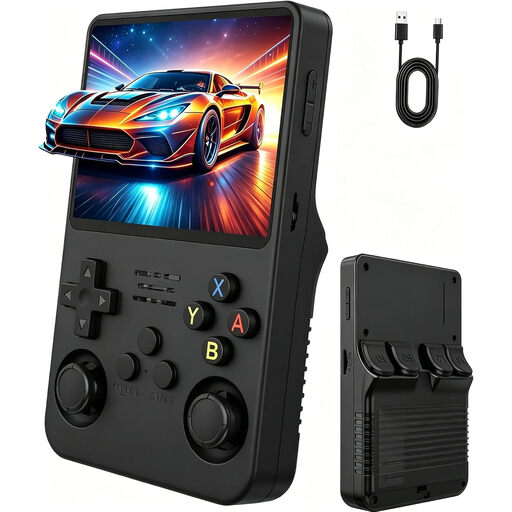 No image available
Retro handheld console, 3.5 inch, Natural Matt Black
A portable option for travelling; check that the puzzles you want and their controls work on the device.
3.5-inch IPS screen; two joysticks.
View at Joybuy
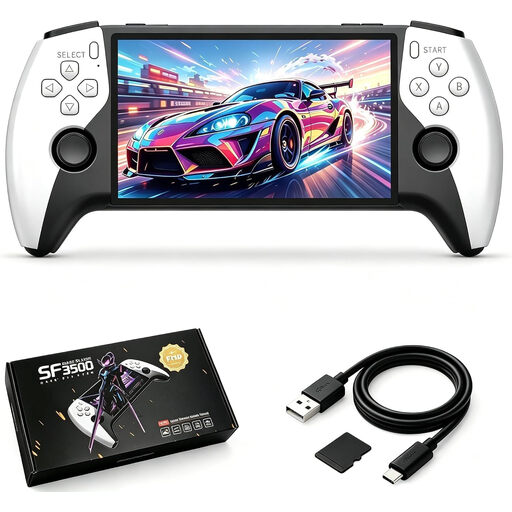 No image available
SF3500 retro handheld console, 5.5 inch, 32 GB
Designed for playing on the go; check that the games available match the puzzles you want to play before buying.
5.5-inch IPS screen; 32 GB memory card; USB-C charging.
View at Joybuy
 No image available
Retro handheld console, 300 pre-installed games, Grey
The product description lists pre-installed games for playing on the go; check whether it includes a suitable escape-room puzzle.
3.2-inch HD display; adjustable brightness.
View at Joybuy
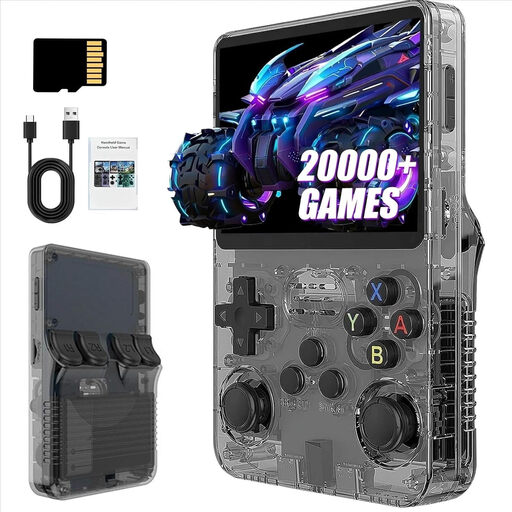 No image available
R36S Pro retro handheld console, 13 GB
A portable console for classic games; check which titles are available and whether their controls suit the puzzles you want to play.
3.5-inch screen; 13 GB; product name states over 21,000 pre-installed classic games.
View at Joybuy
No image available
R36S Pro retro handheld console, 31 GB
A portable console for classic games; check which titles are available and whether their controls suit the puzzles you want to play.
3.5-inch screen; 31 GB; product name states over 21,000 pre-installed classic games.
View at Joybuy
Frequently asked questions
Can I launch a Switch puzzle game I’ve bought at the airport without Wi-Fi?
It may work if the virtual game card is loaded on the console and the game itself can be played offline. Nintendo explains how to use a loaded virtual game card without an internet connection; you may need internet if the game has an online licence or requires a connection. Test the specific title offline before you travel.
How do I get a Steam puzzle game ready for a trip?
First, sign in online, update the files, launch the game you want to play and then set up Offline Mode. Steam Support recommends this preparation, but it won’t make a game that requires its own internet connection playable offline.
Do I need a second device to play How 2 Escape?
Yes. According to Nintendo’s German game page, two people play on separate devices, and the second player needs the accompanying smartphone app. If you want to play alone without a phone, this game isn’t right for you.
What should I know about my console and power bank if I’m flying after the wait?
The European Union Aviation Safety Agency recommends carrying portable devices with lithium batteries in your hand luggage. Its passenger information also says spare batteries and power banks must go in hand luggage, not checked baggage, and must be protected against short circuits. For use on board, permitted capacities and other requirements, also check the rules of the airline operating your flight.
Do I need to buy an extended warranty for the console?
An additional commercial warranty is separate from your statutory guarantee. According to consumer information from the European Union, for a relevant purchase from a trader, the statutory guarantee period is at least two years from the date you receive the goods. Check the terms of any additional warranty before paying extra for it.


