What should you look for when buying?
For camping, what matters is whether your chosen adventure will launch offline and how well the battery life and screen suit the conditions at your campsite.
Nintendo Switch 2
A good fit if: you want to play Switch 2 games or older Switch titles confirmed as compatible.
Bear in mind: Nintendo quotes battery life of 2–6.5 hours, depending on the software and features used; older titles are not all compatible.
Nintendo Switch OLED or Lite
A good fit if: the adventures you want to play are Switch games and you don’t need Switch 2 exclusives. The OLED model has a larger screen, while the Lite is designed for handheld play.
Bear in mind: Nintendo quotes 4.5–9 hours for the OLED model and 3–7 hours for the Lite. The Lite only supports titles with Handheld Mode and cannot connect to a TV.
SteamOS handheld
A good fit if: your adventures are in your Steam library and work on the specific device with its built-in controls.
Bear in mind: Valve quotes 3–12 hours for the Steam Deck OLED, depending on the content. Games that require an active internet connection or an external launcher may not launch offline.
Windows handheld
A good fit if: your PC adventure requires a store or launcher available on Windows, and you can test the installation and offline launch beforehand.
Bear in mind: battery capacity in Wh doesn’t tell you how long you can play your game; check the sign-in and launcher requirements for the specific title too.
| What matters |
What to check before buying |
Who is it important to? |
| Launching offline |
Install and update the game, launch it online, then test that it launches without an internet connection. For software key cards, allow time for the download and make sure there’s enough free storage. |
If I want to play at the campsite without Wi-Fi, I want to be able to launch my specific game offline beforehand. Around 29% of consumers put offline access first. |
| Playing time without a power socket |
Compare the figures for the exact model and the game you plan to play; consider how you’ll charge it during longer stays. |
If there will be long gaming sessions between charging opportunities, I want a realistic idea of how long my game will run. Around 29% of consumers prioritise playing time without a power socket. |
| Game compatibility |
Check that the titles and versions you want work on the platform and with its controls, and meet the offline requirements; check older Switch games individually. |
If I want to carry on playing adventures I already own, I want to know before buying whether they’ll actually run on the device. Around 24% of consumers check their game library first. |
| Screen and handling |
Consider text size in the game you want to play, reflections where you’ll use it and how comfortable it is to hold. |
If I want to read dialogue and map text outdoors, I look for a suitable screen and comfortable handling. Around 18% of consumers put readability and handling first. |
Joybuy products for gaming on the go
This selection includes retro handhelds with pre-installed games, as well as Nintendo and Windows handhelds. For the adventures you want to play, check the platform, version and offline launch before you leave.
 No image available
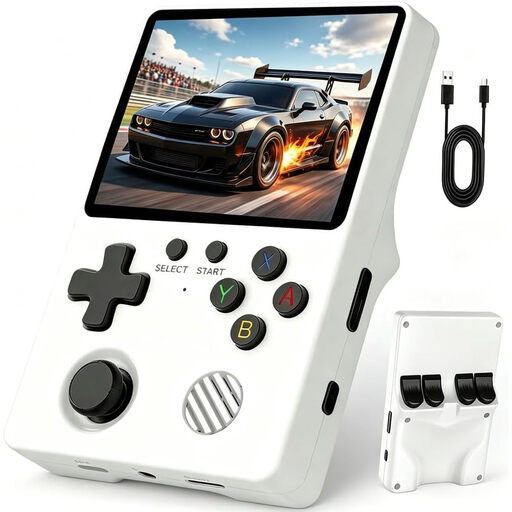
Retro handheld console with a 3.5-inch IPS display
For classic adventures on the go; check whether the pre-installed selection includes the games you want and whether they’ll launch offline.
3.5-inch IPS display.
View at Joybuy
 No image available
Retro handheld games console, grey
For adventures from a pre-installed selection; check before your trip that it includes the titles you want and that they’ll launch offline.
300 pre-installed games; 3.2-inch HD display; rechargeable battery.
View at Joybuy
 No image available
Nintendo Switch OLED model, white
For adventures that run on Nintendo Switch and can be played in Handheld Mode. Nintendo quotes 4.5–9 hours of battery life for the OLED model, depending on use.
Protect from moisture.
View at Joybuy
 No image available
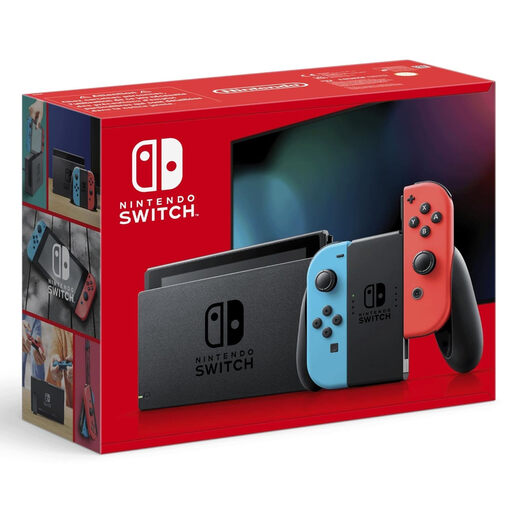
Nintendo Switch, neon red/neon blue
For adventures compatible with Nintendo Switch. Before your camping trip, check that the specific title will launch without an internet connection after installation and sign-in.
Protect from moisture.
View at Joybuy
 No image available
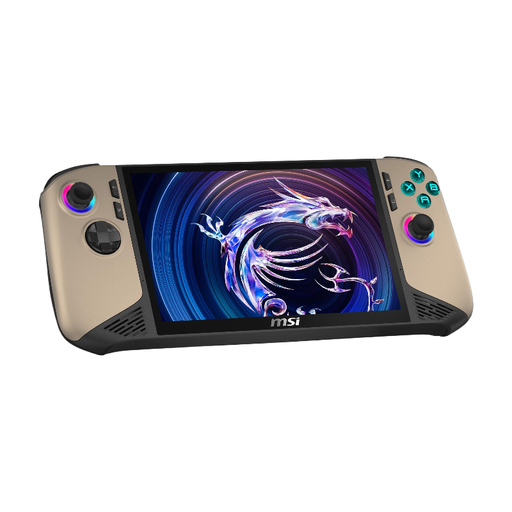
MSI Claw 8 AI+ gaming handheld
For compatible PC adventures, provided their requirements and launchers work on Windows; test offline launch before you leave.
Windows 11 Home; 8-inch FHD+ touchscreen with 120 Hz; 32 GB RAM; 1 TB SSD.
View at Joybuy
Frequently asked questions
Is a physical Switch 2 game card enough to start playing straight away at the campsite?
Not always. According to Nintendo Germany, software key cards don’t contain the full game and require an internet connection and enough storage for the initial download. Check the label on your copy and download the game before you leave.
How do I get a Steam adventure ready for a campsite without Wi-Fi?
Sign in online, update and launch the game, then test launching it again without an internet connection. According to Valve’s Steam Support, titles that require an active internet connection or an external launcher won’t work in offline mode.
Can I use my standard microSD card to store Switch 2 games?
No. Nintendo requires a microSD Express Card for expandable storage used for games. You’ll also need to install a system update over the internet the first time you use one.
What are my rights in Germany if a handheld bought online is faulty?
Your statutory rights are against the seller, and are separate from any voluntary manufacturer’s warranty. If a product is faulty, the first step may be a repair or replacement. Online purchases also generally come with a 14-day right to cancel, but the conditions for this are separate from your rights when a product is faulty. The Verbraucherzentrale explains these differences.
What should I check to make sure a handheld sold in Germany meets the relevant requirements?
Check the details for the specific product listing, including the CE marking, manufacturer information and German-language instructions. The Bundesnetzagentur lists these points as part of its market surveillance of electronic products; a symbol in a search result doesn’t prove that the product on offer has been individually checked.


