Offline players
If you won't have reliable internet access while travelling, download your chosen game in advance, launch it for the first time and test it offline. Nintendo and Valve each set out conditions for certain games or types of game.


Choose a handheld based on whether it can run the adventure games you want to play: Nintendo models are an option for compatible Switch titles, while the Steam Deck OLED and Windows handhelds are suited to compatible PC games. Before setting off, check that your specific game can be downloaded, launched for the first time and played offline. Battery life depends on the game, and PlayStation Portal uses Wi-Fi for the PS5 Remote Play described here. During the journey, gaming is for passengers; drivers are subject to the restrictions set out in § 23 StVO (Federal Ministry of Justice).
If you won't have reliable internet access while travelling, download your chosen game in advance, launch it for the first time and test it offline. Nintendo and Valve each set out conditions for certain games or types of game.
If you already own Nintendo or Steam games, check that each title you want to play is compatible with the handheld before buying. Nintendo notes that some older Switch games may have limitations; Valve's Steam Deck compatibility information relates to individual games.
If you're playing for longer stretches, consider battery life for the games you play, the device's weight and whether you can charge it from your seat. Manufacturer estimates for battery capacity or battery life are no substitute for checking how your particular game performs.
For a car journey, first check which games you want to play and whether they work offline. Then consider battery life, charging options and how easy the device is to use from your seat.
| What matters | What to check before buying | Who is this important to? |
|---|---|---|
| Playing offline | Check the download, updates, storage requirements and any first-launch requirements before your journey; then test the game without an internet connection. | If I expect to lose signal, I want to be able to start my adventure without a connection. Around 36% of consumers put offline readiness first. |
| Playing games you already own | Check the platform version, compatibility and any required controls for every title you want to play. | If my adventure games are already in a library, I want to know which ones will actually run on my new device before I buy it. Around 29% of consumers prioritise games they already own. |
| Playing without access to a socket | Check the battery life stated for the specific model and game, and see what power options are available at your seat. | On longer stretches, I don't want to have to guess how long I can play based on the Wh rating alone. Around 21% of consumers pay particular attention to battery life. |
| Ease of use from your seat | Compare the device's weight, size and controls with the space available; the person driving must not play or set up the device. | If there's limited space in the passenger seat or I'll be holding the device for a long time, size and weight matter particularly to me. Around 14% of consumers prioritise a compact design that's easy to handle. |
Nintendo says that software key cards don't contain game data, so an internet connection is needed the first time you launch a game.
Check the card type and storage requirements, download the game at home and launch it for the first time before setting off.
You may need extra storage space for the download.
Battery capacity alone doesn't tell you how long your particular adventure will run. Valve gives a game-dependent battery life of 3 to 12 hours for the Steam Deck OLED; Nintendo also provides battery life estimates that vary by model and game.
Compare the battery life stated for the specific model separately from its Wh rating, and plan a suitable charging option.
Switching to a different handheld doesn't automatically make your existing games compatible. Nintendo notes that some older Switch titles may have limitations on Switch 2; on Switch Lite, some games with Joy-Con features require separate controllers.
Check each title you want to play and the controls it requires before choosing a device.
Switch 2 is aimed at players of compatible new and older Switch games; Switch OLED offers handheld, tabletop and TV modes, while Switch Lite is designed for handheld play.
The Steam Deck OLED is worth considering if the adventures you want to play are in your Steam library and are compatible with the device.
The ROG Ally X (2024), model RC72LA, is a Windows handheld for compatible PC games.
The Legion Go Gen 2 may suit you better if a larger screen and detachable controllers matter more than having the smallest possible handheld.
The Claw 8 AI+ A2VM-015 is a Windows option for compatible PC adventures.
PlayStation Portal is a Remote Play option for compatible games on a PS5, not a standalone handheld that installs games for offline play.
The Joybuy products below range from retro handhelds to Nintendo and Windows devices. For each model, check whether it can run the adventure games you want to play and whether they work offline.
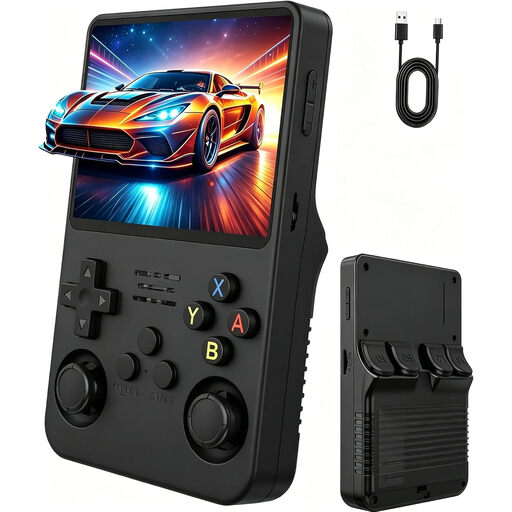 No image available
The product description lists adventure as a game genre and describes the device as a portable console.
Features include a 3.5-inch IPS display, two joysticks and a built-in battery.
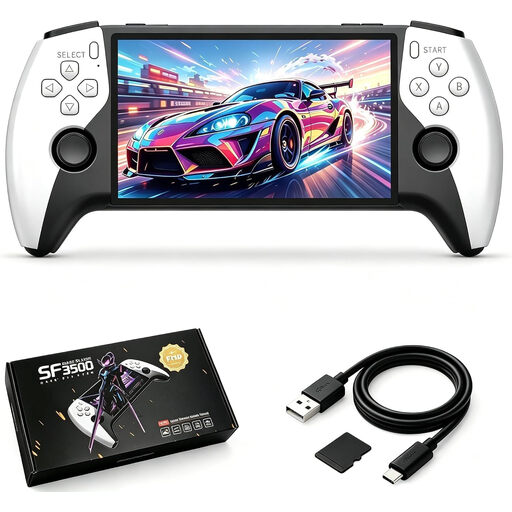 No image available
The product description mentions a pre-installed games library for gaming on the go.
Features include a 5.5-inch IPS display, 32 GB of storage and USB-C charging.
 No image available
The product description lists adventure as one of the included game genres and mentions travel as a use case.
Features include 300 pre-installed games, a 3.2-inch HD display and a rechargeable battery.
 No image available
For compatible Switch games, this model offers handheld and tabletop modes.
Features include a 7-inch OLED screen, 64 GB of internal storage and an adjustable stand.
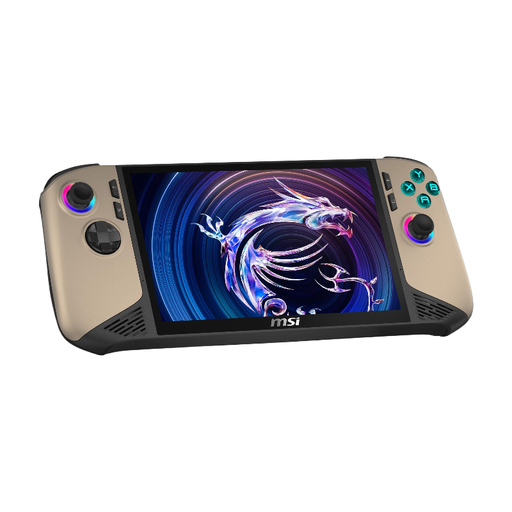 No image available
This Windows handheld is an option for PC adventures, provided the specific title is compatible with the device.
Specifications include Windows 11 Home, an 8-inch FHD+ touchscreen with a 120 Hz refresh rate, 32 GB RAM, 1 TB SSD, 80 Wh and a weight of 795 g.
No, you shouldn't assume that. Switch 2 software key cards require the game data to be downloaded first, and an internet connection is needed for the first launch. Steam says that most games need to be launched online once before you can play them offline. Test the exact title without a connection before setting off.
Check each title you want to play for the specific platform and model. Nintendo notes that some older Switch games may be limited or incompatible on Switch 2; for Steam, Valve's compatibility rating provides information about individual games but isn't a substitute for testing them offline.
Check that the power supply for your specific model is suitable for the connection available at the passenger seat, and charge the device before setting off. Valve lists a 45 W USB-C PD power supply for the Steam Deck OLED; ASUS lists a 65 W power supply for the ROG Ally X (2024) and notes that what’s included may vary. Neither tells you how long a specific adventure will run.
Drivers are subject to the restrictions set out in § 23 StVO, which also covers consumer electronic devices (Federal Ministry of Justice). Gaming is therefore for passengers; seat belts must be worn while the vehicle is moving.
For the PS5 Remote Play described by Sony, Portal accesses a PS5 over Wi-Fi. Don't plan to use it this way on your journey without a suitable connection; this doesn't mean that every other type of use necessarily requires one.
Nintendo specifies microSD Express for expanding storage; a system update over an internet connection is required. Nintendo says that standard microSD cards can only be used on Switch 2 to copy screenshots and videos from Switch.