What should you look for when buying?
First check the game and whether it can start offline, then consider readability and power needs. After that, you can decide whether a larger or more versatile device is worth the extra size and features for your journey.
| Buying priority |
What to check |
Who is it important to? |
| Game and controls |
Check the specific title and platform, and whether it supports buttons, touch controls or a controller. |
If I want to play a particular puzzle while travelling, it needs to be available on the device and easy to control. Around 28% of consumers put finding the right game and controls first. |
| Starting without internet |
Set up the game and offline mode in advance, then test that it starts without a connection. |
If I expect poor signal, I want to be sure the game I’ve prepared will start without a connection. Around 22% of consumers prioritise being able to start offline. |
| Battery and charging |
Compare the parts of your journey without access to charging with the manufacturer’s figures, and test your game at your preferred brightness. |
If I have long stretches ahead without a chance to charge, the power needs of the game I’m actually playing matter. Around 22% of consumers put battery life and charging first. |
| Readability and controls |
Try your usual grid on the screen and check that the controls work for the specific game. |
If small numbers and squares are hard to see, I need a screen and controls that make the grid easy to follow. Around 17% of consumers prioritise readability and controls. |
| Portability and features |
Compare the device’s weight and the storage you’ll need. Also check which games and accessories are included. |
If I only want to take a handy device for puzzles, I don’t want to pay for or plan around features I don’t need. Around 11% of consumers prioritise compact portability and the features they’ll actually use. |
Joybuy products
This selection includes portable consoles. For the retro devices, check specifically whether your chosen logic grid puzzle is included and easy to control. On the Switch Lite, Switch games must support handheld mode.
 No image available
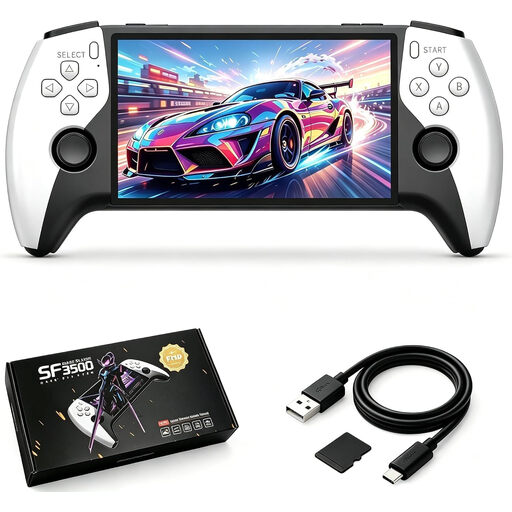
SF3500 handheld console, 5.5 inches, 32 GB
The product description mentions a pre-installed collection of classic games, but doesn’t name a specific logic grid puzzle. Before buying, check that your chosen puzzle is available and easy to control.
Listed in the product name: 5.5-inch IPS screen and 32 GB.
View at Joybuy
 No image available
Handheld games console with 300 games, 3.2 inches, Grey
The product name mentions pre-installed games, including the puzzle genre, but doesn’t specify any particular logic grid puzzle. Check whether a suitable title is included and how it’s controlled.
Listed in the product name: 3.2-inch HD screen and 300 pre-installed games.
View at Joybuy
 No image available
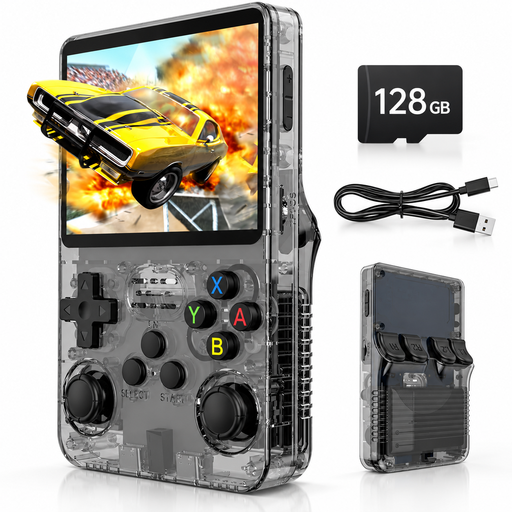
Handheld console, 3.5 inches, 128 GB, Black/Gray
The product name mentions pre-installed games, but doesn’t specify a logic grid puzzle. Before buying, check that your chosen puzzle is included and can be played with the controls.
Listed in the product name: 3.5-inch IPS screen, 128 GB storage and 20,000 pre-installed games.
View at Joybuy
 No image available
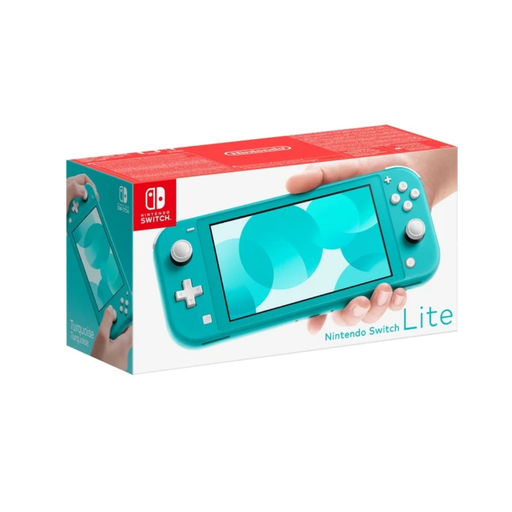
Nintendo Switch Lite, Turquoise
It’s suitable for a Switch puzzle game if the title supports handheld mode. Nintendo lists PICROSS S as a suitable example of a number puzzle.
Nintendo lists a 5.5-inch screen and battery life of around 3 to 7 hours for the Lite, depending on software and features. This isn’t a guaranteed play time for your game.
View at Joybuy
 No image available
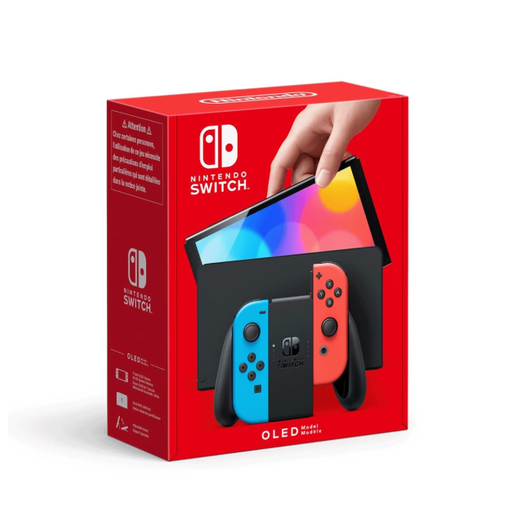
Nintendo Switch OLED, Neon-Red/Neon-Blue
If a larger screen matters to you for Switch puzzles, this model has a 7-inch OLED screen. Also check that the controls work for the game you want to play.
Nintendo lists battery life of around 4.5 to 9 hours for the OLED model, depending on software and features. This isn’t a guaranteed play time for any particular puzzle.
View at Joybuy
Frequently asked questions
Can I play a digital puzzle in the car without internet?
Yes, as long as the game and offline access are set up properly on the device you’re taking. According to Nintendo, a Switch game can run without internet if its virtual game card is loaded on the console you’re using; starting a card that isn’t loaded via an online licence requires a connection. Steam recommends preparing games and updates in advance, and testing offline mode. The specific game may have its own requirements.
Do I need an internet connection before travelling to play PICROSS S?
You’ll need to connect the console to download the game and make sure there’s enough storage space. Set the game up before you travel and test that it starts without a connection. Whether you need additional controllers depends on the game mode you choose.
What extra purchases should I check before buying?
Check whether the puzzle game you want is sold separately and whether there’s enough storage available. Nintendo lists 32 GB of system storage for the Switch Lite, some of which is reserved for the system. A compatible microSD card for expanding storage is sold separately.
Can the driver play puzzles on a handheld console while driving in Germany?
No, the driver shouldn’t use a console to play puzzles while driving. Section 23 of the German Road Traffic Regulations (StVO) covers drivers’ use of electronic devices, including consumer electronics. In particular, the device must not be picked up or held while driving, and drivers must keep their eyes on the road in accordance with the legal requirements. This guide is intended for passengers.
Is playing games on a screen a good distraction if you get travel sick?
Not necessarily. The ADAC notes that looking at a mobile phone or games console doesn’t help children affected by travel sickness. If you or your child feel unwell when looking down, plan a screen-free activity instead of playing grid puzzles for a long time.


