Offline gamers
You want to enjoy a quick game while you wait, without relying on airport Wi-Fi. What matters is whether the specific game works offline and whether you’ve set it up before travelling.


Start by choosing the specific card game you want to play, then check before your trip that it launches offline on that exact console. The Nintendo Switch Lite is a lightweight option for compatible Switch games; the Steam Deck is a better fit if you already have a Steam library, while a Windows handheld may suit you if you need a particular PC gaming platform. Manufacturers’ battery-life claims don’t guarantee how long your game will run with your settings.
You want to enjoy a quick game while you wait, without relying on airport Wi-Fi. What matters is whether the specific game works offline and whether you’ve set it up before travelling.
You’re looking for a console that’s easy to pack and weighing up a smaller screen against weight and space. The Nintendo and Valve devices mentioned here have different stated weights.
Before you buy, you want to check that your PC game library works on the handheld and that games can launch offline.
First, check that your chosen game is available on the console and can be played offline. Then compare battery capacity, weight and platform.
| What matters when buying | What to check | Who should pay particular attention? |
|---|---|---|
| Playing offline | Install the game, launch it online for the first time, then test it offline on the exact console you’ll take on your trip. | If you want to play at the airport without reliable Wi-Fi, it’s especially important to test that the game launches offline. Around 36% of consumers put this first. |
| Battery capacity | Check the battery details and the exact device model; don’t plan around the manufacturer’s maximum battery-life claim. | If you can’t be sure of charging during a longer wait, having enough battery capacity matters. Around 29% of consumers prioritise this. |
| Weight and size | Compare the weight, including any controller you need, and the screen size of the specific model. | Weight and size matter most if you’re short on hand-luggage space or plan to hold the device for a long time. Around 21% of consumers put this first. |
| Games you already own | Check which platform the game runs on, and whether the controls and, where relevant, handheld mode are suitable. | If you want to keep playing card games you already own, choosing a console with the right game library is essential. Around 14% of consumers prioritise this. |
Downloading a game doesn’t necessarily mean it will launch without an internet connection. Nintendo says a first online launch is required for downloaded virtual game cards. Steam warns that games requiring an active online connection or an external launcher won’t work offline.
Install the game you want before travelling, launch it online, then test it without an internet connection on the console you’ll take with you.
Manufacturers’ figures apply to specific models and usage conditions. Battery capacity alone doesn’t tell you how long a particular card game will run.
Allow for extra battery capacity, and distinguish between battery capacity, the manufacturer’s stated battery-life range and your own tested play time.
For one Steam Deck OLED listing, the brand and model details don’t match. Unclear product information can make it harder to choose the right version.
Before buying, check the brand, full model name and variant details on the specific product page.
The Switch Lite is worth considering for compatible Switch games in handheld mode; the Switch 2 has a larger screen and gives you access to Switch 2 software.
The Steam Deck OLED is a good fit if the card games you want to play are in your Steam library.
The ROG Ally X (2024) is a Windows option if it supports the PC gaming platform you need.
The Legion Go S is worth considering if a 8-inch screen matters to you and you choose the operating system version you want.
The Claw 8 AI+ is a larger Windows option for compatible PC games.
This selection includes portable retro handhelds and a Nintendo Switch Lite. For each device, check whether your chosen card game is included or available for that platform.
 No image available
Described as a portable gaming option for travel; before buying, check whether your chosen card game is included or available.
3.2-inch screen; 300 pre-installed games according to the product description.
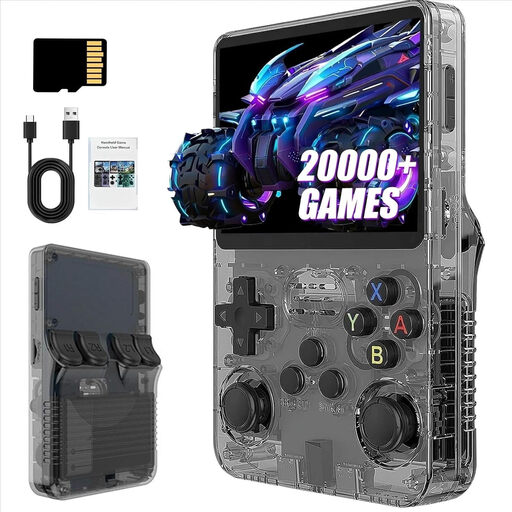 No image available
Described as a portable console with pre-installed games; check the games list against the card games you want to play.
3.5-inch IPS screen; 13 GB storage according to the product title; more than 21,000 pre-installed classic games according to the description.
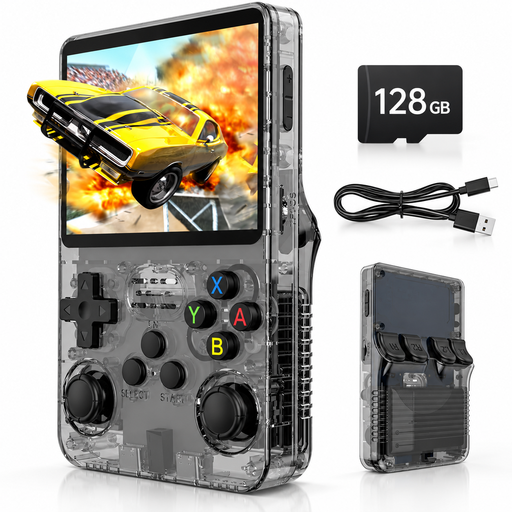 No image available
Described as a device for gaming on the go; check that your chosen card game works with the listed system and game selection.
3.5-inch IPS screen; 128 GB storage; Linux system; more than 20,000 pre-installed games according to the product description. It also lists a play time of up to 8 hours.
 No image available
Described as a portable handheld console; check beforehand that your specific card game works on the device.
4-inch IPS screen; 3,200-mAh battery; the description lists 6–7 hours of play time and support for more than 30 game formats.
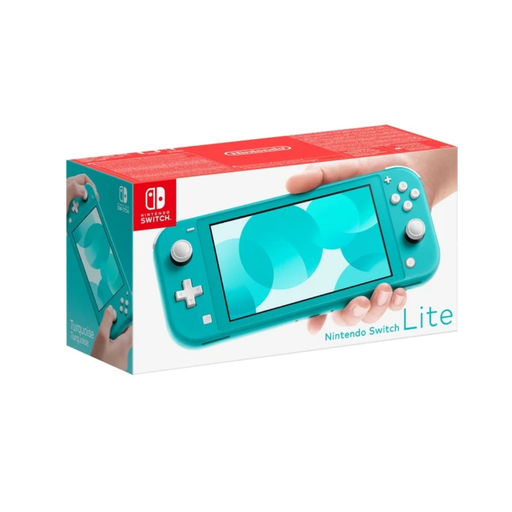 No image available
Suitable for Switch games that support handheld mode; check that your chosen card game is compatible.
5.5-inch screen; 32 GB storage and around 3–7 hours of battery life for this model range, according to Nintendo.
No TV output; supports Switch games with handheld mode.
Not necessarily. Nintendo says you need an internet connection the first time you launch a downloaded game. Steam recommends installing all updates and launching the game successfully before switching to offline mode; games that require an active online connection or an external launcher won’t work offline.
Install the game and its updates before you travel, then test it without an internet connection on the exact device you’ll be taking with you. If you’re moving a virtual Nintendo game card between consoles, download it to your travel console in good time.
EASA recommends carrying portable electronic devices in your hand luggage. For lithium-ion batteries in portable devices, it generally sets a limit of 100 Wh; batteries between 100 and 160 Wh require airline approval. Also check your airline’s current rules for carrying and using devices on board.
No. EASA treats power banks as spare batteries, which must go in your hand luggage. Its safety guidance also advises against charging power banks during a flight or using them to charge other devices. Follow your airline’s latest instructions too.
No. When you buy as a consumer, your statutory rights are with the seller; a manufacturer’s warranty is an additional voluntary promise with its own terms and conditions. The European Union explains that consumer goods are covered by a legal protection period of at least two years.