Start by checking the specific hidden object game you want to play and how it’s controlled. A Switch Lite could be suitable if the game supports handheld mode, while a PC handheld is a better fit for a compatible PC game library. A larger screen can make small objects easier to spot, but that doesn’t mean every game will be easy to control on it. Download and launch your games before you travel, then test them without an internet connection.
Who are the different handhelds suitable for?
Players who want to play offline
If the Wi-Fi at your holiday home is unreliable, download and sign in to your games, then launch them and test offline play before you go. Steam recommends updating and launching the games you want to play while you have an internet connection.
Players who search for small details
If you spend a long time looking for individual objects in detailed scenes, consider the screen size and how the specific game is displayed. Nintendo lists a 7-inch screen for the Switch OLED model, but a larger screen alone doesn’t guarantee better visibility in every game.
Players with a PC game library
If you want to play existing or planned PC hidden object games on the go, check each title’s compatibility and controls instead of choosing based on the device name alone. Valve lists compatibility on a game-by-game basis for Steam titles.
What should you look for when choosing?
First, decide which game you want and which platform it’s available on. Then check that it launches offline and that its controls work for you. Only then can you weigh up whether a larger screen or a more compact device matters more for your stay.
| Buying criterion |
What to look for |
Who it matters most to |
| Game selection and offline play |
Check the platform, language and controls for the specific title. Install and launch it before you travel, then test offline mode. |
If I want to play at my holiday home without reliable Wi-Fi, the main thing for me is whether the game I want actually launches. Around 40% of consumers put game availability and offline play first. |
| Spotting hidden objects |
Compare the screen and how the game is displayed. Check whether the title offers touch controls or zoom features. |
If I spend a long time searching for small objects, I want to be able to make them out clearly on the device I choose. Around 30% of consumers prioritise being able to spot hidden objects. |
| Controls and portability |
Check the game modes and controls on the exact model, and consider whether you’d rather play holding it or with the console propped up. |
If I want to use the device at my holiday home and on the go, a comfortable way to play matters as much to me as a portable design. Around 20% of consumers prioritise portability and how they play. |
| Games and extra costs |
Factor in the storage you’ll need and any separately sold add-ons. Check the game’s information for details of in-game purchases. |
If I want to keep an eye on my total spending, I consider the device, games and any possible add-on purchases together. Around 10% of consumers prioritise these overall costs. |
Which assumptions should you avoid?
-
A downloaded game will automatically work offline
You may still need an internet connection to sign in, download updates or launch a game for the first time. Requirements also vary by title.
Install and launch your games at home, then check before you leave that they work without a network connection.
-
A larger screen makes every hidden object game easier
Screen size alone doesn’t tell you whether a particular game will display and play well on a device.
Check game compatibility and controls first, then compare screen sizes and the way you prefer to play.
-
A free game will always stay free
The Verbraucherzentrale notes that in-game purchases can lead to extra costs, even in games that are initially free. Some hidden object games may also offer paid add-ons.
Check the purchase information and available add-ons for the specific game before you play.
In-game purchases or add-ons can make a game more expensive beyond its initial purchase price.
Which brands and types of device are worth considering?
Nintendo
The Switch Lite, Switch OLED and Switch 2 differ in how they support handheld play and other game modes. Nintendo lists hidden object games for Switch.
- The Switch Lite is suitable for games that support handheld mode.
- The Switch OLED model has a 7-inch screen, while other Switch models offer additional game modes depending on the device.
- Nintendo recommends checking compatibility with Switch 2 individually for each older Switch game. Offline play also depends on the specific game and how you prepare it.
Valve
The Steam Deck OLED is aimed at players who want to play compatible PC games from their Steam library on the go.
- Valve lists a 7.4-inch touchscreen and two trackpads.
- Compatibility is listed for individual titles; ‘Unknown’ doesn’t confirm that a game will work. Steam recommends updating and launching games before using them offline.
ASUS
The ROG Ally X (2024) RC72LA is a Windows handheld for buyers looking to play compatible PC games.
- For the German model page, ASUS lists Windows 11 Home and an 80-Wh battery.
- Battery capacity doesn’t tell you how long a hidden object game will run. Also check which charger is included with the specific model.
Lenovo
The Legion Go Gen 2 is a Windows handheld for players who want a large screen and detachable controllers.
- Lenovo lists an 8.8-inch OLED screen and detachable controllers for the model family.
- Features and game performance depend on the specific configuration and title. A large screen doesn’t confirm that a game is compatible.
MSI
The Claw 8 AI+ A2VM is a Windows handheld option with a touchscreen.
- MSI lists Windows 11 Home, an 8-inch touchscreen and an 80-Wh battery for this model.
- Manufacturer claims about performance or battery life aren’t an independent test of hidden object games. Check that the title you want is compatible and can launch offline.
Handhelds at Joybuy
This selection includes portable retro games consoles, a Nintendo Switch Lite and a Windows handheld. For each device, check whether your chosen hidden object game is available and can be launched offline before you travel.
 No image available
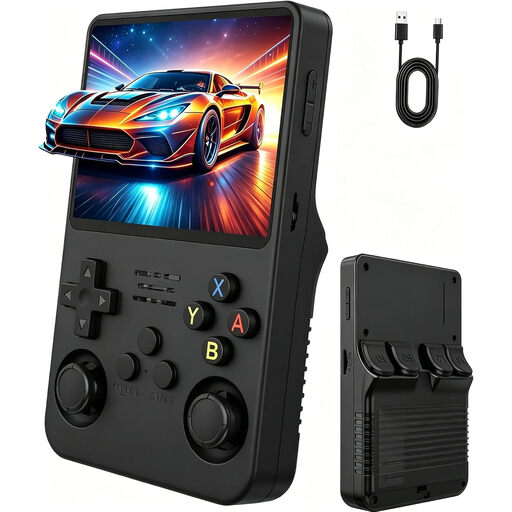
Handheld Retro Game Console, 3.5 inches, Natural Matt Black
A portable retro console for anyone looking for a compact device. Check whether your chosen hidden object game is included or available.
The product name lists a 3.5-inch IPS screen and two joysticks.
View at Joybuy
 No image available
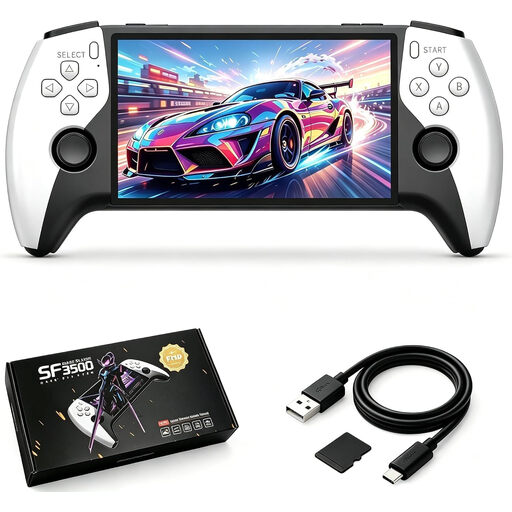
Retro Handheld Console SF3500, 5.5-inch IPS
This larger handheld could be a good fit if you’re looking for more screen space than a particularly compact device offers. Check that your chosen game is available.
The product name lists a 5.5-inch IPS screen.
View at Joybuy
 No image available
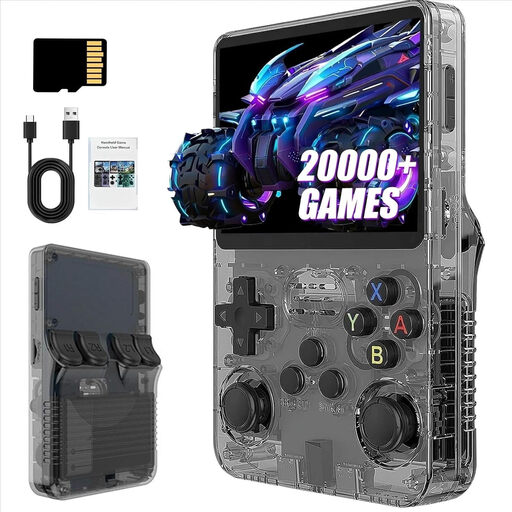
R36S Pro Handheld Console, 3.5 inches, 31 GB
A portable retro console for buyers who want to play classic games on the go. Before buying, check that your chosen hidden object game is available and launches without an internet connection.
The product name lists a 3.5-inch screen and 31 GB of storage.
View at Joybuy
 No image available
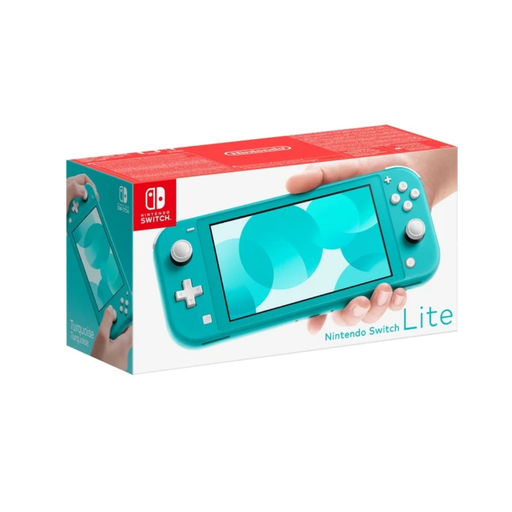
Nintendo Switch Lite, turquoise
A good fit if you mainly want to play Switch hidden object games in handheld mode. According to Nintendo, the Lite is suitable only for games that support this mode.
The device is designed for handheld play and has no TV output.
View at Joybuy
 No image available
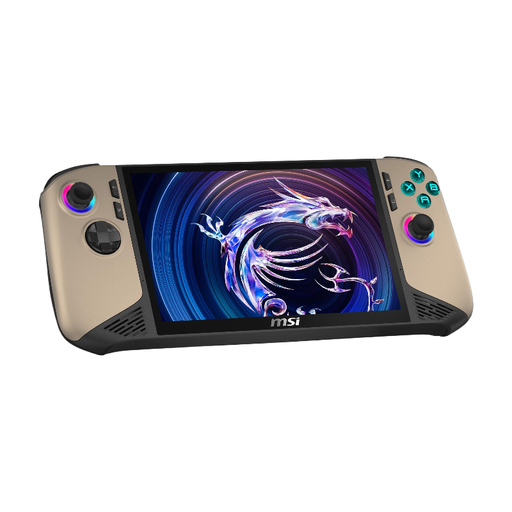
MSI Claw 8 AI+ Gaming Handheld
This could be a good fit if you’re looking for a Windows handheld to play compatible PC games. Check the compatibility and offline launch requirements for each hidden object game you want to play.
The product name lists an 8-inch FHD+ screen with 120 Hz, 32 GB RAM, 1 TB SSD and Windows 11 Home.
View at Joybuy
Frequently asked questions
Can I play digital Switch hidden object games without Wi-Fi?
According to Nintendo, a virtual game card loaded onto the console can be played without an internet connection. Download the game you want before travelling and test that it launches without Wi-Fi. This doesn’t mean every title will work entirely offline.
How do I get a Steam Deck ready for my holiday home?
Steam recommends updating the game files while you’re connected to the internet and launching each game you want to play before switching to offline mode. Also check the compatibility rating for each title.
Are older Switch games automatically compatible with Switch 2?
Don’t assume that every game will be fully compatible. Nintendo recommends checking each older Switch title you want to play individually for compatibility with Switch 2.
Is a larger screen always better for hidden object games?
Not necessarily. A larger screen alone doesn’t tell you how well a specific game will look or play. Try the title on the device in question and check whether it offers touch controls or zoom features.
How can I keep track of possible extra costs?
Check whether the specific game offers in-game purchases or paid add-ons. For digital games, also consider whether you’ll need additional storage.


