Travellers who want to play offline
You want to get your hidden object games ready before you leave and keep playing at the airport, even without reliable Wi-Fi.


A Nintendo Switch Lite is a good fit for hidden object games at the airport if your chosen titles support handheld mode and low weight matters more to you than a large screen. The Switch OLED model gives you more screen space, while a Steam Deck is worth considering if you already own PC games. For Steam titles, check compatibility and offline playability individually before you travel: according to Steam, most games need to be launched online first.
You want to get your hidden object games ready before you leave and keep playing at the airport, even without reliable Wi-Fi.
You want a device that’s easy to take out of your bag during short waits and comfortable to hold while you play.
You want details to be easy to make out, or you’d like to play your existing PC games on a handheld.
First, check that your specific games run on the device and work without an internet connection. Then compare comfort, screen size and how you’ll manage power while you wait.
| What matters | What to check before buying | Who is this important to? |
|---|---|---|
| Playing offline | Install games in advance, launch them online and test them without a connection; online features aren’t automatically available offline. | If I want to play at the airport without reliable Wi-Fi, I want to make sure my games will launch before I travel. Around 28% of consumers prioritise getting ready to play offline. |
| Easy to carry | Compare the dimensions and weight with the controllers attached, and consider which play mode you’ll need. | For short breaks, I want a device that’s easy to carry and comfortable to hold. Around 22% of consumers prioritise a compact design for travel. |
| Screen and controls | Check the screen size and the input options available on both the device and the specific game. | When searching for small objects, I want to see the details clearly and select them easily. Around 22% of consumers pay particular attention to screen size and controls. |
| Access to games | Check each of your favourite titles for platform availability, handheld or Deck compatibility, and any online features they require. | If I already own certain games or have specific titles in mind, I need access to those exact games. Around 17% of consumers prioritise the games library they want. |
| Battery and air travel | Don’t assume the manufacturer’s figures guarantee a particular play time for a specific game; check your airline’s rules for devices and power banks. | For longer waits, I want to plan play time and power around the journey ahead. Around 11% of consumers focus on battery life and taking their device with them. |
Nintendo quotes around 3–7 hours for the Switch Lite and around 4.5–9 hours for the Switch OLED model; actual battery life depends on the software being used, according to Nintendo. Valve quotes a 50-Wh battery and 3–12 hours of gameplay for the Steam Deck OLED. These manufacturer figures don’t guarantee a specific amount of play time for any particular hidden object game.
The Lite supports Switch games that have handheld mode; some Joy-Con features aren’t available using the device on its own.
Before buying, check the play mode and any special control requirements for each game you want to play.
Some game features may require additional Joy-Con and a suitable way to charge them.
According to Steam, an initial online launch, updates or external launchers may prevent you from playing without an internet connection.
Launch each game you want to play before travelling, then test it with the network connection turned off.
Nintendo and Valve point out that battery life varies depending on the game or software being used.
Allow for some extra battery during longer waits, and check your airline’s rules before taking a power bank with you.
The Switch Lite is designed for handheld play, while the Switch OLED model offers a larger screen and additional play modes.
The Steam Deck OLED is an option for players who want to use hidden object games from their Steam library.
The Legion Go Gen 2 is aimed at players who prefer a large handheld screen for PC games.
The ROG Ally range is a Windows handheld alternative for PC game libraries.
This selection includes handhelds for Switch games, as well as PC and other portable games. For each model, check that the games you want are available and support the controls and offline play you need.
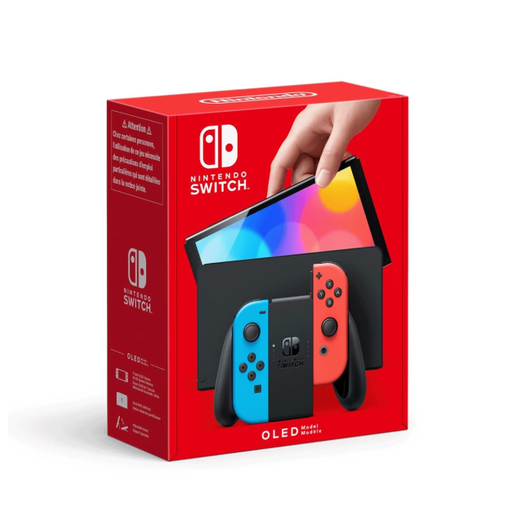 No image available
A good choice for search scenes where you’d prefer a larger screen to an especially lightweight device; check the controls for each game.
The Switch OLED model has a 7-inch OLED screen and 64 GB of internal storage.
 No image available
If you also want to play Switch 2 games, check the compatibility of each of your existing Switch titles individually.
Nintendo notes that some Switch games may not be compatible, or may not be fully compatible.
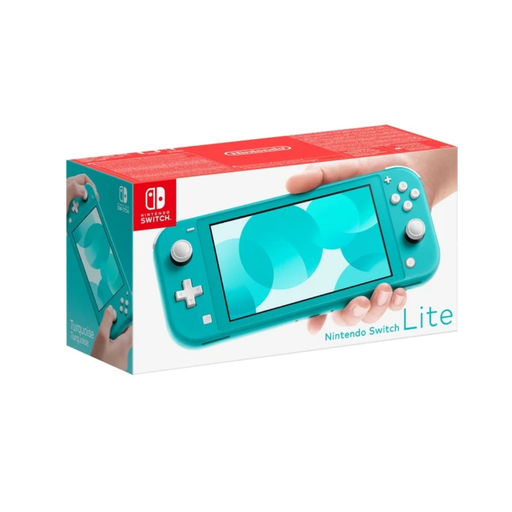 No image available
For short gaming breaks with less to carry, as long as your chosen Switch games support handheld mode.
No TV output; designed for handheld play.
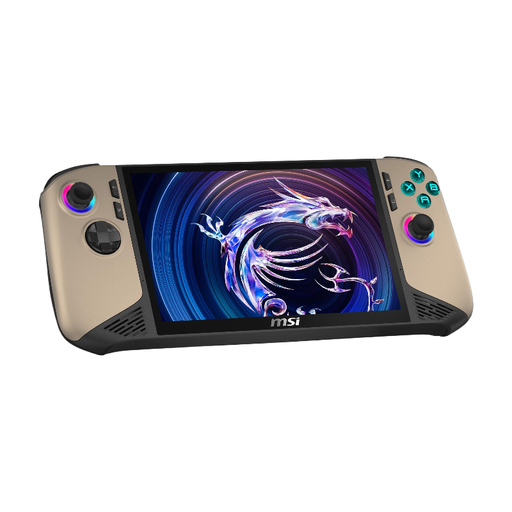 No image available
If you want to play PC games, check compatibility in advance and make sure your chosen titles work offline.
8-inch FHD+ touchscreen with 120 Hz, 32 GB RAM, 1 TB SSD and Windows 11 Home.
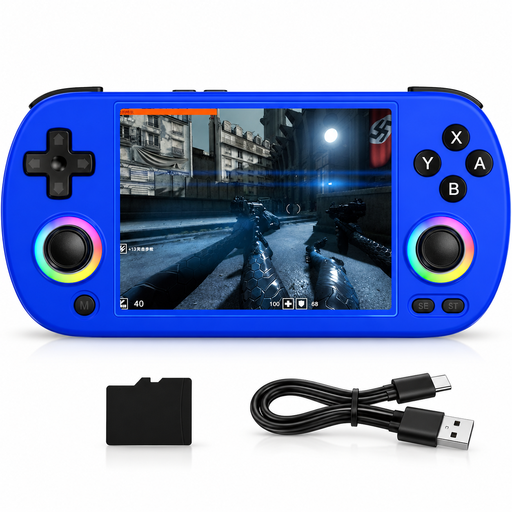 No image available
Before buying, check that your chosen hidden object games are available on the device and work with the controls it offers.
4-inch IPS screen; the product name lists Wi-Fi, Bluetooth, HDMI and TV output.
Not every game. Steam recommends updating the client and game online, then launching the game you want to play in advance. According to Steam, games that require an active connection or an external launcher won’t work in offline mode.
No, you can’t assume they will. The Switch Lite supports Switch software with handheld mode; Nintendo notes that some Switch games may not be compatible, or may not be fully compatible, with Switch 2. Check the specific game before you buy.
Download the games you want in advance, launch them, and test the controls and offline play. For Steam titles, also check whether any updates or installations are needed, as an initial online launch may be required.
Check the specific product listing to see which controllers and accessories are included. Nintendo notes that some game features on the Lite require Joy-Con, sold separately, and that the OLED model supports storage expansion with a compatible microSD card, also sold separately.
The European Union Aviation Safety Agency recommends carrying portable electronic devices in your hand luggage. Spare batteries and power banks must also go in your hand luggage, not your checked baggage, and must be protected against short circuits. Your airline’s rules apply to specific devices and flights. Lufthansa allows personal portable electronic devices of up to 100 Wh each; this doesn’t guarantee the same allowance with other airlines.