First, check that the specific adventure games you want to play run on your chosen handheld and can launch without an internet connection after setup. Then consider battery life for each game, how the device feels in your hands and how easy dialogue is to read. The Nintendo Switch Lite, Steam Deck and Windows handhelds suit different game libraries and seating situations.
Who is a handheld for on a coach?
Coach travellers who play offline
If you want to keep playing where there’s no mobile signal, set up your downloads and sign-in before you leave, then test the game without an internet connection. Nintendo and Steam point out that offline launch requirements vary by title.
Travellers with an existing game library
If you want to take specific Switch or PC adventures with you, check that you have the right platform version, that it’s compatible with a handheld and, where necessary, that you have the required launcher. Nintendo and Valve list game-specific restrictions and compatibility information.
Players on long journeys
If you’ll be playing in your coach seat for a long time, pay particular attention to battery life with the game you want to play, how the device feels in your hands and whether dialogue is easy to read. Nintendo and Valve provide battery-life ranges that vary by model or content.
What should you consider when choosing one?
Start by comparing the games you want to play and their offline requirements. Then plan your journey around the battery life of the model that suits you, and check that its screen and controls will be comfortable for longer gaming sessions in your coach seat.
| Buying criterion |
What to look for |
Who should pay particular attention? |
| Compatible adventure games |
Check the title, edition and supported platform. For the Switch Lite, the game must support handheld mode. |
If you want to play a particular adventure or use an existing game library, compatibility is your first priority. Around 25% of consumers say game compatibility is their main concern. |
| Launching without an internet connection |
Download the game in advance, launch it once, then test it offline. Check whether it needs a launcher and what type of game card it uses. |
If you want to play somewhere with patchy mobile reception, your prepared game should launch without an internet connection. Around 25% of consumers put offline play first. |
| Battery life |
Compare the battery-life range for the exact model, taking into account the game you’ll play and whether you’ll be able to charge it. |
If your journey is longer than the time you can play before recharging, battery life will be a priority. Around 20% of consumers say playing without access to a power socket matters most to them. |
| Weight and space |
Compare the weight with the controllers attached and the dimensions of the exact model with the way you prefer to hold it. |
If you’ll be holding the device for a long time and need to stow it in your coach seat, a compact design may matter more than a larger screen. Around 15% of consumers say a compact design is their main concern. |
| Dialogue and controls |
Check the text and menus in the game you want to play, and make sure the touchscreen, buttons or trackpads suit it. |
If your adventure has long dialogue sequences or requires precise inputs, make sure it’s comfortable to play on the device you choose. Around 15% of consumers put readability and controls first. |
What mistakes should you avoid?
-
Assuming offline play means you can launch a game straight away
Some games need to be downloaded, signed into or launched online for the first time. According to Steam Support, games that require an active connection or an external launcher won’t work in Steam Offline Mode.
Set up the game you want to play before your journey and test that it launches without an internet connection.
Allow time for the download and initial setup. Switch 2 Game-Key Cards may also require additional compatible storage.
-
Assuming the top end of a battery-life range is guaranteed play time
Nintendo and Valve give battery-life ranges that vary by model or content, so you can’t use them to work out exactly how long your chosen adventure will run.
Test the game with the settings you plan to use, or make sure you have a suitable way to charge your device.
-
Assuming similarly named devices or game versions are identical
MSI lists the Claw 8 AI+ A2VM and Claw 8 EX AI+ CG3EM as different models. Nintendo warns that some Switch games may not be compatible with Switch 2, or may not be fully compatible.
Check the full model name, game version and any required accessories before you buy.
-
Treating PlayStation Portal as an offline console
According to Sony, Remote Play connects to a PS5 over Wi-Fi. Sony’s cloud streaming for selected games also requires a suitable connection.
If you want to play without reliable reception, look for a game you can set up in advance and launch offline on your handheld instead.
Sony requires a PlayStation Plus Premium membership for selected cloud games. You’ll also need a suitable connection for streaming.
Which brands and types of device are worth considering?
Nintendo
The Switch family is worth considering if the adventures you want to play are available as compatible Switch or Switch 2 games.
- The Switch Lite is designed for Switch games that support handheld mode.
- The Lite doesn’t support TV output. Nintendo also warns that older Switch games may have compatibility limitations on Switch 2.
Valve
The Steam Deck OLED is an option if the adventures you want to play are in your Steam library.
- Valve lists a 7.4-inch screen and two trackpads for the OLED model.
- Valve says titles rated “Playable” may need manual adjustments. According to Steam Support, games that always require a connection or use an external launcher won’t work in Offline Mode.
ASUS
The ROG Ally X (2024) is designed for travellers whose chosen PC games and launchers are compatible with the Windows version.
- ASUS lists Windows 11 Home and a 7-inch touchscreen for the ROG Ally X (2024).
- Check the game, launcher and exact model. The manufacturer’s specifications don’t guarantee a particular battery life for your adventure.
Lenovo
The Legion Go Gen 2 could be a good fit if you want to play a Windows game on a large screen.
- Lenovo lists an 8.8-inch screen and detachable controllers for the product range.
- Its larger design takes up more space in a coach seat, so check the specifications and exact model carefully.
MSI
The Claw models are Windows handhelds for PC games that are compatible with the relevant version.
- MSI lists the Claw 8 AI+ A2VM and Claw 8 EX AI+ CG3EM as different model ranges.
- Compare the full model name, processor and storage specifications rather than assuming similarly named devices are the same.
Sony
PlayStation Portal is a connected streaming option for travellers who have a suitable PS5 or can use cloud streaming.
- Sony describes Remote Play over Wi-Fi with a PS5.
- Remote Play and cloud streaming both require a suitable connection, so neither is an option for offline gaming on the coach.
Joybuy products for travelling
The range includes portable retro handhelds with pre-installed games and the Nintendo Switch Lite for compatible Switch titles in handheld mode. For retro devices, check whether they actually include the adventure you want to play. Details about pre-installed classics don’t confirm which specific games are included.
 No image available
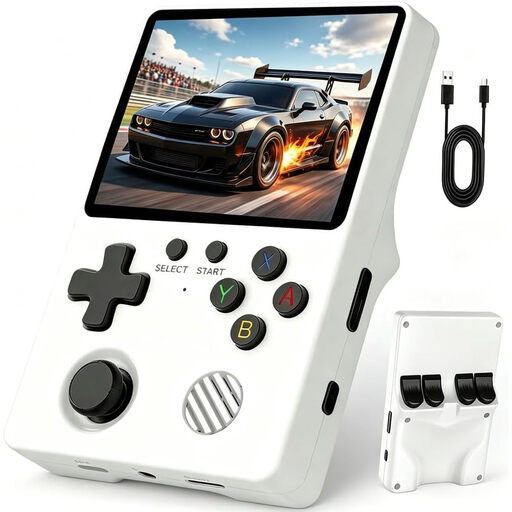
Retro handheld console, 64 GB
If pre-installed classics are enough for your offline sessions, the product description says you can play without an internet connection.
3.5-inch HD IPS screen, 64 GB storage and microSD card slot. The product description also lists a weight of 200 g and battery life of 6–8 hours.
View at Joybuy
 No image available
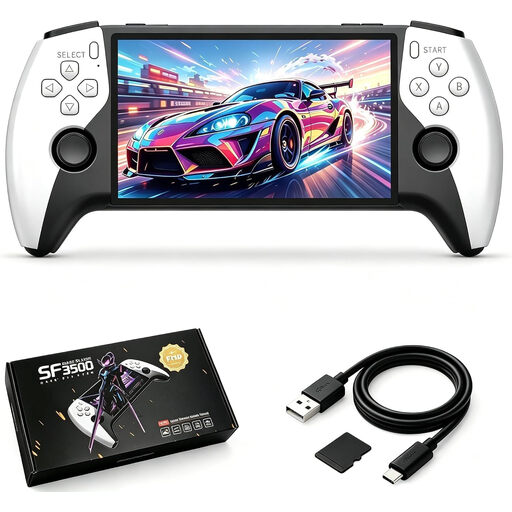
SF3500 handheld console, 32 GB
This model could be a good fit for travelling if its pre-installed classics suit the games you want to play.
5.5-inch IPS screen with a resolution of 680 × 420 pixels and a 32 GB memory card. The product description lists a non-slip casing and USB-C charging.
View at Joybuy
 No image available
Retro handheld console, 3.2-inch
If you’re looking for a compact console for classic games, the product title lists 300 pre-installed games.
3.2-inch HD screen, rechargeable battery and USB-C charging. Check whether the included games cover the adventure you want to play.
View at Joybuy
 No image available
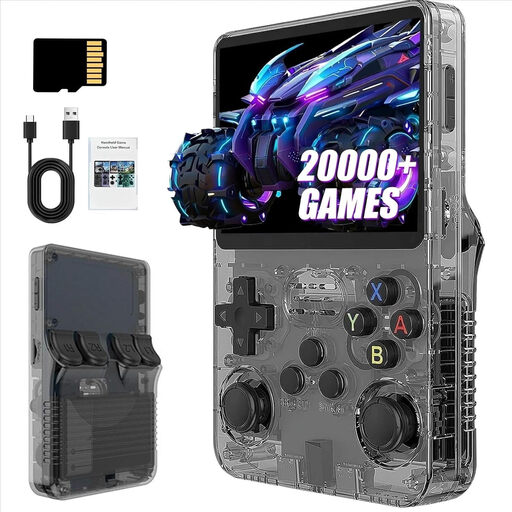
R36S Pro, 31 GB
Its portable design could suit classic games on the go. Check that the pre-installed selection includes the adventure you want to play.
3.5-inch screen and 31 GB storage. The product description lists dimensions of 13 × 8 × 2 cm.
View at Joybuy
 No image available
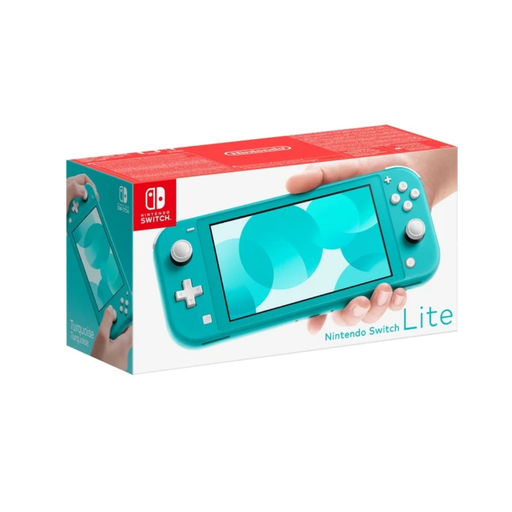
Nintendo Switch Lite, turquoise
It’s an option for compatible Switch adventures, as long as the game supports handheld mode. TV output isn’t supported.
5.5-inch touchscreen, around 275 g and a battery-life range of around 3–7 hours, according to Nintendo, depending on the software and how you use it.
View at Joybuy
Frequently asked questions
How do I prepare a Steam adventure for a coach journey?
Set up the game online before you leave, then test that it launches in Offline Mode. According to Steam Support, games that require an active connection or an external launcher won’t work in this mode.
Is inserting a Switch 2 Game-Key Card enough to play?
Not for the first launch: according to Nintendo, the card doesn’t contain the game data. Download the game in advance with an internet connection and enough storage space, then launch it once before testing it offline.
Can I play every Switch game on a Switch Lite or Switch 2?
No. The Switch Lite requires the game to support handheld mode. Nintendo also warns that some Switch games may not be compatible with Switch 2, or may not be fully compatible.
Do I need my PS5 to use PlayStation Portal while travelling?
According to Sony, PlayStation Portal connects to a PS5 over Wi-Fi for Remote Play. Sony also offers cloud streaming for selected games with PlayStation Plus Premium. Both ways of playing require a suitable internet connection.
What else should I plan for when gaming on a coach?
Check whether you’ll have access to a usable power socket during your journey, and take a charger that’s compatible with your device. For example, ASUS lists a 65 W USB-C power adapter for the ROG Ally X (2024); this isn’t a general charging requirement for other handhelds.


