Players with a specific games list
If you want to pick up particular strategy games while you’re out and about, first check that the right platform and game version are available and that the game can launch offline.


Start by checking the specific game version and whether it launches offline. A SteamOS handheld may suit compatible Steam titles that work with trackpad controls, the Switch 2 may suit available console versions, and a Windows handheld may be needed for games that require Windows. On a coach trip, you’ll also want to consider how easy the device is to use in your seat and how long it lasts with your game; manufacturer estimates alone can’t guarantee a particular play time.
If you want to pick up particular strategy games while you’re out and about, first check that the right platform and game version are available and that the game can launch offline.
If you often navigate maps, units or small menus, compare trackpads and touchscreens, and check whether the game specifically supports mouse controls.
If you want to play without relying on access to a power socket, weigh up battery life, screen size and weight for use in your seat.
| Consideration | What to check before buying | Who it matters most to |
|---|---|---|
| Game selection and offline play | Before your trip, check the game version you want, compatibility and whether it can launch without an internet connection. | If I want to carry on playing specific titles while I’m out and about, I check the platform, game version and offline start first. Around 28 % of consumers put access to their game first. |
| Precise controls | Check the controls available for your specific game, including controller, touch and, where applicable, mouse controls. | If I’m navigating lots of small menus or map elements, it’s important that the controls suit the game. Around 22 % of consumers focus mainly on controls. |
| Play time away from a power socket | Test battery life with your own game; battery capacity alone can’t tell you how long you’ll be able to play. | If I can’t recharge during a longer journey, I want to know how long my game will actually run for. Around 22 % of consumers prioritise play time on the go. |
| Readability and ease of use | Check how menus look on screen, and consider the device’s weight and how much space it takes up in your seat. | If I’m playing in a confined space, I need menus that are easy to read and a device that’s comfortable to hold. Around 17 % of consumers prioritise readability and ease of use. |
| Overall cost and service | Consider the game version, potential storage requirements, seller and warranty terms together. | When weighing up the cost of the device, games and any extras, I also want to understand the service terms. Around 11 % of consumers focus on overall cost and service. |
A game may need an internet connection the first time you launch it, for updates or because it uses an external launcher. Steam notes that titles requiring a constant connection or an external launcher won’t work in Steam’s Offline Mode.
Install the game at home, complete any necessary updates and test that it launches without an internet connection before you travel.
Nintendo specifically lists Joy-Con 2 mouse controls for Civilization VII – Nintendo Switch 2 Edition. You’ll need to check the control options for other titles individually.
Check the controls available in the version of the game you want, and consider how much space you’ll need if you plan to use a separate mouse.
Valve’s stated play time for the Steam Deck OLED depends on the content. Comparing the Wh ratings of different devices is no substitute for testing how long the same strategy game runs on each one.
Test your game using the settings you plan to use on your journey, and fully charge the device beforehand.
Nintendo specifies compatible microSD Express cards for expanding the Switch 2’s storage; standard microSD cards aren’t designed for this purpose.
First check how much storage your games need, then check which type of card is required.
If you need extra storage, you may need a compatible microSD Express card.
For buyers whose strategy games are available in the Steam library and who are considering trackpads as a control option.
For buyers whose preferred strategy games are available in a compatible Switch 2 version.
For buyers whose PC game or required software environment needs Windows.
For buyers considering a larger screen and detachable controllers in a Windows handheld.
For buyers with compatible PC games who value a larger built-in screen.
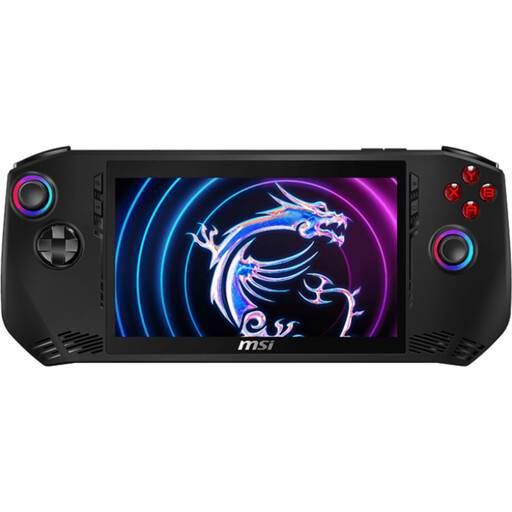
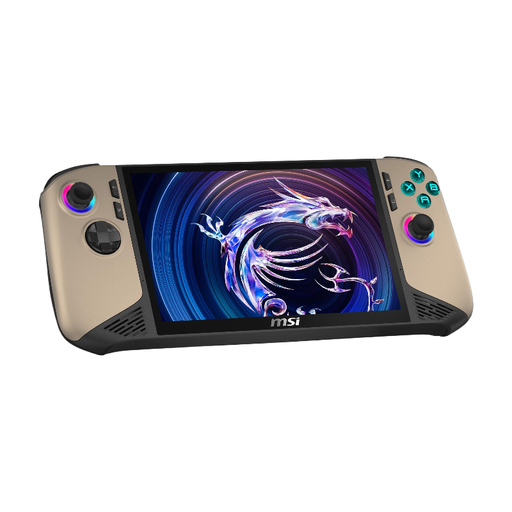
This selection features Windows handhelds for PC strategy games, provided the game platform you need and the specific title are compatible with the device.
 No image available
For PC strategy games that run on the platform you need under Windows 11 Home; check the specific title and whether it can launch offline.
Intel Core Ultra 7 155H, 16 GB LPDDR5, 1 TB PCIe SSD, 7-inch FHD touchscreen with 120 Hz and 675 g, according to the product description.
 No image available
For PC strategy games that run on the platform you need under Windows 11 Home; check how the specific title works on the built-in display.
Intel Core Ultra 7, 32 GB RAM, 1 TB SSD and 8-inch FHD+ touchscreen with 120 Hz, according to the product name; the product description lists a weight of 795 g.
No, not on its own. Valve notes that games rated “Playable” may need some manual adjustments. Also check how easy the text is to read, the controls and your strategy game’s offline requirements.
Launch your game online before you travel, complete any updates and test that it starts offline. Steam notes that games requiring a constant connection or an external launcher won’t work in Steam’s Offline Mode. A Switch 2 Game-Key Card needs to be downloaded before its first launch; Nintendo says you can then launch the game offline with the card inserted.
No. Nintendo specifies compatible microSD Express cards for expanding storage and notes that a system update via the internet is required. According to Nintendo, standard microSD cards can only be used to copy Switch screenshots and videos.
Your statutory rights are against the seller; a manufacturer’s guarantee is voluntary and may have its own terms. The Verbraucherzentrale says that online purchases generally come with a 14-day right to cancel after receiving the goods; exceptions and the specific contract terms should be taken into account.