Fans of Switch rhythm games
If you want to play a particular Switch game on the go, check that it supports Handheld Mode and has the controls you need. Nintendo notes that not all older Switch titles are fully compatible with Switch 2.


Start by checking the specific rhythm game and how it’s controlled: a Nintendo Switch Lite may suit Switch games that support Handheld Mode, while a Steam Deck OLED or Windows handheld may work for compatible PC titles. Then compare the weight and the manufacturer’s stated battery life. Test the game in your preferred mode before setting off, and make sure the sound won’t disturb other passengers.
If you want to play a particular Switch game on the go, check that it supports Handheld Mode and has the controls you need. Nintendo notes that not all older Switch titles are fully compatible with Switch 2.
For short journeys and limited space, size, weight and suitable battery life all matter. Nintendo gives the Switch Lite a battery life of around 3 to 7 hours, depending on the software and features used.
If you want to take a particular PC game with you, check it individually: Valve lists different compatibility ratings for each game on Steam Deck, while the requirements of the specific game are what matter for a Windows handheld.
A good fit if: Your rhythm game supports Handheld Mode and you want a compact device with built-in controls.
Things to consider: There’s no TV Mode; some Joy-Con features may require additional controllers. Nintendo gives a battery life of around 3 to 7 hours, depending on the software and features used.
A good fit if: You want to use Tabletop and TV Modes as well as Handheld Mode.
Things to consider: Nintendo lists a 7-inch OLED screen, 64 GB of internal storage and a battery life of around 4.5 to 9 hours, depending on the software and features used.
A good fit if: You want to play Switch 2 games and selected older Switch titles.
Things to consider: Nintendo lists a weight of around 534 g with Joy-Con 2 controllers attached and a battery life of 2 to 6.5 hours. Check compatibility for each older game.
A good fit if: Your chosen rhythm games are available on Steam and work well on Steam Deck.
Things to consider: Valve gives a gameplay battery life of 3 to 12 hours, depending on the content. Compatibility is rated for each game; Steam lists “DJMAX RESPECT V” as “Unsupported”.
A good fit if: A particular Windows game is your priority and its controls and requirements suit the device.
Things to consider: For the ROG Xbox Ally RC73YA-NH002W, ASUS lists Windows 11, a 7-inch touchscreen and a 3.5 mm audio jack. These specifications don’t confirm whether a particular game can be played offline or whether its timing will work as intended.
| Buying priority | What to check | Who is this especially important to? |
|---|---|---|
| Game and control compatibility | Check the game version, Handheld Mode and the controllers required; for Steam Deck or Switch 2, check the status of the individual title. | If I want to play a particular rhythm game on the go, the game and its controls need to work on the device. Around 33% of consumers put compatibility with a specific game and its controls first. |
| Size and ease of use | Compare the weight and dimensions with the controllers attached, as well as how the game is controlled. | On short journeys with limited space at my seat, I want a device that’s easy to carry and comfortable to hold. Around 27% of consumers prioritise a compact design. |
| Audio and consideration for others | Check for a headphone jack and, if available, audio or input calibration; set the volume to a suitable level. | If I need to hear rhythm cues on the train, I want to use the audio without disturbing anyone else. Around 20% of consumers pay particular attention to audio, timing and consideration for others. |
| Battery and preparation | Compare the manufacturer’s stated battery life with your journey time, and test installation, start-up and your chosen mode in advance without an internet connection. | On a longer journey, I don’t want to rely on an internet connection or the top end of a battery-life estimate. Around 20% of consumers put battery life and preparation first. |
Valve gives games different compatibility ratings. “Playable” may require manual adjustments; Steam lists “DJMAX RESPECT V” as “Unsupported”.
Check the status of each game you want and don’t assume “Playable” means the same as “Verified”.
Some Switch games or modes require controls that can’t be used with the Lite’s built-in controls alone.
Check that the specific rhythm game supports Handheld Mode and that its controls will work for you. If it requires separate Joy-Con features, factor in suitable controllers and a way to charge them.
Nintendo and Valve give battery-life ranges that depend on the software, features or content.
Don’t plan your journey around the top end of the estimate alone, and charge your device before you leave.
Deutsche Bahn says that listening to music loudly, even through headphones, is not welcome in ICE quiet zones.
Be mindful of how much sound can be heard by others, and turn the volume down or move to another area if necessary.
A good choice for rhythm games in the Switch family; the right console depends on the specific game and the modes you want to use.
A good choice if the rhythm games you want are available on Steam and work well on Steam Deck.
A good choice if you want to play a particular PC game on a Windows handheld.
The products below are portable handheld consoles for gaming on the go. Before buying, check that each model supports your specific rhythm game, the controls it requires and the offline mode you want to use.
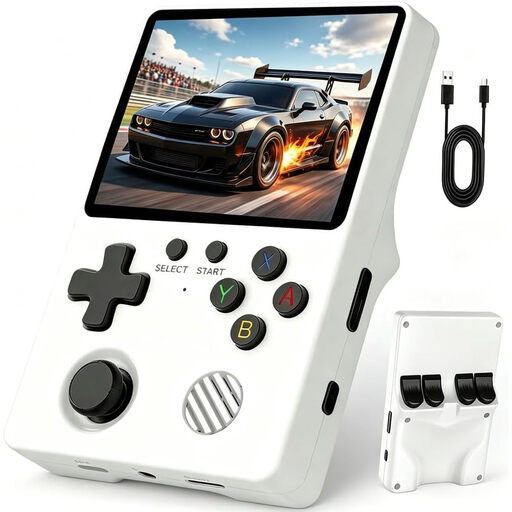 No image available
Described as a portable console for gaming on the go; check that it supports your specific rhythm game and its controls.
3.5-inch IPS screen, 200 g and, according to the product description, 6 to 8 hours of battery life.
 No image available
Described as a compact console for gaming on the go; check in advance whether it supports your rhythm game and its controls.
3.2-inch HD screen, 300 pre-installed games and a built-in battery that charges via USB-C.
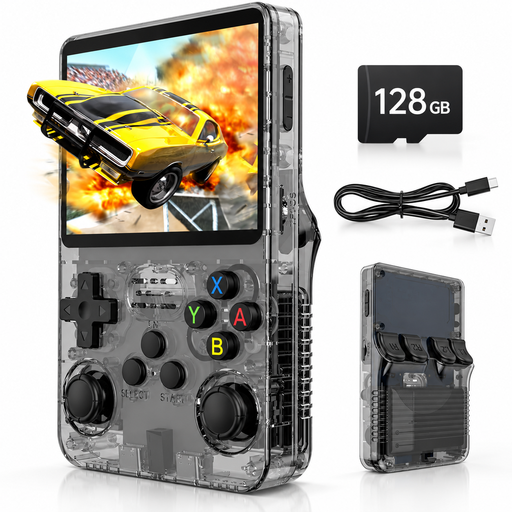 No image available
Worth considering for longer journeys if the stated battery life suits your route; check your rhythm game’s compatibility separately.
3.5-inch IPS screen, 128 GB storage, headphone jack and, according to the product description, up to 8 hours of play time.
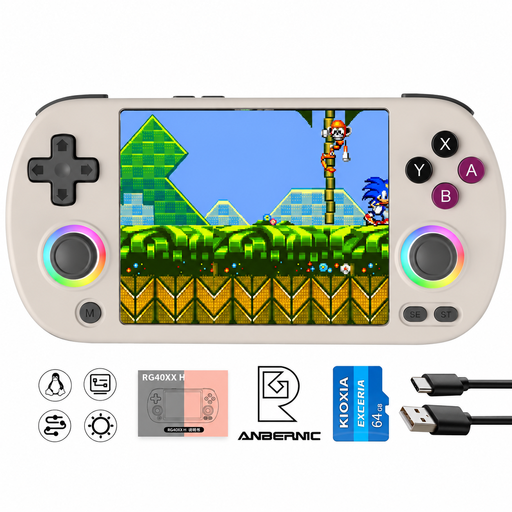 No image available
Described as a portable handheld console; check that it supports the rhythm game you want and its controls.
4-inch IPS screen, Bluetooth, HDMI output and, according to the product description, 6 to 7 hours of battery life.
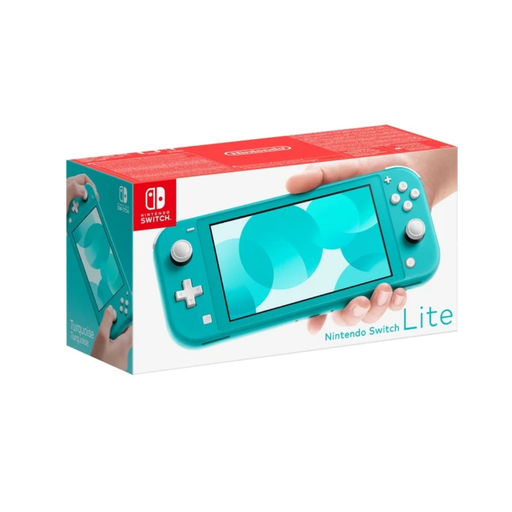 No image available
Suitable for Switch rhythm games if the specific title supports Handheld Mode; Nintendo recommends checking the game’s compatibility.
5.5-inch multi-touch screen, 32 GB storage and around 3 to 7 hours of battery life according to Nintendo, depending on the software and features used. Weight: 275 g.
No. The Switch Lite plays Switch titles that support Handheld Mode; games that require separate Joy-Con controls may need additional controllers and a way to charge them. Check the mode you want to use before buying.
Not across the board. Nintendo notes that some Switch titles won’t work on Switch 2, or may have limited functionality. Check the individual title in Nintendo’s compatibility list.
Install the game and any content you need in advance, then test your chosen mode without an internet connection. A listed single-player mode doesn’t guarantee that every start-up and piece of additional content will work offline.
Compare your journey time with the manufacturer’s stated battery life, but don’t treat a battery-life range as a guarantee. Nintendo gives different figures depending on the model and how it’s used; Valve states that the Steam Deck OLED lasts 3 to 12 hours, depending on the content.
Deutsche Bahn explicitly says that listening to music loudly in these areas is not welcome, even through headphones. Keep the volume low enough not to disturb others; this doesn’t imply a general legal ban.